Use Focus Sessions
You sit down to work and an hour vanishes into pings, tabs, and 'just checking.' Windows Focus Sessions bring the Pomodoro technique built in: pick a task, set a timer, and Windows silences notifications while the clock runs. Distraction management without another app to install.
TL;DR / Quick Fix
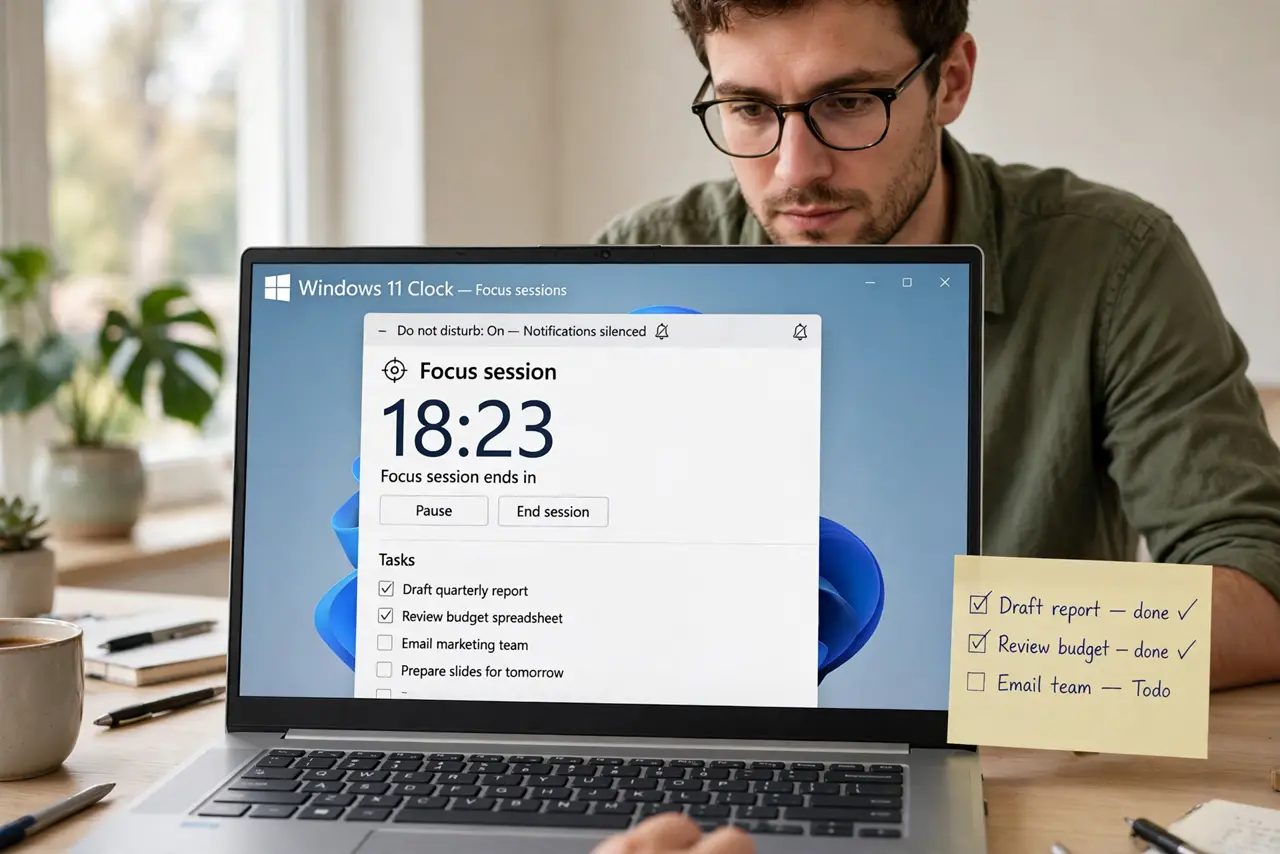
Quick fix: open the Clock app, go to Focus Sessions, pick your task, and start a 25-minute session. Windows enables Do Not Disturb automatically while the timer runs. Take the suggested breaks — the rhythm is the point, not just the silence.
Follow these steps
- Open the Clock app. Search for Clock in Start and open it. The Focus Sessions tab is right there — Microsoft hid a productivity system inside the alarm app.
- Pick your task. Choose a task from your list or type what you will work on. Naming the task focuses the session — 'write report section 2' beats 'work.'
- Set the timer. The default 25 minutes with 5-minute breaks is the classic Pomodoro rhythm. Adjust to 50/10 if you prefer longer stretches — the structure matters more than the exact numbers.
- Start the session. Hit start. Windows turns on Do Not Disturb automatically, silencing pings for the session length. The timer counts down visibly — accountability you can see.
- Take the breaks. When the timer ends, actually step away — stretch, water, eyes off the screen. Breaks are load-bearing; skipping them collapses the rhythm by afternoon.
- Review the streak. The app tracks daily focus time. Watching the streak grow is gentle motivation — and it shows which days actually had deep work.
What NOT to do
- Do not skip the breaks. Powering through turns Focus Sessions into just a timer — the recovery is the technique.
- Do not set marathon sessions first. Start with 25 minutes; 90-minute ambitions on day one end in abandoned timers.
- Do not allow 'urgent' exceptions freely. Every allowed ping is a crack in the wall — keep the exception list ruthless.
- Do not use it without a task. A timer with no named task is just a countdown — the task is what focuses.
Frequently asked questions
What is a Focus Session?
A timed work block — typically 25 minutes — with notifications silenced and a named task. It is the Pomodoro technique built into Windows.
Can I change the timer lengths?
Yes — adjust focus and break durations in the session settings. Find your rhythm; the defaults are just a starting point.
Does it block websites too?
No — it silences notifications, not browsers. Pair it with a site blocker if tabs are your kryptonite.