Focus Sessions? Basics
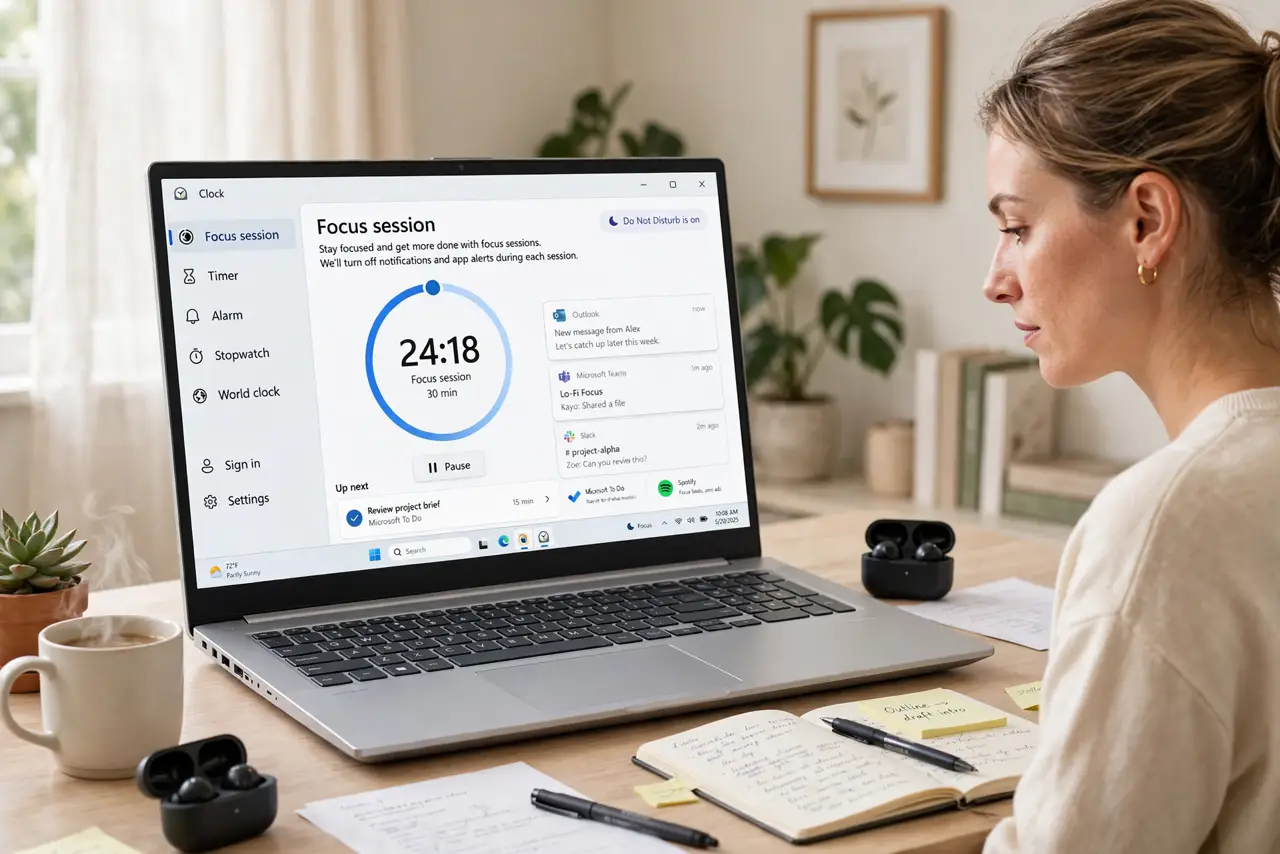
Windows has a built-in focus timer — Focus Sessions in the Clock app — that runs Pomodoro-style work sprints with breaks, silences notifications, and even plays Spotify. Most people never open it because it hides inside the Clock app of all places. This guide starts your first session and wires it to Do Not Disturb.
TL;DR / Quick Fix
Quick fix: open the Clock app and go to Focus Sessions. Set a focus period — 25 or 50 minutes works well — and start it. Link it to Do Not Disturb so notifications stay quiet. Take the suggested breaks; the timer enforces them so you do not have to.
Follow these steps
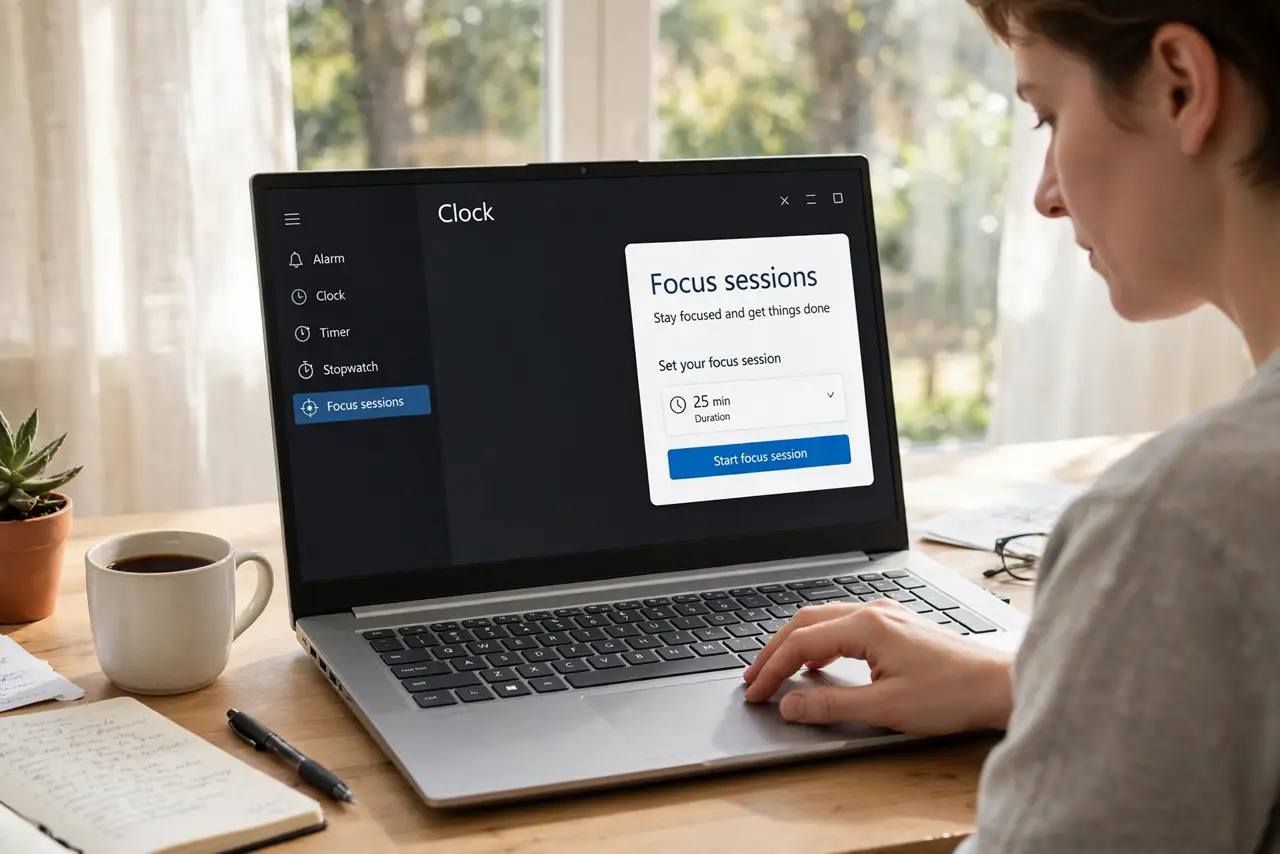
- Open Focus Sessions. Launch the Clock app and click Focus Sessions in the sidebar. Yes, the Clock app — Microsoft hid productivity inside the timepiece.
- Set your session length. Pick 25 minutes for Pomodoro-style sprints or 50 for deep work. Set a daily goal too — the app tracks streaks, which is surprisingly motivating.
- Link Do Not Disturb. Enable the option to turn on Do Not Disturb during sessions. This is the real power: the timer plus silence. A Windows DND schedule can extend the quiet beyond sessions.
- Connect Spotify or tasks. Link your Spotify for focus playlists and Microsoft To Do for the session's task list. One dashboard — timer, task, music — beats juggling three apps.
- Respect the breaks. Take the 5-minute breaks the timer suggests. The science is real: breaks sustain focus across the day, and skipping them burns you out by 3 PM.
- Review your progress. The app shows daily focus time and streaks. A glance at the end of the week tells you whether the habit stuck — adjust session length based on real data.
What NOT to do
- Do not run sessions without Do Not Disturb. A focus timer that lets every ping through is just a clock — link the silence.
- Do not start with marathon sessions. Ninety-minute sprints on day one lead to quitting by day three — build up from 25.
- Do not multitask during a session. One task per session is the rule; the timer cannot focus for you.
- Do not ignore the streak data. If sessions keep getting skipped, the length or timing is wrong — adjust, do not abandon.
Frequently asked questions
What is a Focus Session?
A timed work sprint with breaks, built into Windows' Clock app, that can silence notifications and track your daily focus time.
Can I use it without a Microsoft account?
The timer works locally, but task syncing and some integrations want a sign-in. Core focus timing needs nothing.
Does it block websites?
No — it silences notifications but does not block sites. Pair it with a site blocker if the browser is your weakness.