Game Mode Makes Performance Worse? Fix It
When Game Mode makes performance worse, the feature meant to help is competing with your game for the same resources, or it is changing settings your game does not like. The honest fix is to turn it off, compare the same game fairly, and keep it off if the game runs better without it.
TL;DR / Quick Fix
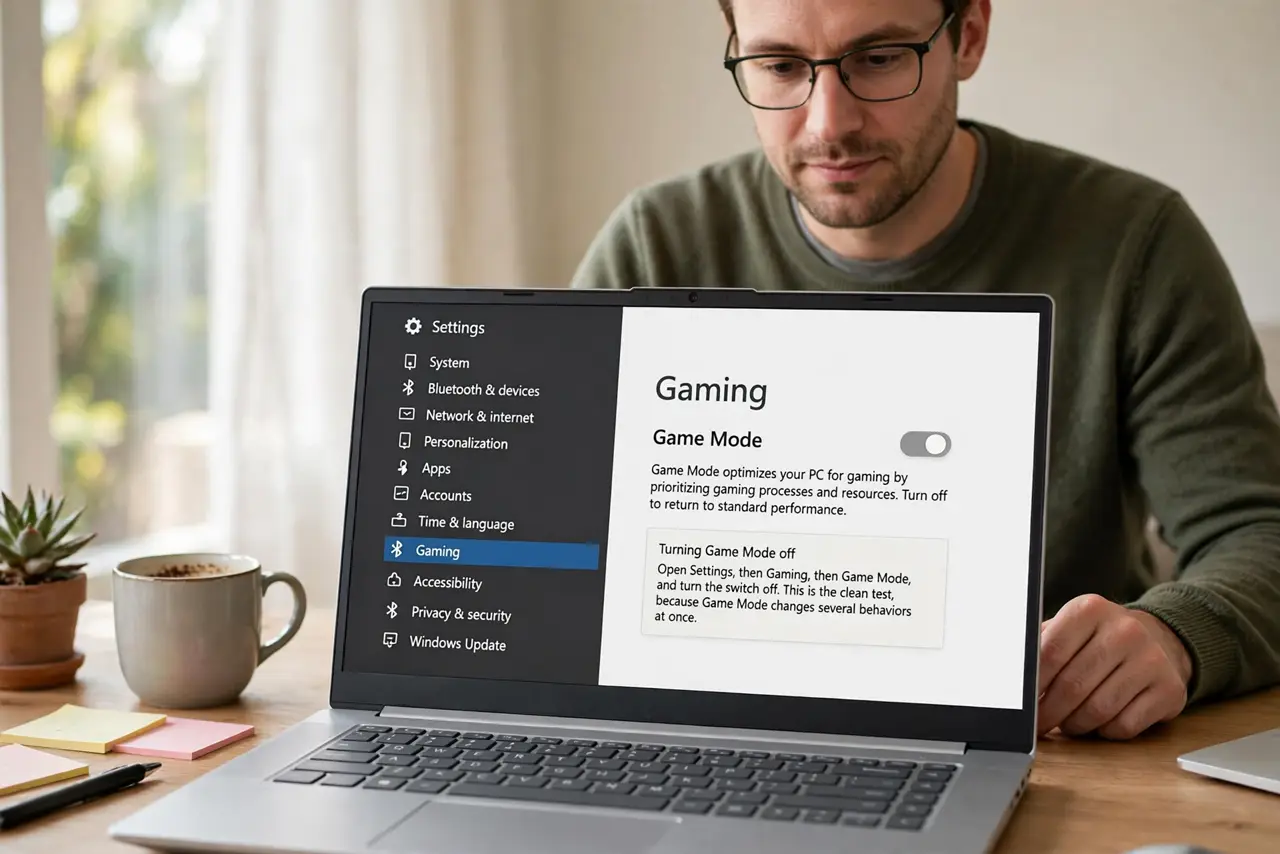
Quick fix: open Settings, then Gaming, then Game Mode, and turn Game Mode off. Restart the game, play the same scene you struggled with, and compare. If it runs smoother with Game Mode off, leave it off: not every game benefits from it.
Follow these steps
- Turn Game Mode off. Open Settings, then Gaming, then Game Mode, and turn the switch off. This is the clean test, because Game Mode changes several behaviors at once.
- Close background apps for a fair test. Close browsers, launchers, and other heavy apps you do not need. A fair comparison needs the same background load with Game Mode on and off.
- Replay the same scene. Play the same part of the game that stuttered before, for the same length of time. Comparing different scenes proves nothing, because scenes differ in load.
- Compare smoothness, not just one number. Note stutters, hitches, and frame drops, not only the highest frame rate. A game that stutters less feels better, even if its peak speed is similar.
- Turn Game Mode back on only if it helps. If the game ran better with Game Mode on, turn it back on for that game. If it ran worse, leave it off, and test each game separately, because results differ per game.
- Check the graphics driver if both tests stutter. If the game stutters with Game Mode on and off, the problem is elsewhere. Check the game graphics settings and the driver version before you blame Game Mode further.
What NOT to do
- Do not leave Game Mode on for every game out of habit. Some games run worse with it, so test per game instead of assuming it always helps.
- Do not change five graphics settings at once while testing Game Mode. Changing several things together hides which change actually helped.
- Do not install a game booster tool from an ad to fix stutter. Booster tools often add background load of their own, and they cannot fix a setting that a simple switch already controls.
- Do not judge Game Mode from a single loading screen. Loading screens stutter for reasons unrelated to gameplay, so compare actual gameplay scenes instead.
Frequently asked questions
What does Game Mode actually do?
It tries to prioritize the game, limit background activity, and stabilize performance. Those changes help some games and hurt others, which is why testing matters.
Should Game Mode help every game?
No. Games differ in how they use the processor and graphics, so a setting that helps one game can hinder another. Test per game and keep what works.
Is turning Game Mode off harmful?
No. Turning it off returns Windows to normal behavior. Your games, saves, and settings stay untouched.