Change What the Power Button Does
One accidental tap of the power button and your PC shuts down mid-sentence. The button's action is just a setting — most people want Sleep, not Shut down, because a tap then pauses instead of ending everything. It takes twenty seconds to fix forever.
TL;DR / Quick Fix
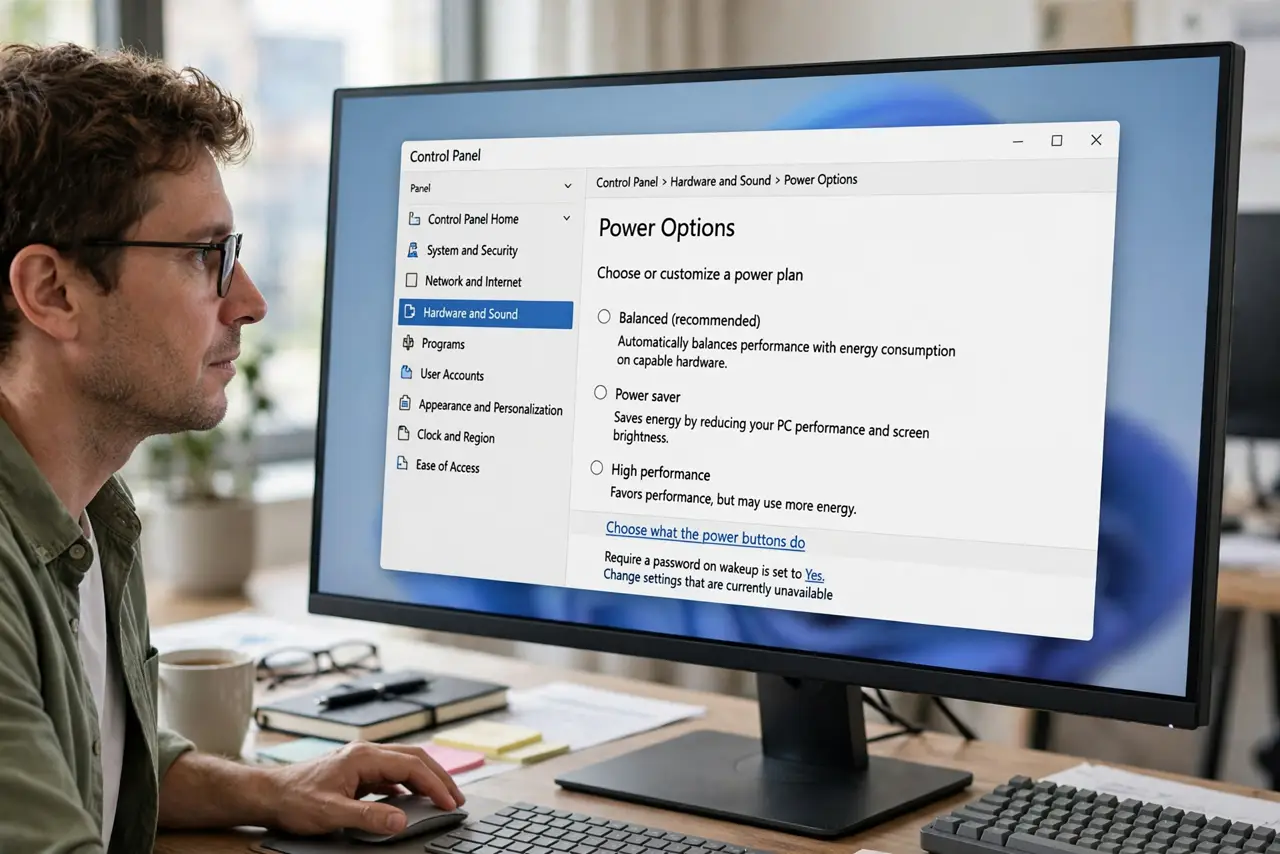
Open Control Panel > Power Options > 'Choose what the power buttons do' and reassign the button per power state — Sleep is the sensible default. A single press then sleeps instead of shutting down mid-work. The same page controls the sleep button, if your keyboard has one.
Follow these steps
- Open the power button settings. Open Control Panel > Power Options and click 'Choose what the power buttons do' in the left sidebar.
- Change the button to Sleep. Set 'When I press the power button' to Sleep for both battery and plugged-in states. A tap now pauses instead of killing.
- Set the sleep button too. If your keyboard has a sleep key, assign it on the same page — consistency beats surprises.
- Keep Shut down on the Start menu. You lose nothing: full shutdown stays two clicks away in Start > Power. The button just stops being a trap.
- Test with a single press. Tap the button once and confirm the PC sleeps — screen off, power light breathing. Wake it to confirm everything's intact.
- Check it stuck after updates. Major updates occasionally reset power settings. If the button misbehaves months later, revisit this page — see the does nothing note.
What NOT to do
- Do not set it to Shut down if you bump the button. Cats, kids, and elbows exist — Sleep forgives, Shut down doesn't.
- Do not hold the button to 'fix' a freeze casually. A 5-second hold force-powers off and can corrupt open files — use it only for true freezes.
- Do not confuse the button with the lid. They're separate settings; fixing one doesn't fix the other.
- Do not disable the button entirely out of fear. Sleep-on-press keeps it useful without the danger.
Frequently asked questions
Why did my PC shut down when I just tapped the button?
The button was set to Shut down. One setting change to Sleep turns taps into harmless pauses.
Does Sleep wear out the PC?
No. Sleep is the gentlest power state — components idle at minimal power with no wear to speak of.
Can I make the button do nothing at all?
Yes — 'Do nothing' is an option. It suits kiosk-style setups, but Sleep is safer for real desks.