Recall? What It Records
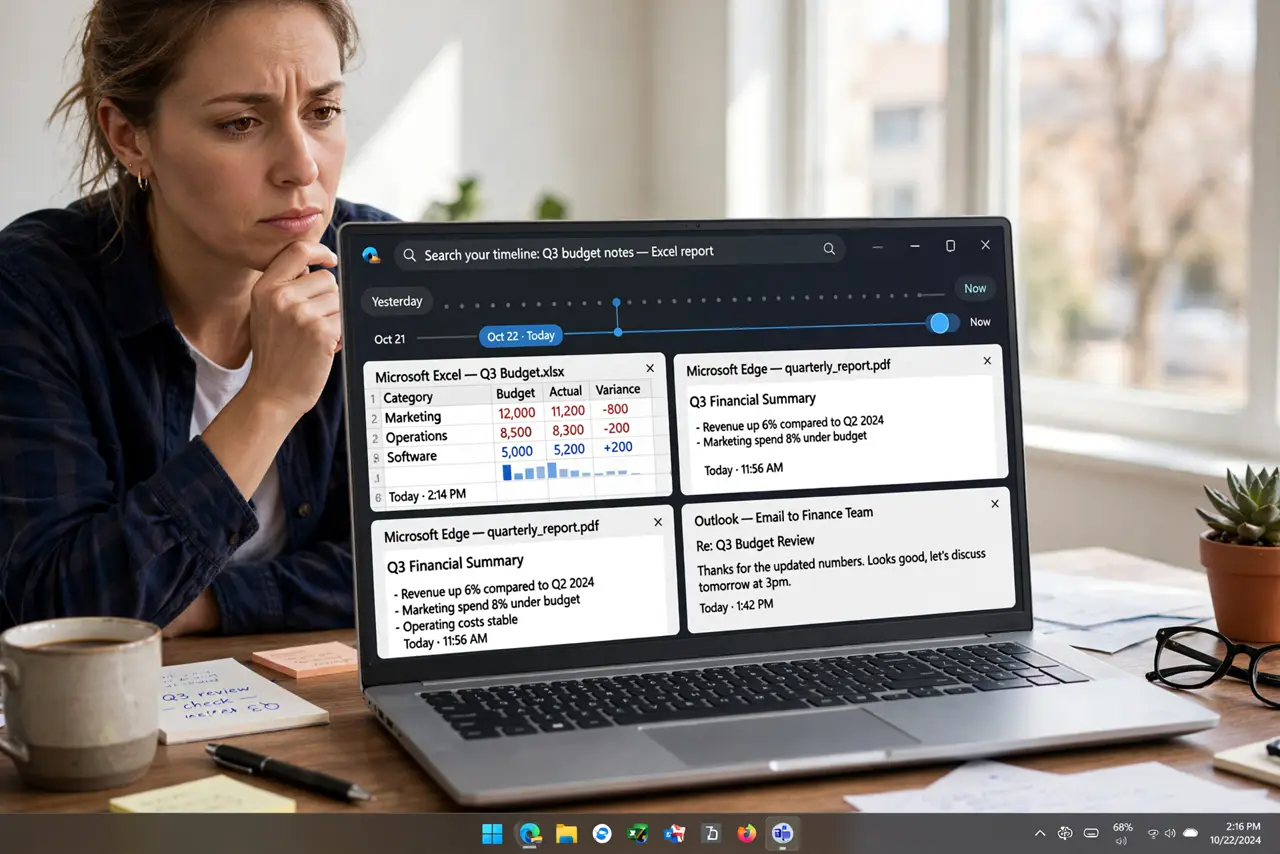
Recall is Windows' most controversial feature — it takes periodic screenshots of everything you do, building a searchable timeline of your PC activity. Microsoft pitches it as a photographic memory; privacy advocates see a surveillance goldmine. Here is what it actually records, where the data lives, and how to control it.
TL;DR / Quick Fix
Quick fix: Recall snapshots your screen every few seconds into a searchable timeline — it runs only on Copilot+ PCs and is off by default. Check its status in Settings > Privacy & security. You can pause it, exclude apps and websites, or turn it off entirely.
Follow these steps
- Understand what it captures. Periodic screenshots of nearly everything on screen — documents, chats, browsing — stored locally and made searchable by AI. It is comprehensive by design, which is exactly the concern.
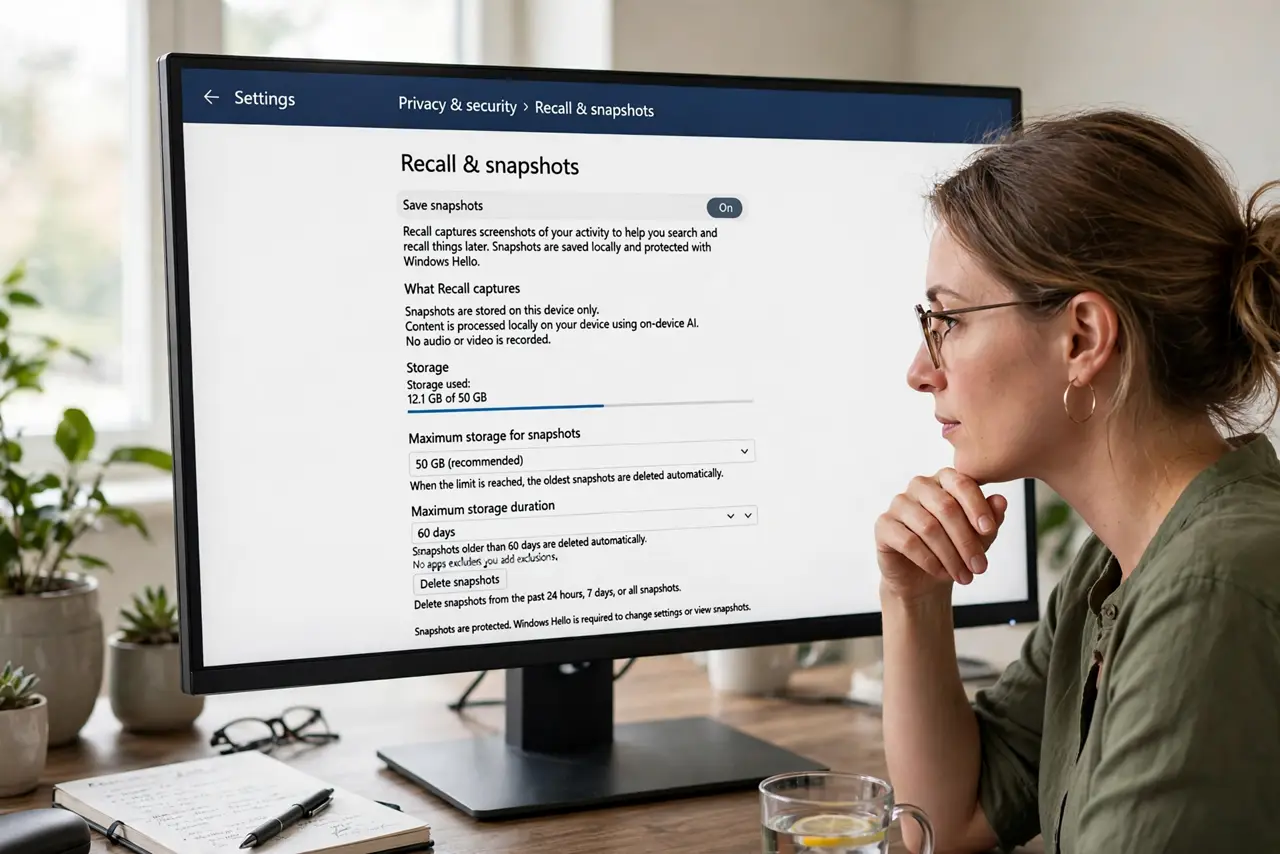
- Check whether it is even on. Recall requires a Copilot+ PC with an NPU, and rollout varies by region. Settings > Privacy & security > Recall & snapshots shows its status — many users will find it simply absent or off.
- Pause it for sensitive work. The system tray icon lets you pause snapshotting instantly — banking sessions, confidential documents, health portals. Pausing is the practical middle ground between on and off.
- Exclude apps and websites. You can blacklist specific apps and private-browsing sessions from snapshots. Set exclusions proactively for password managers, banking apps, and anything sensitive.
- Know where the data lives. Snapshots are stored locally on your device, encrypted — not in Microsoft's cloud. That is better than the alternative, but anyone with device access and your login sees everything.
- Turn it off completely. The same settings page offers a full off switch, plus snapshot deletion. If the concept bothers you, off is a perfectly valid choice — see how Copilot differs as the separate assistant feature.
What NOT to do
- Do not leave Recall running during sensitive sessions. Pause it for banking, medical, and confidential work — snapshots are thorough.
- Do not assume 'local' means 'safe'. Local data is still exposed to anyone who can log into your PC — use a strong login.
- Do not ignore the exclusions list. Default exclusions miss things — review and add your sensitive apps manually.
- Do not confuse Recall with Copilot. They are separate features with separate toggles — disabling one does not disable the other.
Frequently asked questions
Is Recall spying on me for Microsoft?
Snapshots stay on your device and are not uploaded to Microsoft. The concern is local exposure — a compromised or shared PC with Recall is a rich target.
Does Recall slow down my PC?
It needs a Copilot+ PC's neural processor precisely so it does not burden the main CPU. On supported hardware the impact is minimal.
Can I delete Recall snapshots?
Yes — the settings page lets you delete snapshots by time range or wipe everything, and turning the feature off stops new ones.