Install Apps with Winget
Every new PC starts the same ritual: hunting down installers on random websites, clicking through bundled offers, hoping nothing extra tags along. Windows ships with a better way built in — Winget, a command-line tool that installs apps from a verified catalog with one command. No sketchy download pages, no bundled toolbars.
TL;DR / Quick Fix
Quick fix: Winget is Windows built-in app installer — search, install, and update apps from a verified catalog instead of hunting installers on random sites. It skips bundled junk and handles updates. Learn three commands and you will never hand-download a common app again.
Follow these steps
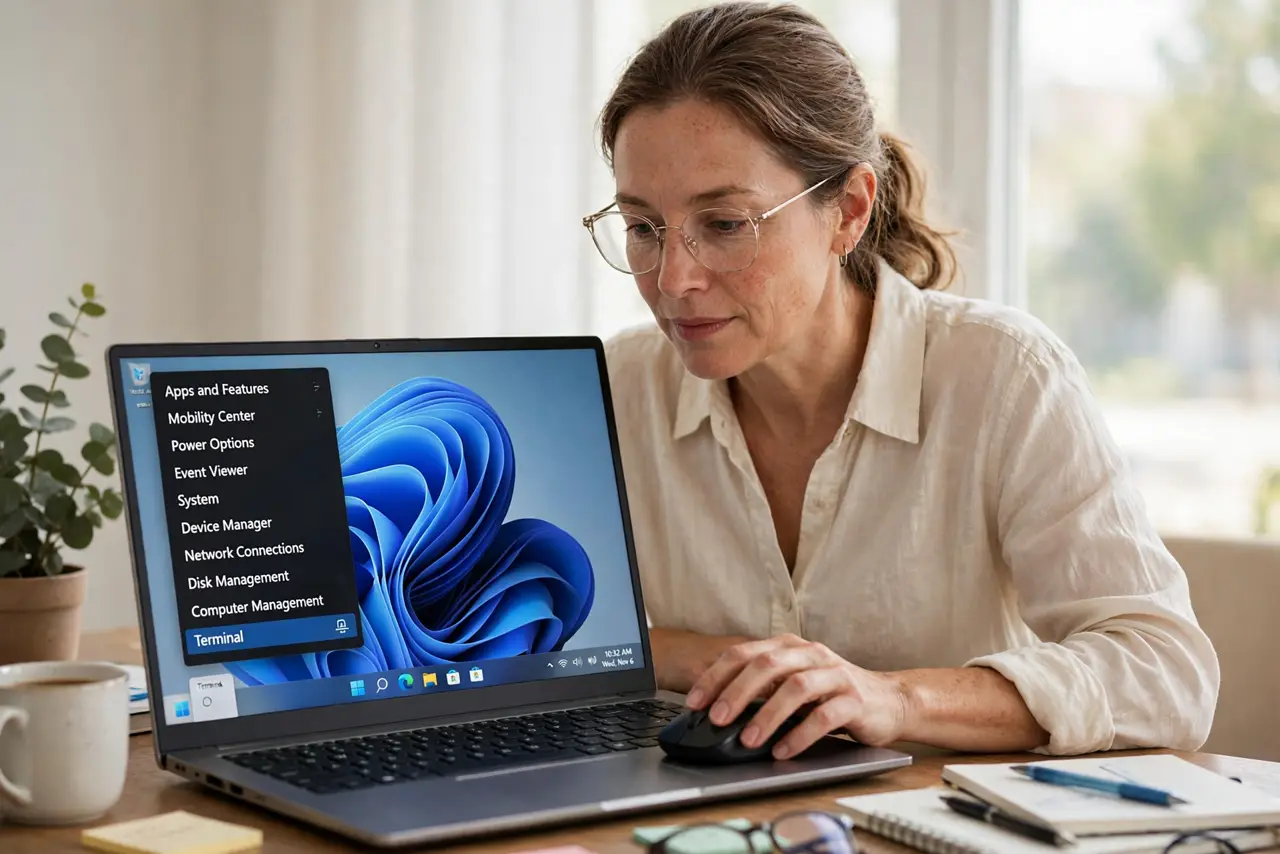
- Open Terminal. Right-click the Start button and choose Terminal. Winget is built into Windows 10 and 11 — no download needed, which is rather the point.
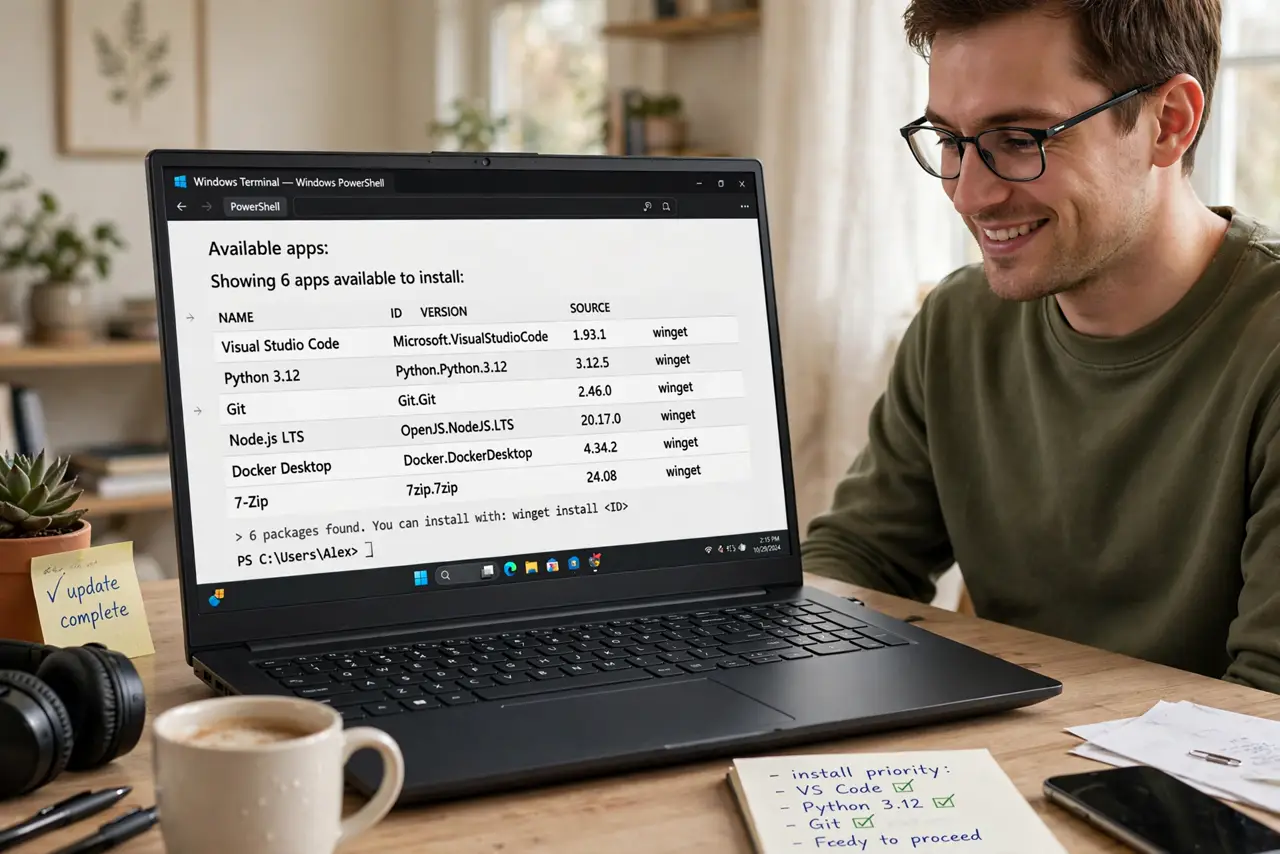
- Search before you install. Type the search command with the app name to see the verified catalog entry. The install walkthrough shows the exact flow — always confirm the publisher looks right before installing.
- Install with one command. One command fetches the app, installs it silently, and skips the bundled offers that plague manual installers. This is the whole win: no Next-Next-Next traps.
- Update everything at once. A single upgrade command refreshes all Winget-managed apps. See the update-all flow — it turns monthly update chores into one line.
- List what you have. The list command shows every app Winget manages. Handy for auditing a new machine or rebuilding after a reset.
- Uninstall cleanly too. Winget removes apps the same tidy way it installs them. One tool for the full lifecycle beats five different uninstallers.
What NOT to do
- Do not install apps from random download sites when Winget has them. The verified catalog is the safer source — that is the habit to build.
- Do not run install commands you copied from strangers without reading them. Understand before you paste, always.
- Do not expect every app to be there. Niche and brand-new apps may be missing — Winget covers the common ones best.
- Do not skip the search step. Similarly named packages exist; installing the wrong one is an avoidable headache.
Frequently asked questions
Is Winget safe?
Yes — it pulls from Microsofts verified catalog, which beats random download sites. You still confirm the publisher, as with any install.
Does Winget work on Windows 10?
Yes, on supported Windows 10 builds and all of Windows 11. It arrives via the App Installer updates.
Can Winget replace the Microsoft Store?
For many apps, yes — but the Store still handles some apps and games better. Use both.