Hotspot Turns Itself Off on Android
You turn on the Android hotspot and it switches itself off minutes later — sometimes the moment the last device disconnects. Android does this on purpose to save battery, but the timeout is adjustable. This guide stops the auto-shutdown while keeping the battery drain under control.
TL;DR / Quick Fix
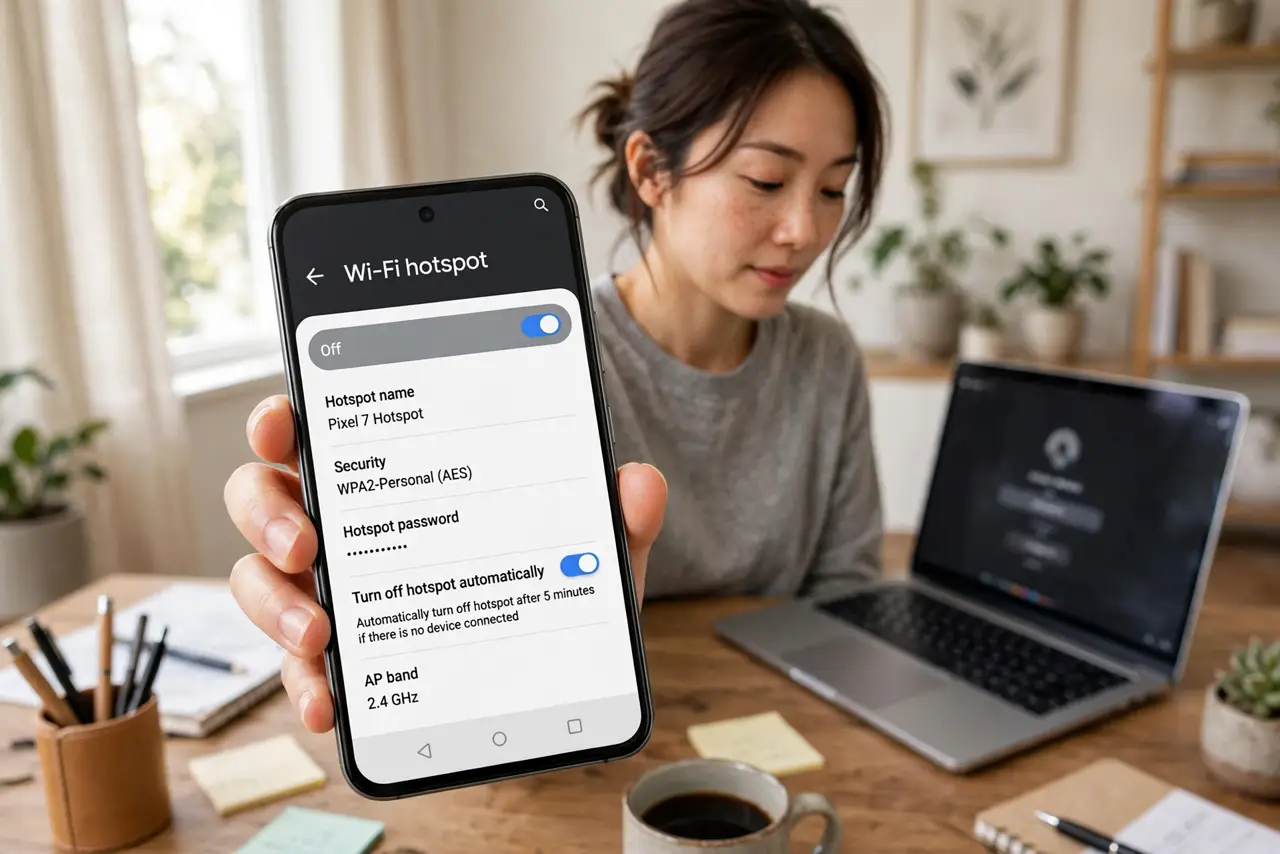
Quick fix: open hotspot settings and turn off 'Turn off hotspot automatically' or extend the timeout. Keep the phone plugged into power while hosting and turn off battery saver. If it still shuts off with devices connected, check for a carrier limit or a timeout in a third-party app.
Follow these steps
- Find the auto-off setting. Open hotspot settings and look for 'Turn off hotspot automatically' or a timeout option. This single toggle is the cause in most cases.
- Disable it or extend the timeout. Turn the auto-off off, or set the longest timeout available. The phone will then keep hosting until you switch it off yourself.
- Keep the phone on power. Hosting burns battery fast, and low battery triggers shutdowns. Plug the phone in while the hotspot runs.
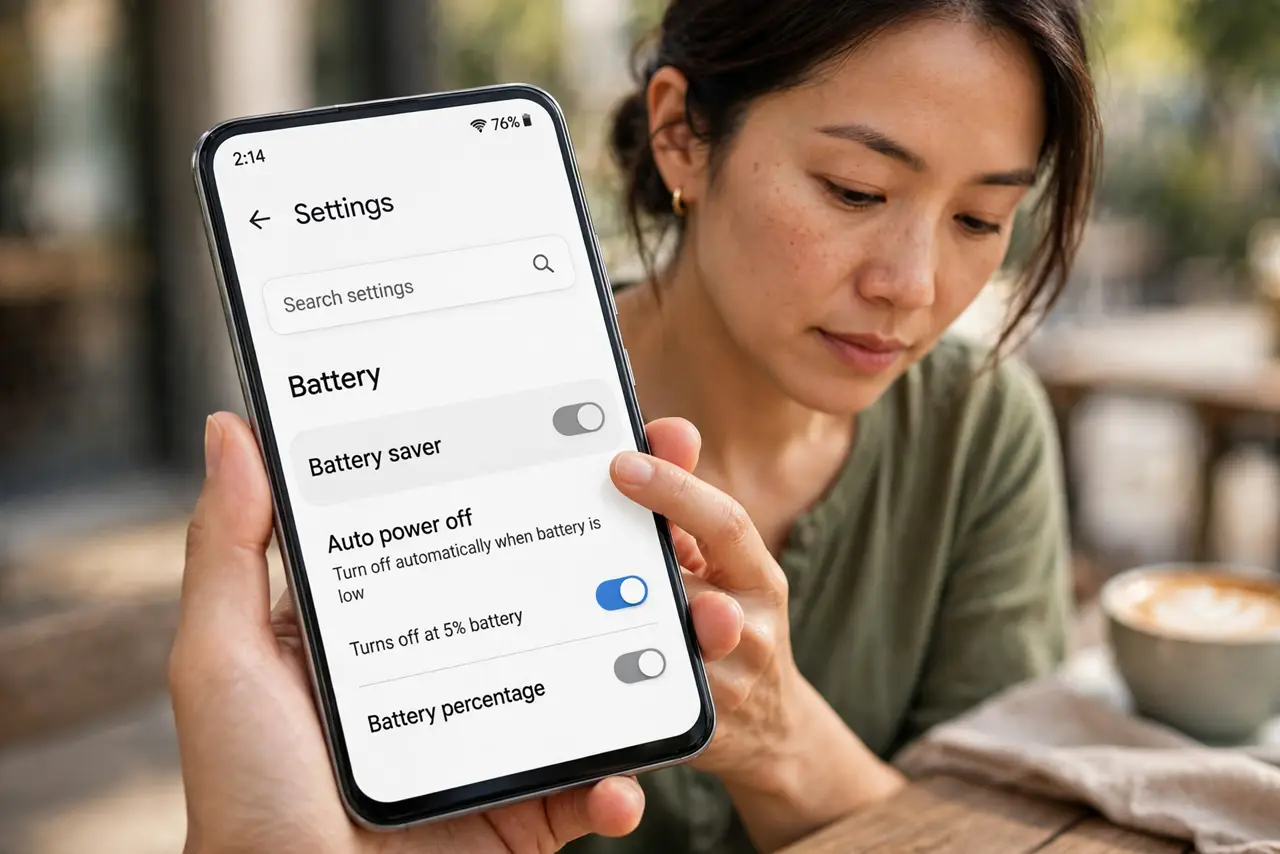
- Turn off battery saver. Battery saver aggressively kills the hotspot. Disable it while hosting, or add the hotspot to its exceptions if your phone allows.
- Check for carrier restrictions. Some carriers disable tethering or cap it, which can look like the phone turning it off. Check your plan's hotspot allowance.
- Restart the phone if the toggle misbehaves. If the setting is already off but the hotspot still dies, restart. A stuck system service sometimes ignores the toggle until a reboot.
What NOT to do
- Do not assume the hotspot is broken. Auto-off to save battery is the designed behavior, not a fault.
- Do not host on battery saver and expect it to stay on. The two settings directly oppose each other.
- Do not use a third-party hotspot app to dodge the timeout without checking its permissions. Some harvest data in exchange for the feature.
- Do not ignore overheating. A phone that shuts the hotspot off while hot is protecting itself — cool it down first.
Frequently asked questions
Why does my hotspot turn off by itself?
Android's auto-off timer, battery saver, low battery, or a carrier restriction. The timeout setting is the first thing to check.
Can I keep the hotspot on all day?
Yes, with auto-off disabled and the phone on power. Watch your data cap and the phone's temperature, though.
The hotspot turns off even with devices connected — why?
That points to battery saver, overheating, or a carrier limit rather than the idle timeout.