Ask an App Not to Track You, Explained
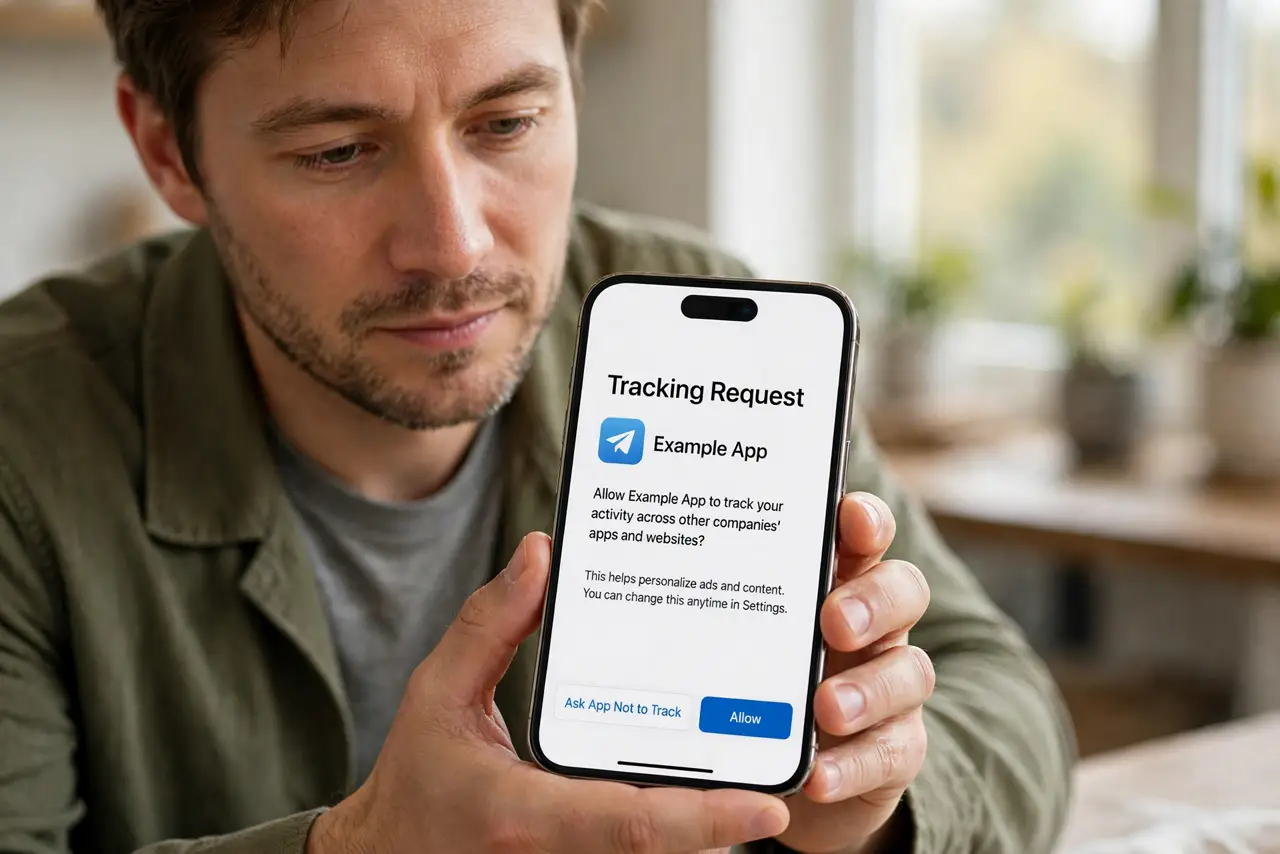
An app asks for permission to track your activity across other companies' apps and websites, and the wording makes it sound helpful. Tapping Ask App Not to Track simply tells the app no: it still works, it just cannot follow you around.
TL;DR / Quick Fix
Quick fix: when an app asks to track you, tap Ask App Not to Track — the app still works, it just cannot follow you across other apps. Review past choices in privacy settings and turn tracking off for the apps that never needed it.
Follow these steps
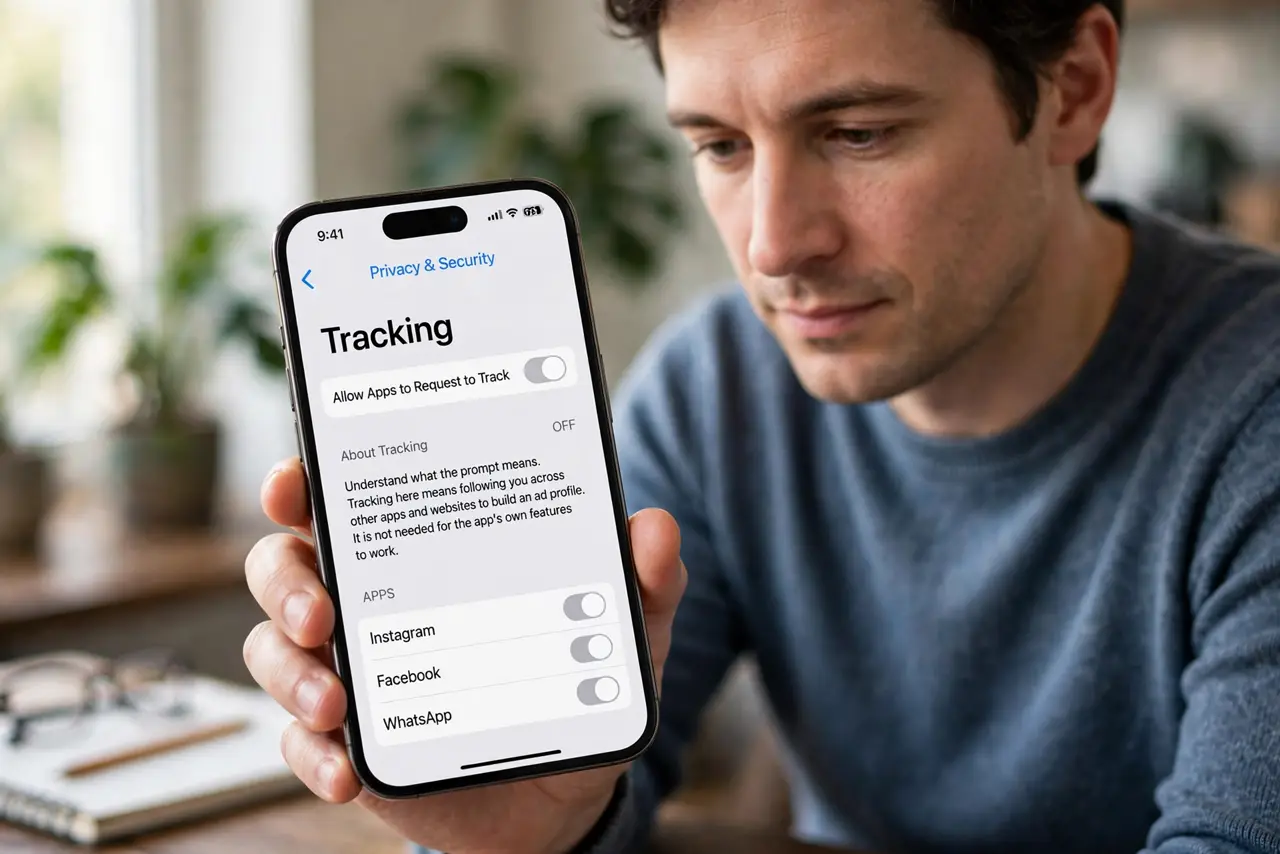
- Understand what the prompt means. Tracking here means following you across other apps and websites to build an ad profile. It is not needed for the app's own features to work.
- Tap Ask App Not to Track. Choose the not-to-track option on the prompt. The app continues normally, minus the cross-app surveillance.
- Review your past answers. Open Settings, then Privacy and Security, then Tracking, and see which apps you allowed. Old yes answers from rushed installs are worth revisiting.
- Turn tracking off for the unnecessary ones. Switch off tracking for games, utilities, and shopping apps that have no good reason to follow you. Keep it only where you see a real benefit.
- Pair it with [[location limits|location-precise-vs-approximate-permission]]. Tracking permission and location permission are separate doors. Close both for apps that need neither.
- Expect some apps to ask again. A few apps re-prompt after updates. Answer no again; persistence is their strategy, not a requirement.
What NOT to do
- Do not tap Allow to make the prompt go away faster. One careless tap grants months of cross-app tracking you never wanted.
- Do not assume a free app needs tracking to survive. Plenty of apps earn money without following you across the internet.
- Do not confuse this with the app's own analytics. Ask-not-to-track limits cross-company tracking; the app may still count its own usage.
- Do not allow tracking for a discount and forget it. Revisit the setting after, since the discount was a one-time trade for ongoing surveillance.
Frequently asked questions
Does the app still work if I say no?
Yes. Tracking permission is separate from the app's features, so saying no changes nothing about how the app functions.
What does tracking actually track?
Your activity across other companies' apps and websites, used to build an advertising profile of you.
Can I change my answer later?
Yes, anytime in the privacy settings. Past yes answers are reversible with one switch each.