Add a Second Time Zone
You live in one time zone and work in another — or the team spans three. A second time zone column in week view ends the mental math and the 6 a.m. meeting accidents. Here is how to add it.
TL;DR / Quick Fix
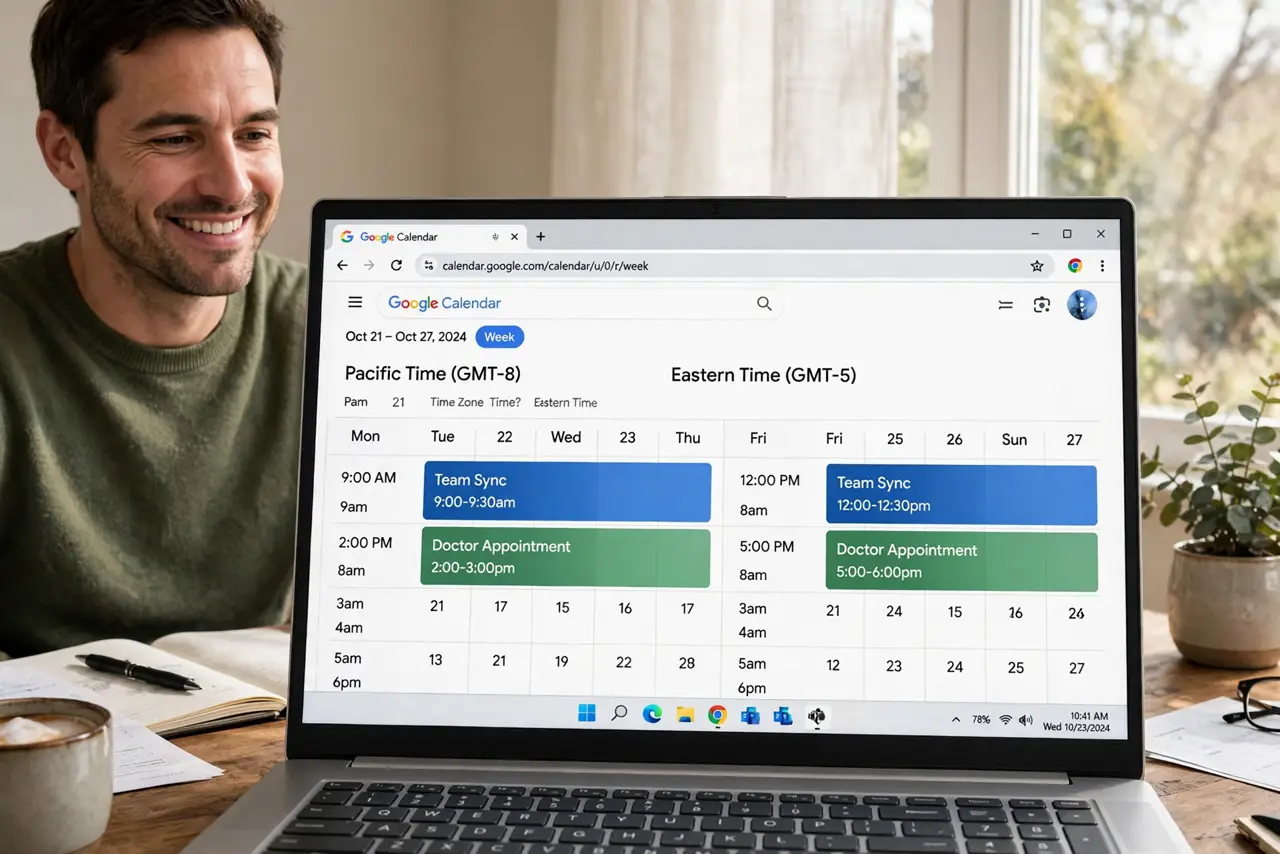
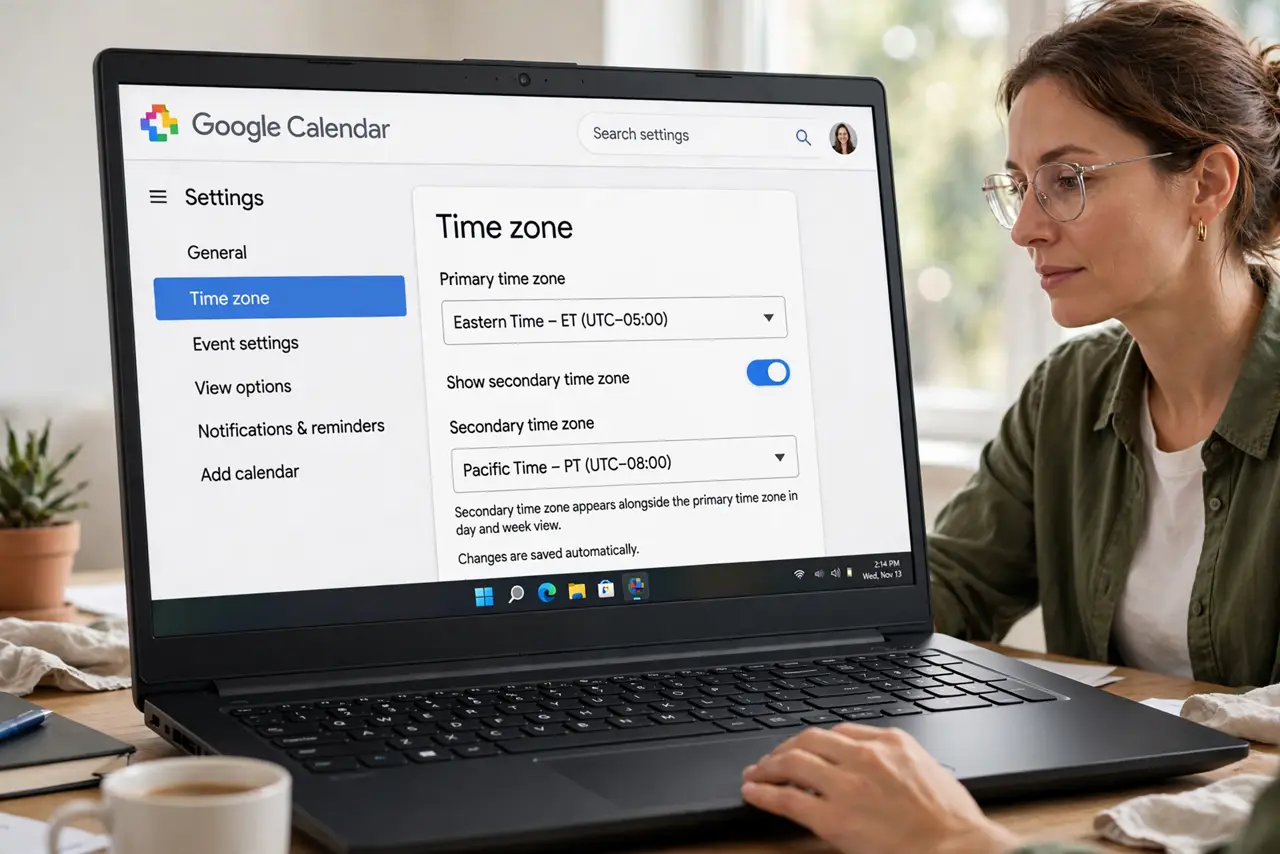
Quick fix: in Google Calendar go to Settings > Time zone, check Display secondary time zone, and pick the zone. Week view then shows both time scales side by side. Label it clearly (e.g., Team — London) — a mystery second column helps nobody.
Follow these steps
- Open Time zone settings. Settings > Time zone — the primary zone and the secondary toggle live together.
- Enable the secondary zone. Check Display secondary time zone and choose the zone from the list. Label it with a name you will recognize.
- Check week view. Switch to week view — the second time scale runs down the left beside your own. Day and month views stay single-zone.
- Create events in the right zone. When creating an event, check its time zone explicitly. The display column does not change where events land.
- Share the convention. Tell the team which zone is which. All times in the invite are London beats three people doing math differently.
- Remove it when the project ends. Uncheck when the collaboration ends. A stale second zone is a future misread waiting to happen.
What NOT to do
- Do not eyeball the second column for critical meetings. Read the event stated zone — columns are guides, not guarantees.
- Do not forget daylight saving shifts. Zones drift relative to each other twice a year — recheck in spring and fall.
- Do not set events in the wrong zone and fix it with the column. The event zone is the truth; the column is a view.
- Do not add four secondary zones. One extra is clarity; four is a spreadsheet.
Frequently asked questions
Why did a meeting shift an hour after daylight saving?
One zone sprang forward and the other did not. Check the event zone and re-confirm the time with attendees.
Does the secondary zone affect my phone?
The phone app shows your device zone; the secondary column is mainly a desktop week-view aid.
Can I show three time zones?
Google Calendar supports one secondary zone. For more, use the world clock approach or a dedicated converter.