Show Week Numbers
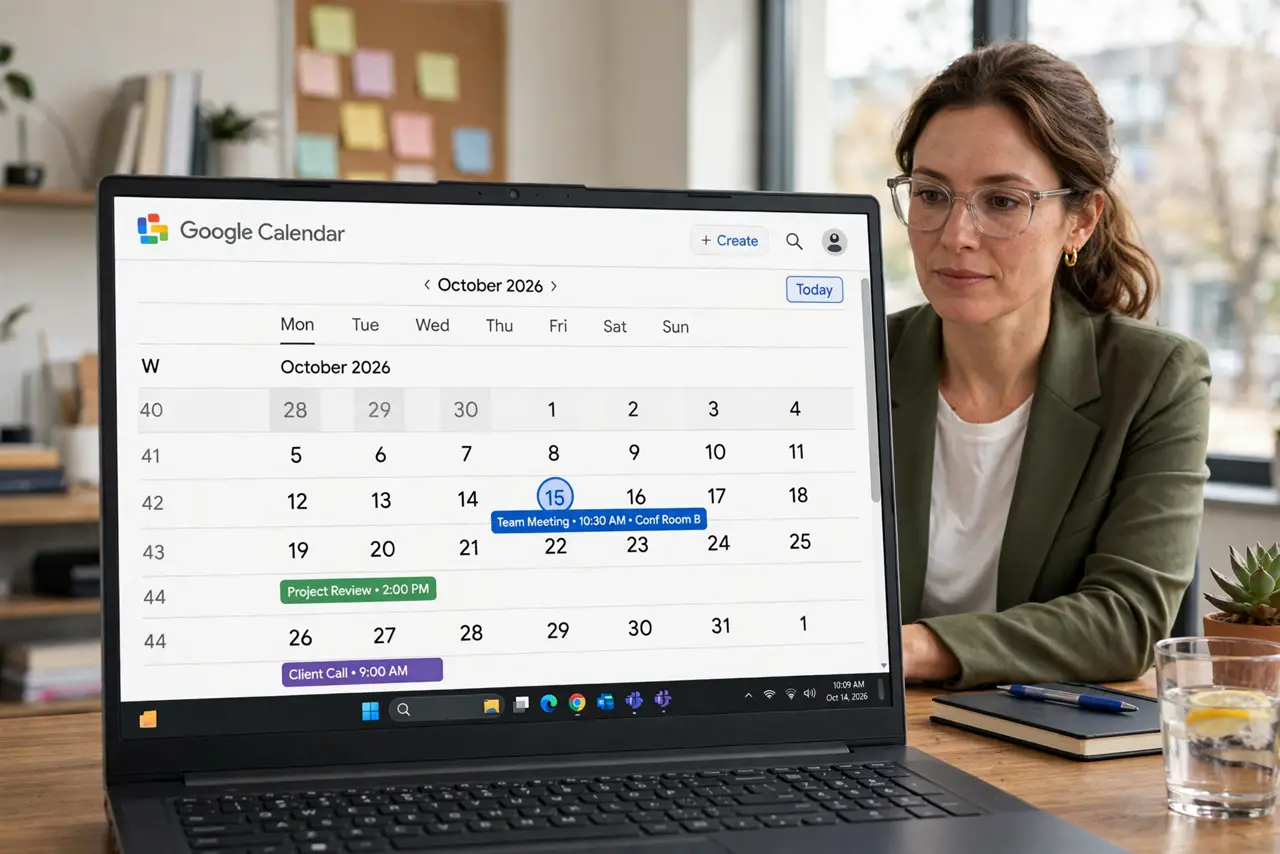
Week 43 means something in manufacturing, schools, and half of Europe — and nothing to your calendar until you turn it on. Week numbers add a small numbered column to the month view. Here is the toggle.
TL;DR / Quick Fix
Quick fix: in Google Calendar go to Settings > View options and check Show week numbers. A numbered column appears beside each week in month view. Google uses ISO week numbering (weeks start Monday) — if your org counts differently, agree on the standard before scheduling by number.
Follow these steps
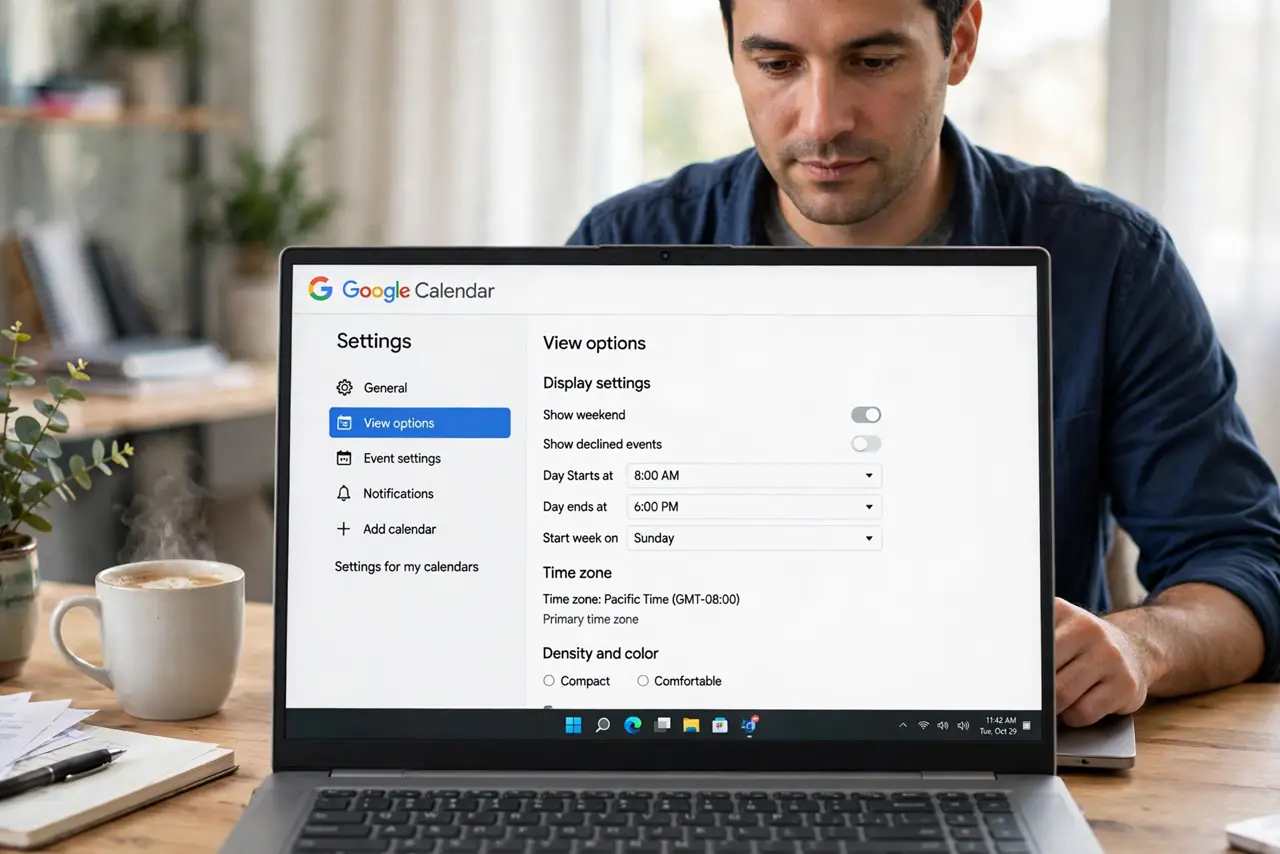
- Open View options. Settings > View options — display settings live here, not in the calendar list.
- Check Show week numbers. One checkbox. The numbers appear immediately in month view beside each week row.
- Know the standard. Google uses ISO 8601: weeks start Monday, week 1 contains the first Thursday. Know this before arguing about week 12.
- Use them in planning. Reference weeks in plans and filenames — launch week 43 is unambiguous once everyone sees the same numbers.
- Agree on the standard with your team. US teams sometimes count Sunday-start weeks. One shared standard prevents the off-by-one that ruins sprints.
- Hide them when unneeded. Uncheck when the project ends. Like all display layers, week numbers should serve a current need.
What NOT to do
- Do not assume everyone counts weeks your way. ISO vs Sunday-start differ — confirm once.
- Do not schedule by week number with people who cannot see them. The number means nothing on their screen.
- Do not mix week-number references with date references in one plan. Pick one system per document.
- Do not forget the year boundary. Week 1 of next year starts in December — check the year on edge weeks.
Frequently asked questions
What standard does Google Calendar use?
ISO 8601: Monday-start weeks, week 1 is the week with the year first Thursday.
Can I change to Sunday-start weeks?
The week-numbering standard follows your week-start setting loosely, but ISO numbering stays Monday-based. Agree with your team instead.
Do week numbers show on the phone app?
Support varies by app version. They reliably show in the desktop month view.