Cornell Notes Method for Meetings, Simply
Meeting notes taken as a wall of text are never read again, because nothing stands out. The Cornell method splits the page into notes, cues, and summary, so capturing is fast and reviewing later actually works.

TL;DR / Quick Fix
Quick fix: split the page into notes, cues, and summary — take notes on the right during the meeting, write questions on the left right after, and finish with a two-line summary at the bottom. Review the cues within a day to lock the memory in.
Follow these steps
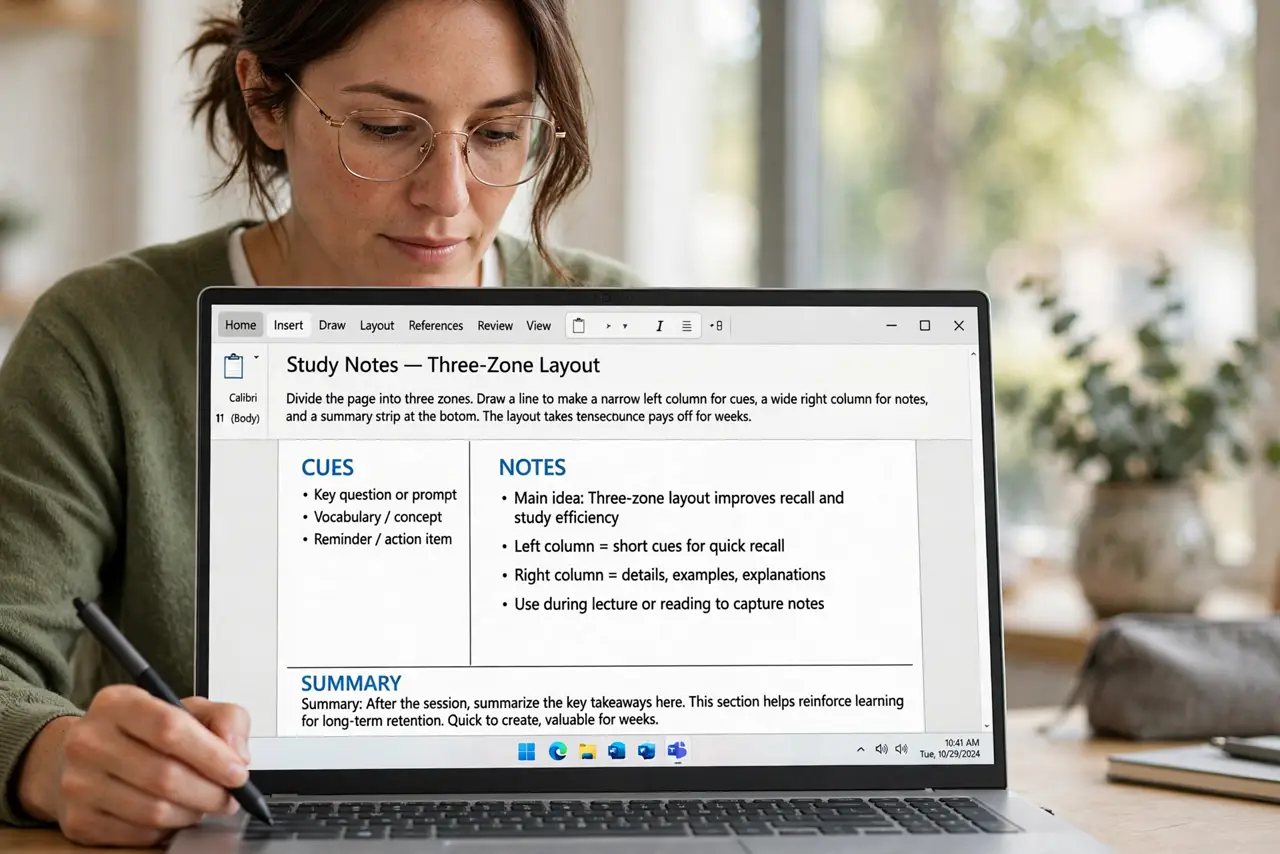
- Divide the page into three zones. Draw a line to make a narrow left column for cues, a wide right column for notes, and a summary strip at the bottom. The layout takes ten seconds and pays off for weeks.
- Take rough notes on the right during the meeting. Capture key points, numbers, and decisions in the wide column. Rough and fast beats neat and incomplete, since you will refine them next.
- Write cues on the left right after. Within minutes of the meeting, add questions and keywords in the left column. These cues become your review prompts later.
- Summarize in two lines at the bottom. Write what the meeting decided and what happens next. If you cannot summarize it in two lines, you did not capture the point.
- Attach [[action items|meeting-notes-action-items-with-owners]] with owners. Turn decisions into named tasks with deadlines, written in the notes column. Cornell captures understanding; actions capture follow-through.
- Review the cues within a day. Cover the notes column and quiz yourself from the cues. One review within 24 hours locks in far more than rereading the notes a week later.
What NOT to do
- Do not write full sentences during the meeting. Full sentences slow you down and you miss the next point, so capture fragments and refine later.
- Do not skip the summary strip. Without the summary, the page is just notes; with it, the page is a decision record.
- Do not leave the cues column empty. An empty cue column means no review prompts, and the notes join the pile of walls of text.
- Do not take Cornell notes and never review them. The method's power is in the review, so schedule ten minutes the next day.
Frequently asked questions
What is the Cornell notes method?
A page split into a notes column, a cue column, and a summary strip, designed for fast capture during and effective review after.
Does it work for online meetings too?
Yes. The same three zones work in a notes app or a doc, and screen-shared slides make capturing key points even easier.
How long does the review take?
About ten minutes the next day. Cover the notes, quiz from the cues, and fix what you missed.