Try Cornell Notes
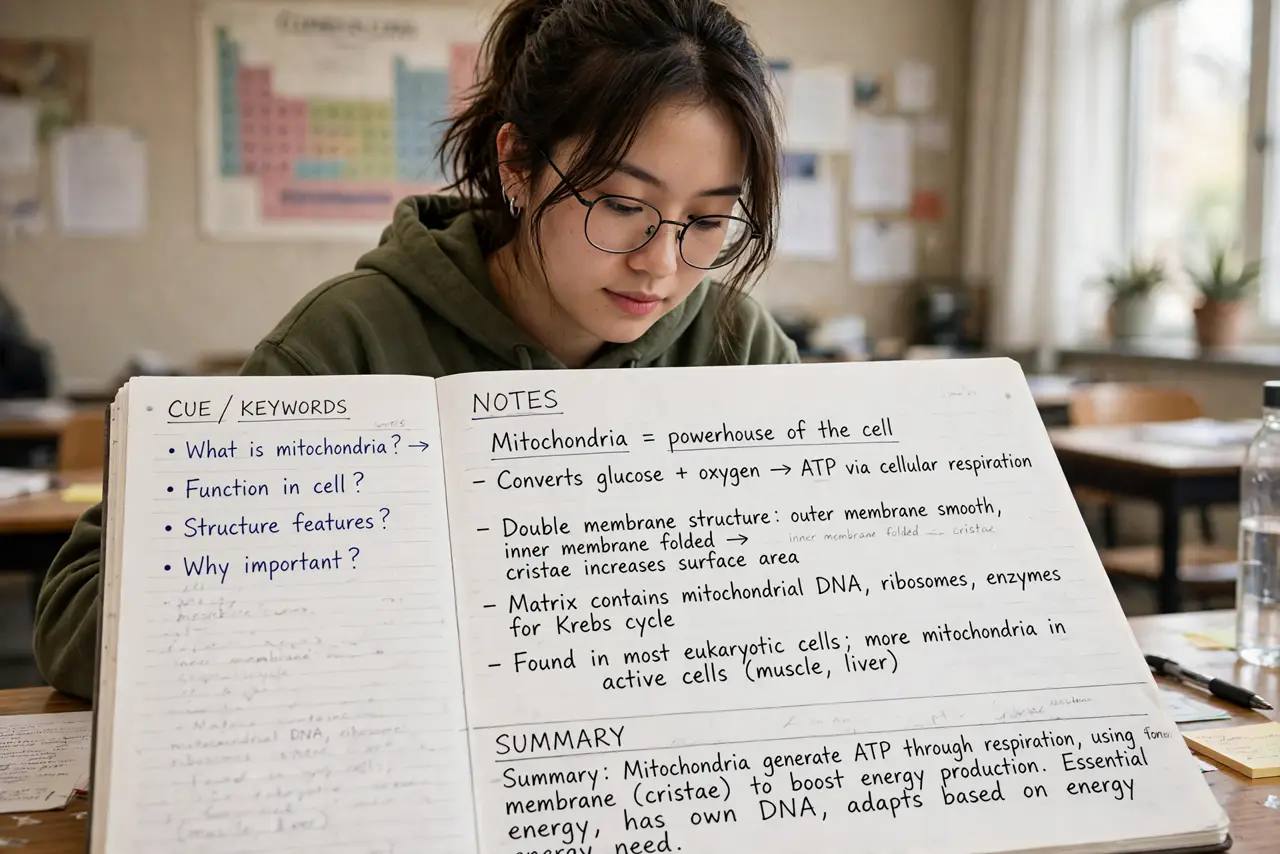
Your lecture notes are a wall of text you will never reread, because finding anything in them takes longer than relearning the topic. The Cornell method fixes this with a simple page layout: a big notes area, a narrow cue column for questions and keywords, and a summary strip at the bottom. Invented at Cornell University in the 1950s, it is still taught because the structure forces the review step most note-takers skip.
TL;DR / Quick Fix
Quick fix: Cornell splits each page into notes, cues, and summary — take notes on the right, add questions and keywords on the left afterward, and write a summary at the bottom. Reviewing the cue column is what makes it stick. It works on paper or in any notes app.
Follow these steps
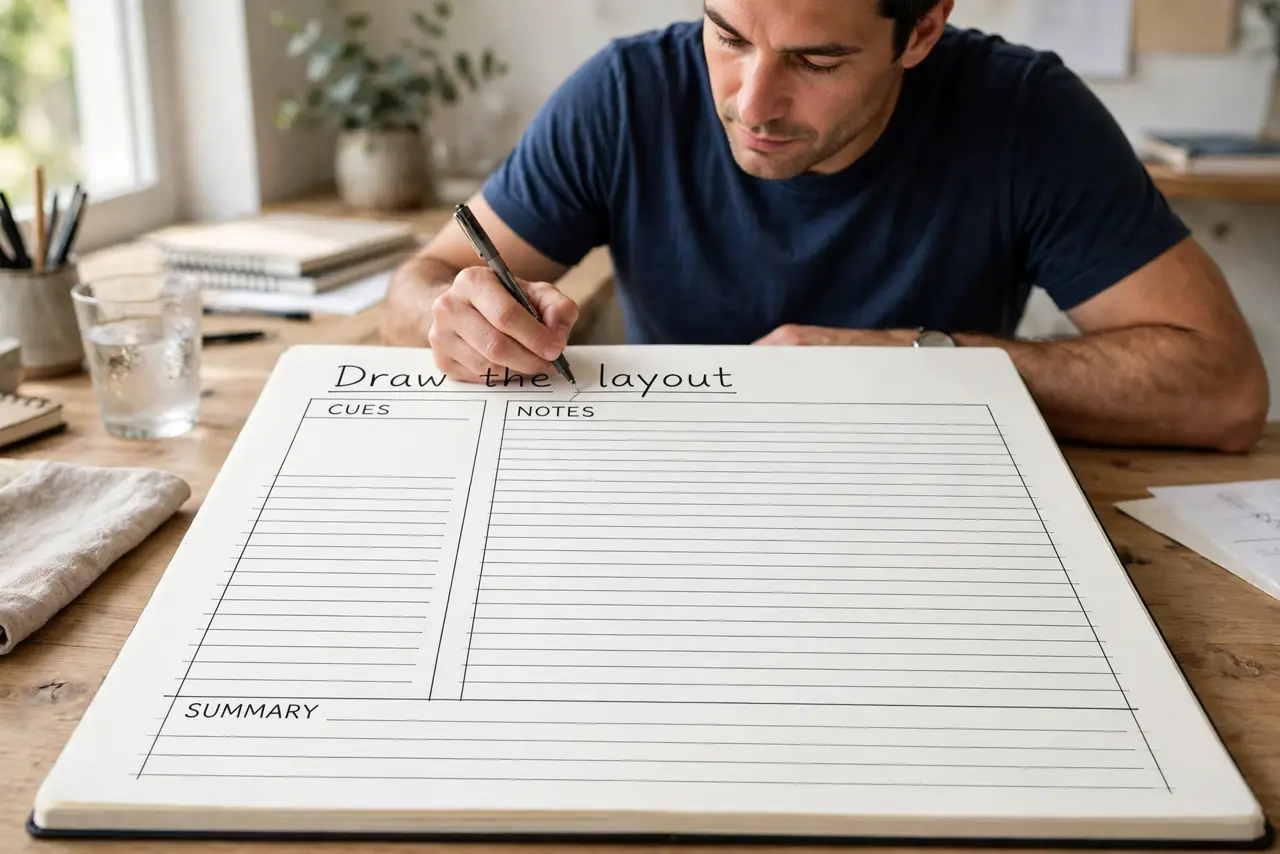
- Draw the layout. Divide the page: a wide right column for notes, a narrow left column (about a third of the width) for cues, and a few lines at the bottom for the summary. On paper, draw it once per page; digitally, make one template and duplicate it.
- Take notes in the right column only. During the lecture or meeting, capture key points, diagrams, and examples in the notes column — in your own words, not verbatim. Leave the cue column empty for now; filling it live splits your attention.
- Fill the cue column afterward. Within a day, reread the notes and add questions, keywords, and memory triggers on the left — What was the main argument? What formula matters? This pass is where the learning happens, and it is the step most people skip.
- Write the summary last. In two or three sentences at the bottom, sum up the page's point. If you cannot summarize it, you did not understand it — which is useful information before the exam, not after.
- Review from the cue column. Cover the notes column and quiz yourself using only the cues. This active recall beats rereading by a mile — and it is fast, because the cues compress a page into a handful of prompts.
- Adapt it for meetings. The same layout works for work: notes on the right, decisions and action items in the cue column, summary at the bottom. There is even a meeting-specific take if you live in conference rooms — and compare it with other note-taking methods to find your fit.
What NOT to do
- Do not fill the cue column during the lecture. Capturing and processing at the same time means doing both badly — notes first, cues after.
- Do not skip the summary. It feels redundant in the moment and proves invaluable at review time; the summary is the whole page in thirty seconds.
- Do not transcribe the speaker word for word. Verbatim notes bypass your brain — paraphrase, and your notes become thinking, not dictation.
- Do not let the layout become the project. A simple drawn divider beats a perfect printable template you never use — start ugly, refine later.
Frequently asked questions
Paper or digital — which works better?
The method works in both. Paper favors memory; digital favors search and templates. Pick the one you will actually review — consistency beats medium.
How wide should the cue column be?
Roughly a third of the page. Wide enough for keywords and short questions, narrow enough that the notes column stays usable.
Does Cornell work for reading textbooks?
Yes — read a section, close the book, write the notes from memory, then add cues and a summary. The recall effort is the feature.