Add Citations in Docs
Academic and professional writing needs sources cited properly — and doing it by hand is error-prone drudgery. Docs Citations tool formats them in MLA, APA, or Chicago automatically. Here is how to build a source list that formats itself.
TL;DR / Quick Fix
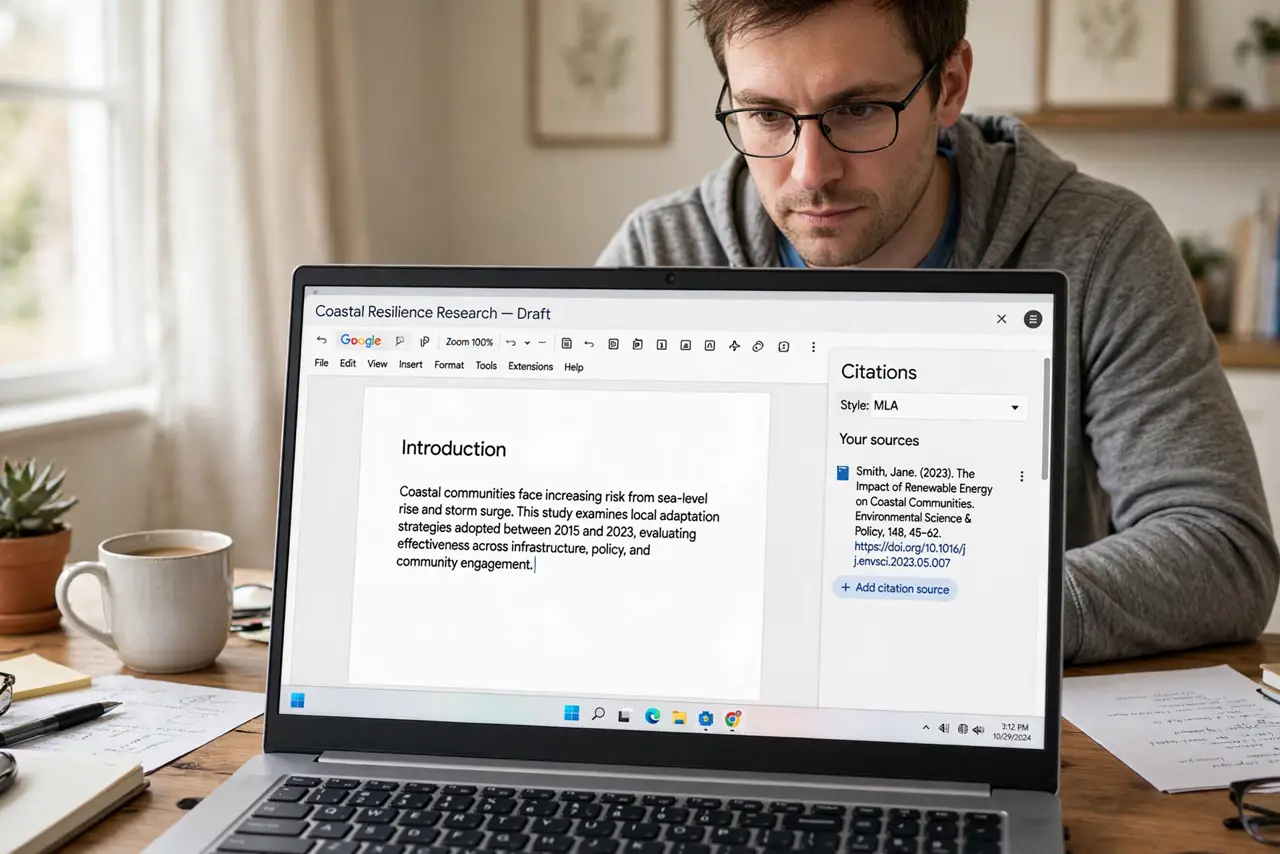
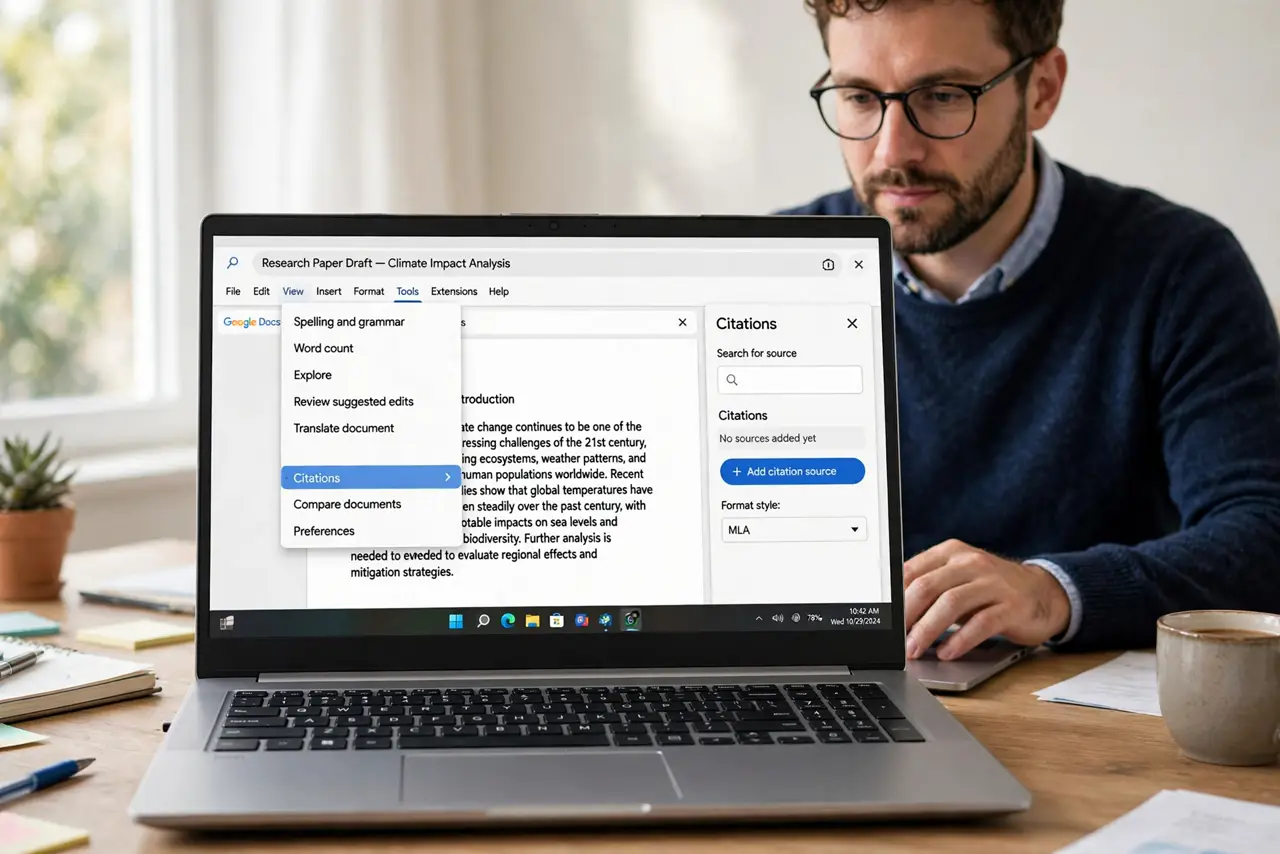
Quick fix: in Google Docs go to Tools > Citations, pick MLA, APA, or Chicago, add each source with Add citation source, then Insert to drop formatted citations and a bibliography. Enter sources carefully once — the tool formats what you give it, errors included.
Follow these steps
- Open the Citations tool. Tools > Citations. The sidebar appears — pick your format — MLA, APA, Chicago — before adding anything.
- Add each source. Add citation source > choose the type — book, website, journal — and fill every field you can. Complete input, clean output.
- Insert in-text citations. Place the cursor, find the source in the sidebar, and Insert. The formatted citation drops in — no manual parentheses.
- Generate the bibliography. Insert bibliography drops the full Works Cited or References list at the cursor. One click, alphabetized.
- Double-check the formatting. The tool is good, not perfect — verify against your style guide latest edition. Automation plus a human eye wins.
- Reuse the source list. Sources save with the document. For the next paper, copy the doc as a starting template — the library comes along.
What NOT to do
- Do not trust auto-formatting blindly. Check against the official style guide — editions change rules.
- Do not cite sources you have not read. A formatted citation to an unread paper is academic theater.
- Do not mix citation styles in one document. Pick one format at the start and commit.
- Do not leave placeholder sources. TODO: find source in a bibliography is a credibility fire.
Frequently asked questions
Which citation styles does Docs support?
MLA, APA, and Chicago — the big three. Niche styles need manual formatting or an add-on.
Can I import sources from the web?
The Explore tool can surface sources; you still enter them into Citations manually for clean formatting.
Do citations survive Word export?
They export as plain text — formatted, but no longer auto-updating. Finalize before converting.