What Is Dolby Vision?
HDR10, Dolby Vision, HLG — your TV's spec sheet reads like alphabet soup, and every format claims to be the one that matters. Dolby Vision is the premium HDR format: where basic HDR10 sets one brightness mapping for the entire movie, Dolby Vision adjusts it scene by scene (even frame by frame), so dark scenes keep shadow detail while bright highlights still pop. Whether you will actually see the difference depends on your TV, your content, and your settings.
TL;DR / Quick Fix
Quick fix: Dolby Vision is HDR that adjusts brightness scene by scene, unlike basic HDR10 which sets one level for the whole movie. You need Vision content, a compatible TV, and the right HDMI chain. The difference shows most in dark scenes with bright highlights.
Follow these steps
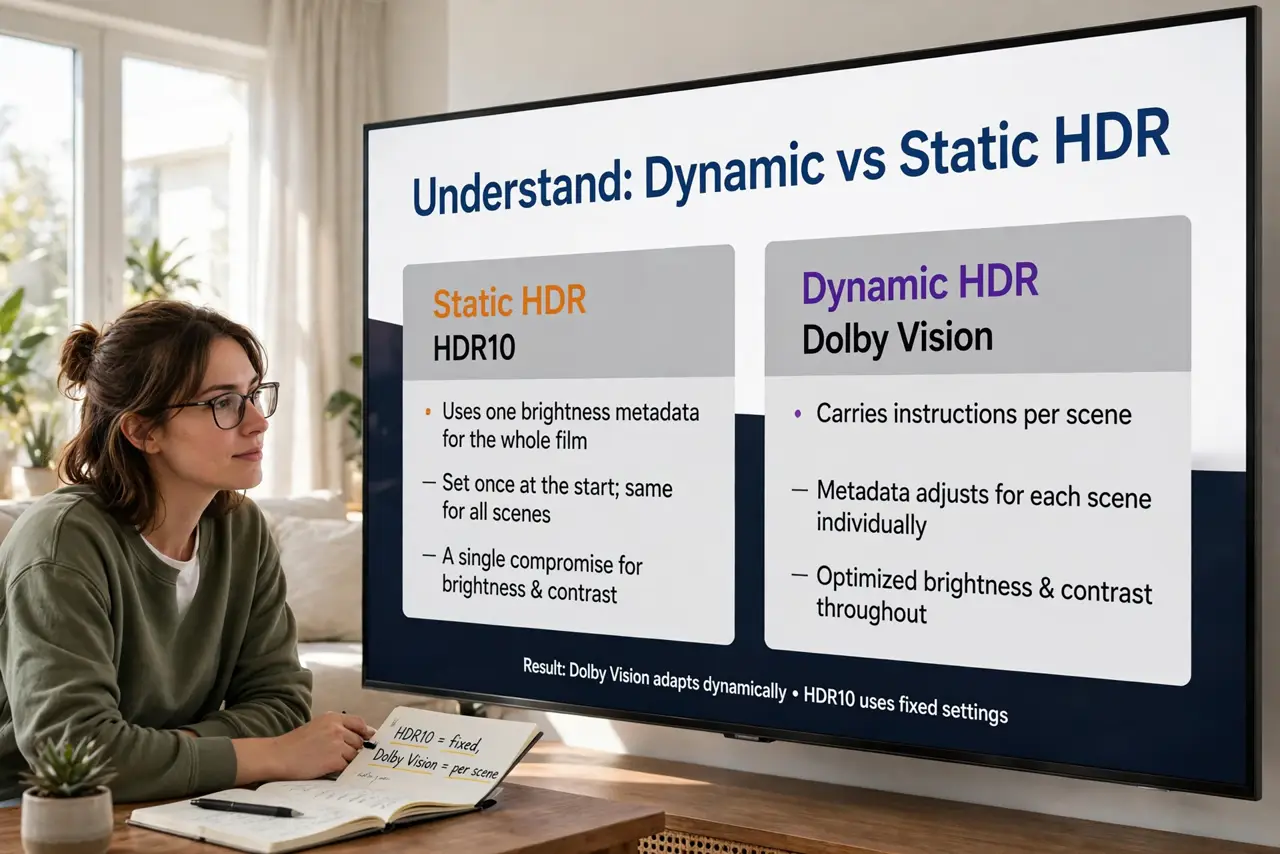
- Understand dynamic versus static HDR. HDR10 uses one set of brightness instructions for the whole film — a compromise. Dolby Vision carries instructions per scene, so each shot gets its ideal mapping. That per-scene tuning is the entire technical advantage.
- Check your TV actually supports it. Look for the Dolby Vision badge in the TV's specs — not all HDR TVs include it. Samsung TVs famously skip Dolby Vision in favor of HDR10+; most other major brands support it. No badge, no Vision, whatever the marketing implies.
- Feed it real Dolby Vision content. The format only engages on Vision-encoded titles — check the details badge on your streaming service. A Vision-capable TV playing HDR10 content just plays HDR10; the chain needs the content too.
- Use the right picture mode. Most Vision TVs offer Dolby Vision Bright and Dolby Vision Dark modes. Dark is the accurate cinema choice for dim rooms; Bright compensates for daylight viewing. The vivid store-demo mode is neither — switch off it.
- Mind the HDMI chain. Built-in apps handle Vision internally, but external players need HDMI ports and cables that pass it through — the same eARC thinking about weak links applies. If Vision will not engage from a player, the cable or port is suspect number one.
- Compare honestly with HDR10. On a great panel the difference is clear; on a budget TV it is subtle. Read HDR10 vs Dolby Vision for the head-to-head before paying extra — and note it pairs with Dolby Atmos as the premium sight-and-sound combo.
What NOT to do
- Do not assume every HDR badge means Dolby Vision. HDR10 is the baseline everyone supports; Vision is the premium tier only some TVs include.
- Do not judge it in the store's Vivid mode. Torch-mode demos crush the subtle shadow detail that is Vision's whole point — evaluate in a cinema or filmmaker mode.
- Do not expect miracles on a dim TV. Dynamic metadata cannot conjure brightness the panel lacks; a bright HDR10 TV can beat a dim Vision one.
- Do not pay for Vision content you cannot play. Check your TV's badge before buying premium Vision-encoded discs or tiers.
Frequently asked questions
Is Dolby Vision better than HDR10+?
They solve the same problem (dynamic metadata) in competing ways. Vision has broader studio and streaming support; HDR10+ is Samsung's royalty-free answer. Content availability matters more than the format war.
Why do Samsung TVs not have Dolby Vision?
Samsung backs the competing HDR10+ standard and avoids Dolby's licensing. Their high-end sets look excellent anyway — the panel matters more than the badge.
Does Dolby Vision matter for gaming?
Some consoles and games support it, but game HDR implementation varies wildly. For movies it is mature; for games, check per-title support.