Align Dual Monitors of Different Sizes
Two monitors of different sizes leave the mouse jumping up or down when it crosses between screens. The fix is in the display arrangement settings, where you drag the screens until their edges line up the way your eyes expect.
TL;DR / Quick Fix
Quick fix: open display settings and drag the monitor rectangles so the edges you look across line up — usually the tops or the vertical centers. Test by moving the mouse across the boundary at several heights until it glides instead of jumping.
Follow these steps
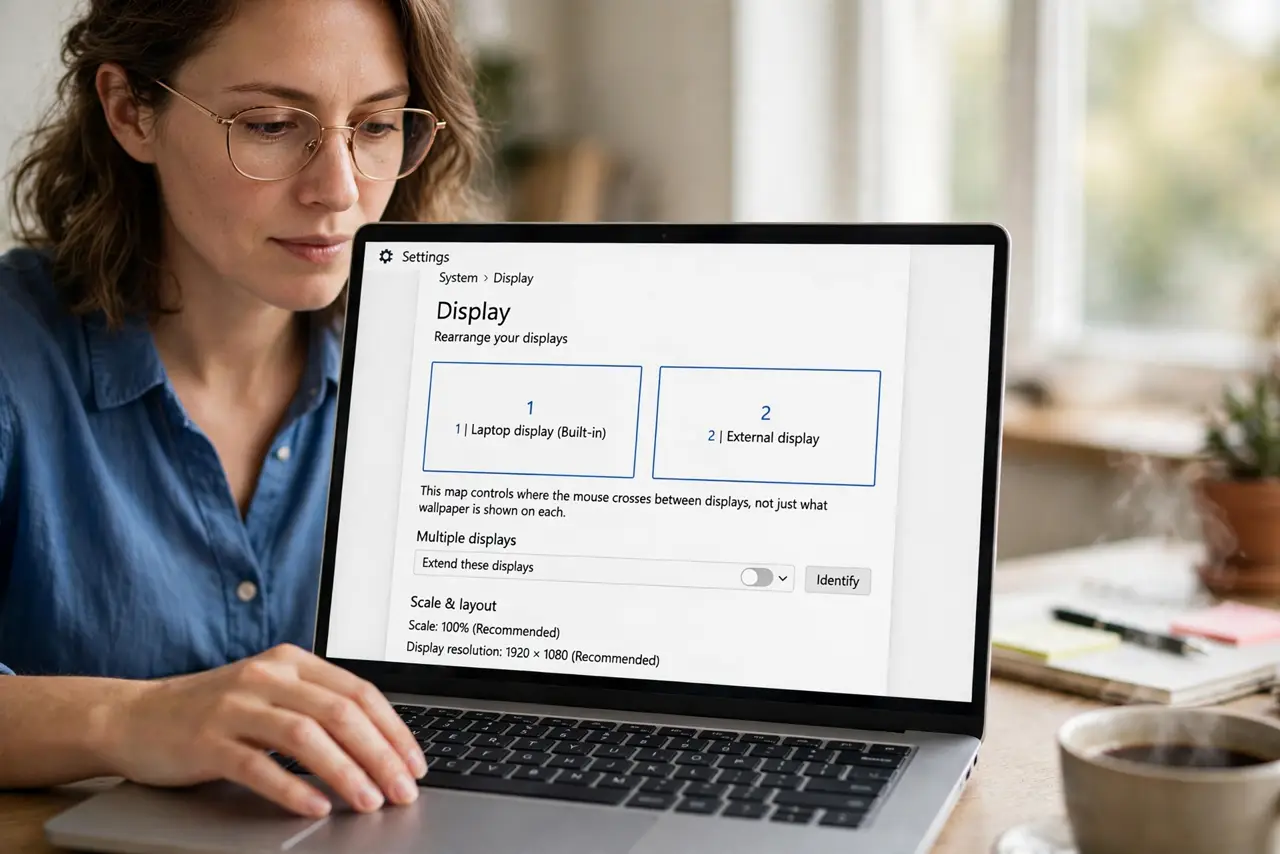
- Open the display arrangement view. Open your display settings to see the rectangles representing each monitor. This map controls where the mouse crosses, not just what is wallpapered where.
- Drag the rectangles to match reality. Drag each rectangle so its position matches the physical layout on your desk. If the small monitor sits to the right and lower, the map should show exactly that.
- Align the edges you actually use. Line up the tops or the vertical centers of the rectangles, depending on how your eyes travel. The mouse crosses where edges meet, so align the boundary you cross most.
- Test the mouse crossing. Move the pointer across the boundary at the top, middle, and bottom. It should glide across at your main crossing height instead of jumping.
- Check for an app on the wrong monitor too. After arranging, confirm new windows open where you expect and no app lands on the wrong monitor. Display arrangement and default-monitor behavior are separate settings worth checking together.
- Fine-tune over a day of use. Live with the alignment for a day and nudge the rectangles once more. Small misalignments only reveal themselves during real work.
What NOT to do
- Do not expect pixel-perfect crossing everywhere. Different sizes and resolutions mean the mouse will always jump somewhere; optimize your main crossing zone.
- Do not stack the rectangles in ways that do not match the desk. The map must mirror reality, or the mouse will cross at surprising heights.
- Do not forget which monitor is primary. The primary holds the taskbar or menu bar, which is a separate setting from the arrangement.
- Do not buy a matching monitor just for alignment. Software arrangement fixes the crossing well enough for most people.
Frequently asked questions
Why does my mouse jump between monitors?
Because the display arrangement map does not match your physical layout, so the crossing point differs from where you expect.
Should the monitors be the same height physically?
It helps, but software alignment handles most of it. A stand or riser can fine-tune the physical match.
Can I align three monitors?
Yes. The same drag-the-rectangles approach works for three or more, aligning each boundary in turn.