Spam or Phishing?
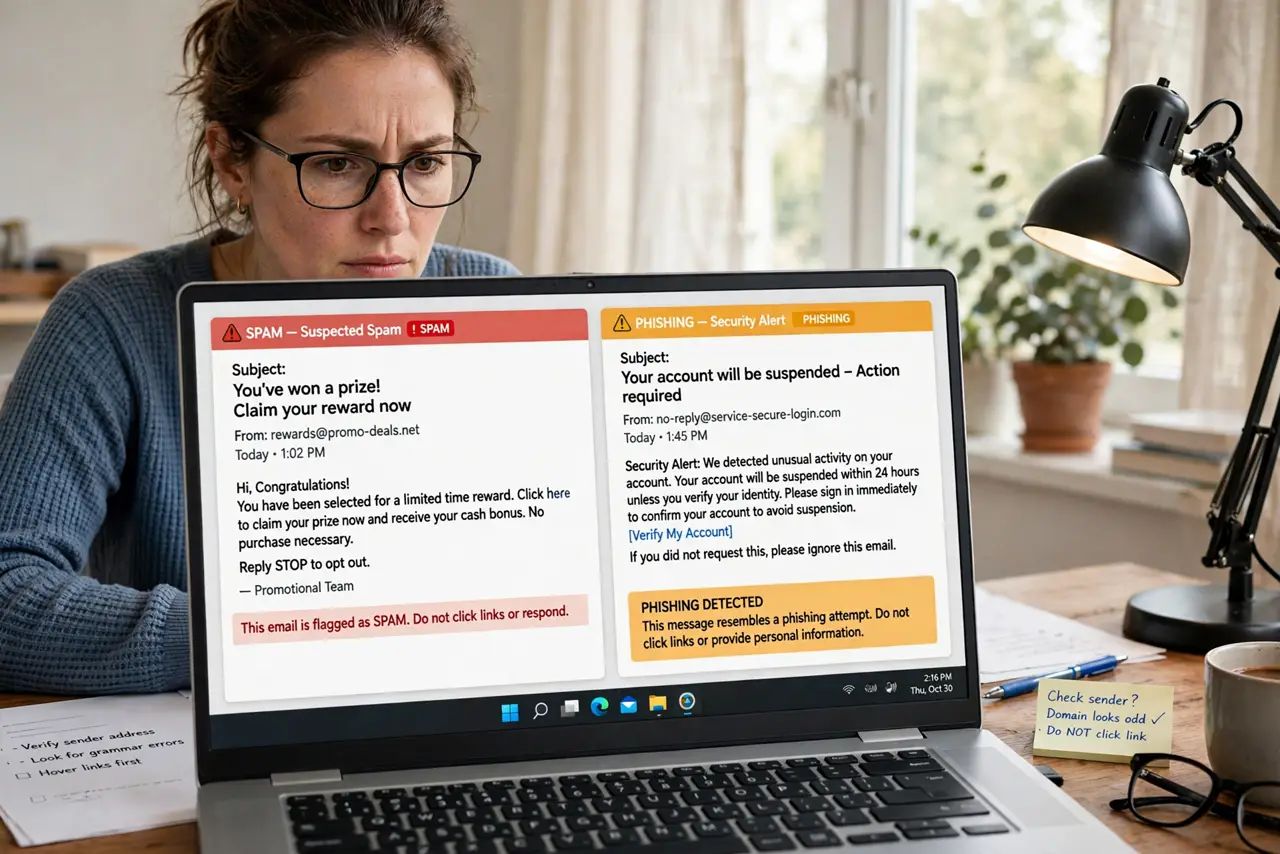
Your inbox holds two kinds of junk: annoying spam and dangerous phishing, and they demand opposite responses. Spam wants your attention; phishing wants your password. Deleting spam is fine, but clicking a phishing link — or even unsubscribing from one — can cost you an account. Learn to tell them apart in seconds.
TL;DR / Quick Fix
Quick fix: spam is unwanted but harmless bulk mail — delete it or unsubscribe. Phishing impersonates your bank to steal logins — never click its links. Check the sender address; phishers fake display names. When in doubt, visit the site directly instead of clicking. Report phishing, and just delete spam.
Follow these steps
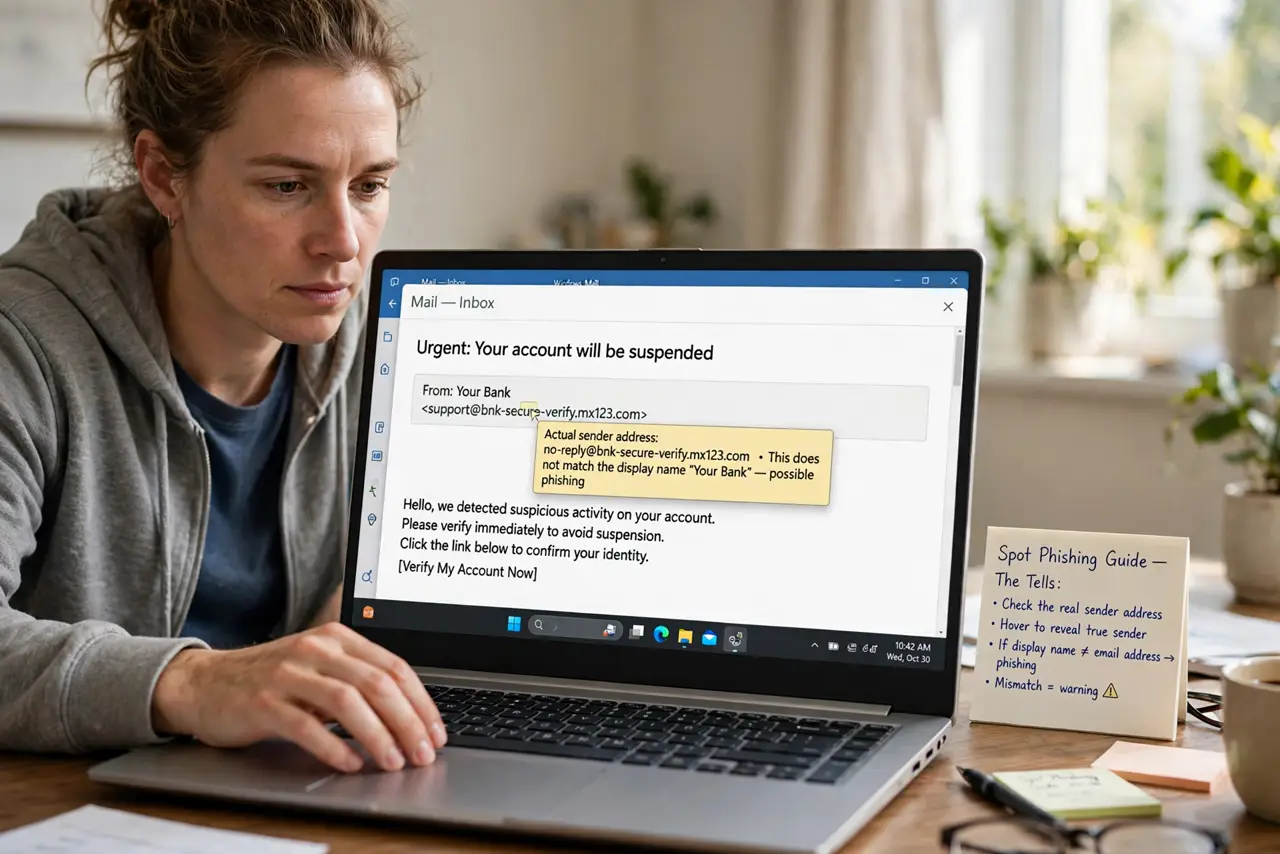
- Look at the real sender address. The display name says your bank; the address says something random. Tap or hover to reveal the true sender — mismatches scream phishing. The spot phishing guide shows the tells.
- Check for urgency and threats. Your account will be closed in 24 hours is phishing language. Real companies rarely threaten; scammers always rush you.
- Never click links in suspicious mail. Hover first: does the URL match the company? When unsure, type the address yourself. If you already clicked a phishing link, act fast.
- Treat attachments as guilty until proven innocent. An unexpected invoice.zip from a stranger is the classic payload. See attachment safety before opening anything odd.
- Unsubscribe only from real spam. Legit newsletters honor unsubscribe. Phishing mail uses the link to confirm your address is live — unsubscribe safely only when you trust the sender.
- Report phishing, delete spam. Report phishing to your provider and the impersonated company. Plain spam just gets deleted or filtered — different junk, different response.
What NOT to do
- Do not reply to phishing to test it. Any reply confirms your address is active and invites more attacks.
- Do not trust the display name alone. It is trivially faked — the underlying address is the only thing that matters.
- Do not call phone numbers in suspicious emails. They reach the scammers, not your bank — look up the number independently.
- Do not assume spam is safe to click. Even real spam can carry red-flag links — when unsure, do not click.
Frequently asked questions
Can spam turn into phishing?
Yes — spammers sell active addresses to phishers. An address that gets spam today gets targeted phishing tomorrow, so keep filtering tight.
Why do phishing emails look so real?
They copy real branding pixel-for-pixel. The bank-lookalike guide explains how convincing they get — and the one detail they miss.
Is it safe to open a phishing email?
Reading it is fine; interacting is not. Do not click, do not reply, do not download — just report and delete.