Find the Fastest DNS
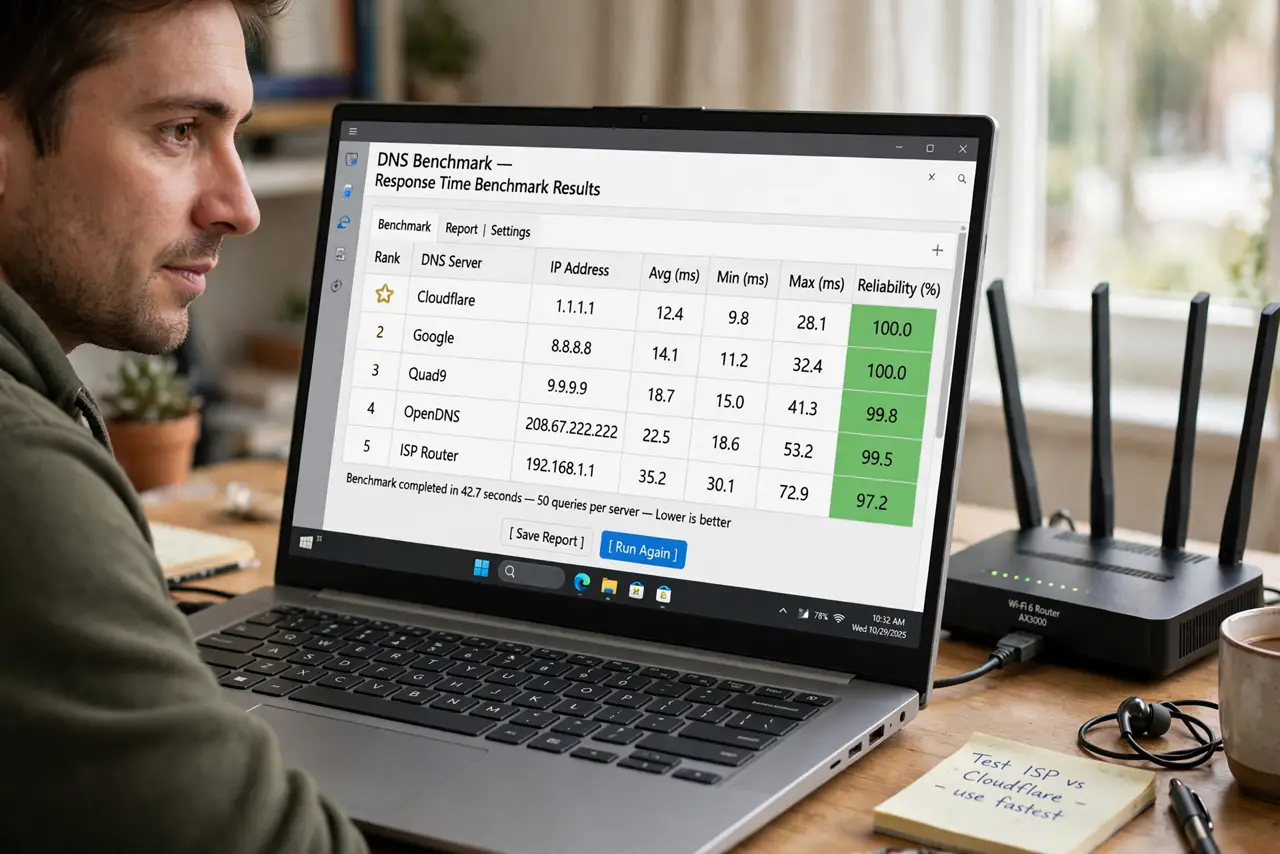
'Just switch to 1.1.1.1, it's the fastest' — maybe for the person who told you, from where they live. DNS speed depends on your location and provider, and the only honest answer comes from testing. A DNS benchmark measures real response times from your connection and ranks providers objectively.
TL;DR / Quick Fix
Quick fix: install a DNS benchmark tool and run it — it tests response times from your location and ranks providers. The fastest DNS varies by where you live, so generic 'best DNS' lists mislead. Apply the winner in your router or device settings.
Follow these steps
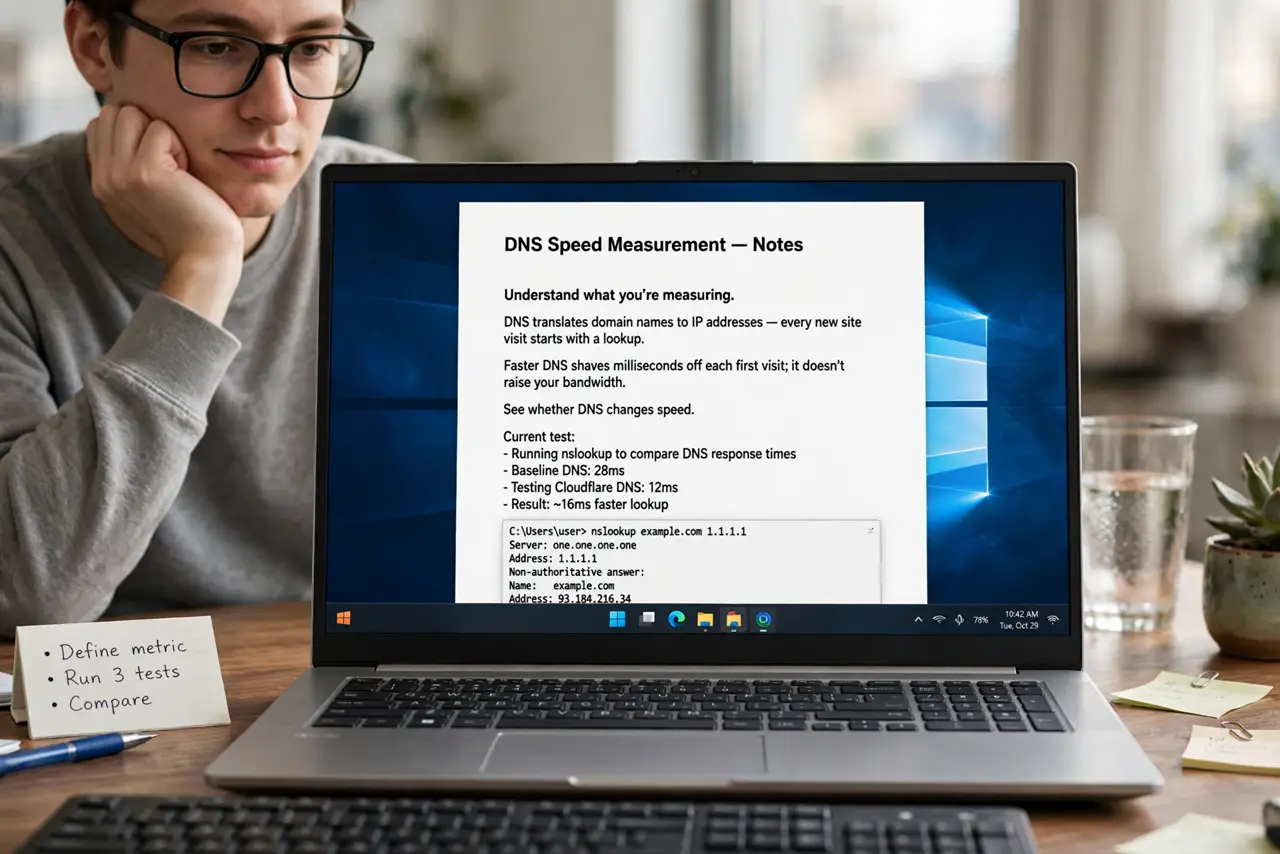
- Understand what you're measuring. DNS translates domain names to IP addresses — every new site visit starts with a lookup. Faster DNS shaves milliseconds off each first visit; it doesn't raise your bandwidth. See whether DNS changes speed.
- Pick a benchmark tool. Use a reputable DNS benchmark utility for your OS — it queries many public resolvers from your actual connection. Built-in lists beat random forum recommendations.
- Run the test properly. Run it a couple of times at different hours. DNS performance varies with load and routing — one run at 3am isn't representative.
- Read the ranking correctly. Look at average response time *and* consistency. A resolver that's fast on average but erratic feels worse than a slightly slower steady one.
- Apply the winner. Set it on your router to cover the whole house (see router vs device), or per-device in network settings — Windows: see changing DNS on Windows.
- Re-test occasionally. Providers and routing change. A yearly re-benchmark takes five minutes and catches drift — the 'fastest' title doesn't last forever.
What NOT to do
- Do not blindly copy someone's 'fastest DNS'. Their fastest is measured from their location — yours will differ. Benchmark from your own connection.
- Do not expect miracles. DNS affects lookup time only — it won't fix slow downloads, which are bandwidth. See what DNS actually changes first.
- Do not ignore privacy. The fastest resolver that logs everything may not be your pick — see choosing safely and consider encrypted DNS.
- Do not benchmark over VPN. The VPN reroutes everything, so results reflect the VPN exit — not your normal connection. Test without it.
Frequently asked questions
How much faster will browsing feel?
Slightly snappier on new sites — often 50-200ms per first visit. Noticeable in aggregate, not transformative. Cached and repeat visits don't benefit.
Should I change DNS on the router or each device?
Router covers everything at once including smart TVs and consoles — see the tradeoff. Per-device gives control when you want different resolvers.
Is there a risk to changing DNS?
Minimal — it's fully reversible. Note your original settings first, and use well-known public resolvers rather than random IPs from forums.