E-Reader Battery Drains Fast? Fix It
Your e-reader used to last weeks and now dies in days. E-ink screens sip power, so fast drain almost always comes from the light, the wireless radio, or an aging battery. This guide finds the drain and restores the weeks-long battery life you bought it for.
TL;DR / Quick Fix
Quick fix: turn off Wi-Fi and lower the front light — those two are the biggest drains. Close any stuck sync or indexing task by restarting the reader. If a fresh charge still dies in days with Wi-Fi off and the light low, the battery is worn out.
Follow these steps
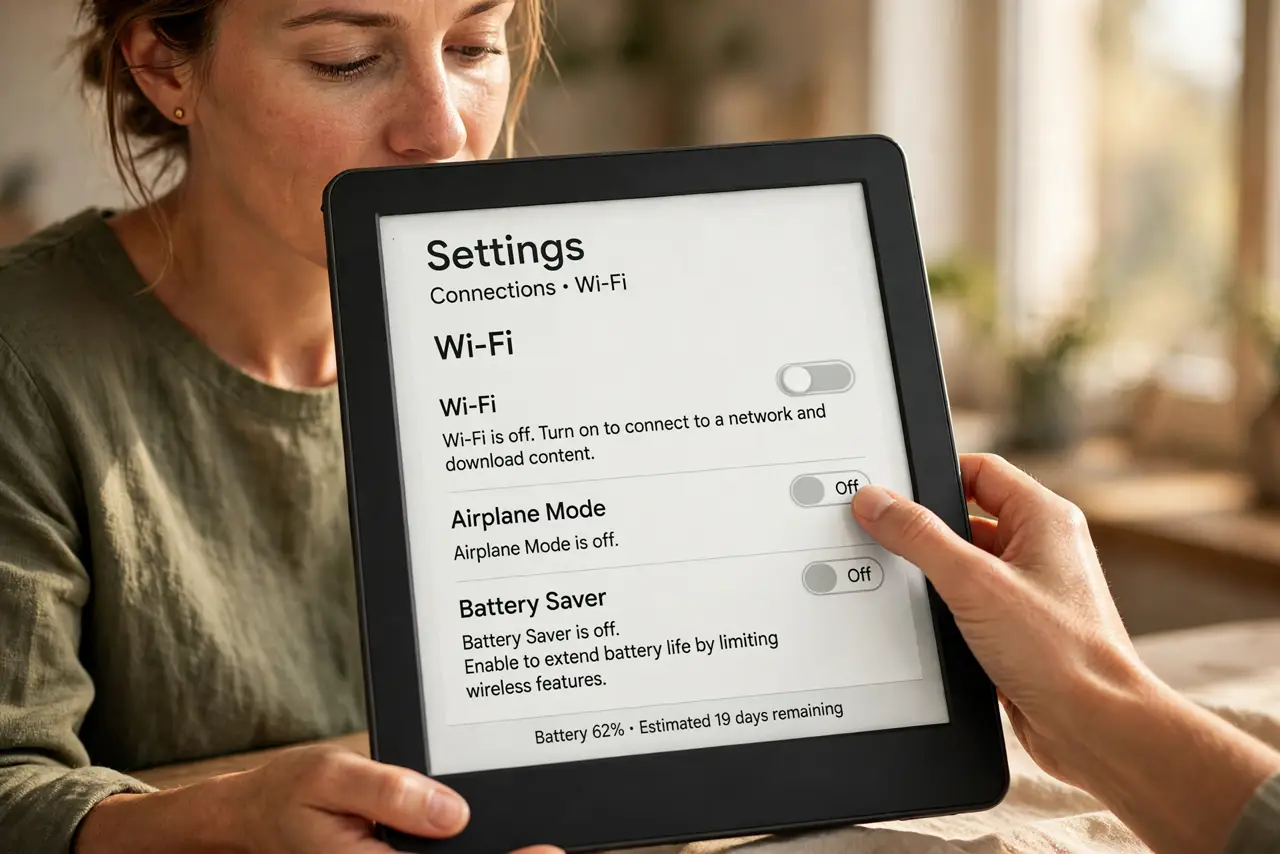
- Turn off Wi-Fi when not syncing. Disable Wi-Fi except when downloading books. A reader hunting for a weak signal or stuck syncing drains the battery far faster than reading does.
- Lower the front light. The built-in light is the biggest power draw while reading. Drop it to the lowest comfortable level — or off in daylight — and watch battery life rebound.
- Restart to clear stuck tasks. Hold the power button and restart the reader. A stuck index, sync, or update loop can drain a full charge overnight while the device looks idle.
- Check what is indexing. After adding many books, the reader indexes them — a one-time heavy drain. Let it finish plugged in; if indexing never ends, remove the newest batch and re-add it.
- Update the firmware. Manufacturers fix battery bugs in updates. Connect to Wi-Fi briefly, install the update, then turn Wi-Fi off again.
- Accept an aging battery. Lithium batteries fade after a few years. If a reader that lasted weeks now lasts days despite all fixes, the battery is worn — the same aging story as phone batteries.
What NOT to do
- Do not leave Wi-Fi on permanently. An e-reader does not need a constant connection, and the radio is pure drain between syncs.
- Do not read at maximum light in a dark room. Your eyes adjust to lower light in minutes, and the battery savings are enormous.
- Do not store the reader fully dead. A lithium battery left at zero for months may never recover — store it half-charged.
- Do not assume the battery is dead on day one. New readers index, update, and sync heavily in the first days; judge battery life after the first full week.
Frequently asked questions
Why does my e-reader battery die so fast?
Usually Wi-Fi left on, a bright front light, a stuck sync task, or an aging battery. The screen itself uses almost no power.
How long should an e-reader battery last?
Weeks of daily reading with Wi-Fi off and moderate light. Days instead of weeks signals a drain or a worn battery.
Should I turn my e-reader fully off?
Sleep is fine for daily use. For storage over weeks, a full shutdown preserves more charge.