Fake Download Button? Find the Real One Safely
Many free file sites surround the real download with large, bright buttons that are actually ads. Clicking the wrong one can start a harmful download or open a fake installer. Slow down and check before you click anything.
TL;DR / Quick Fix
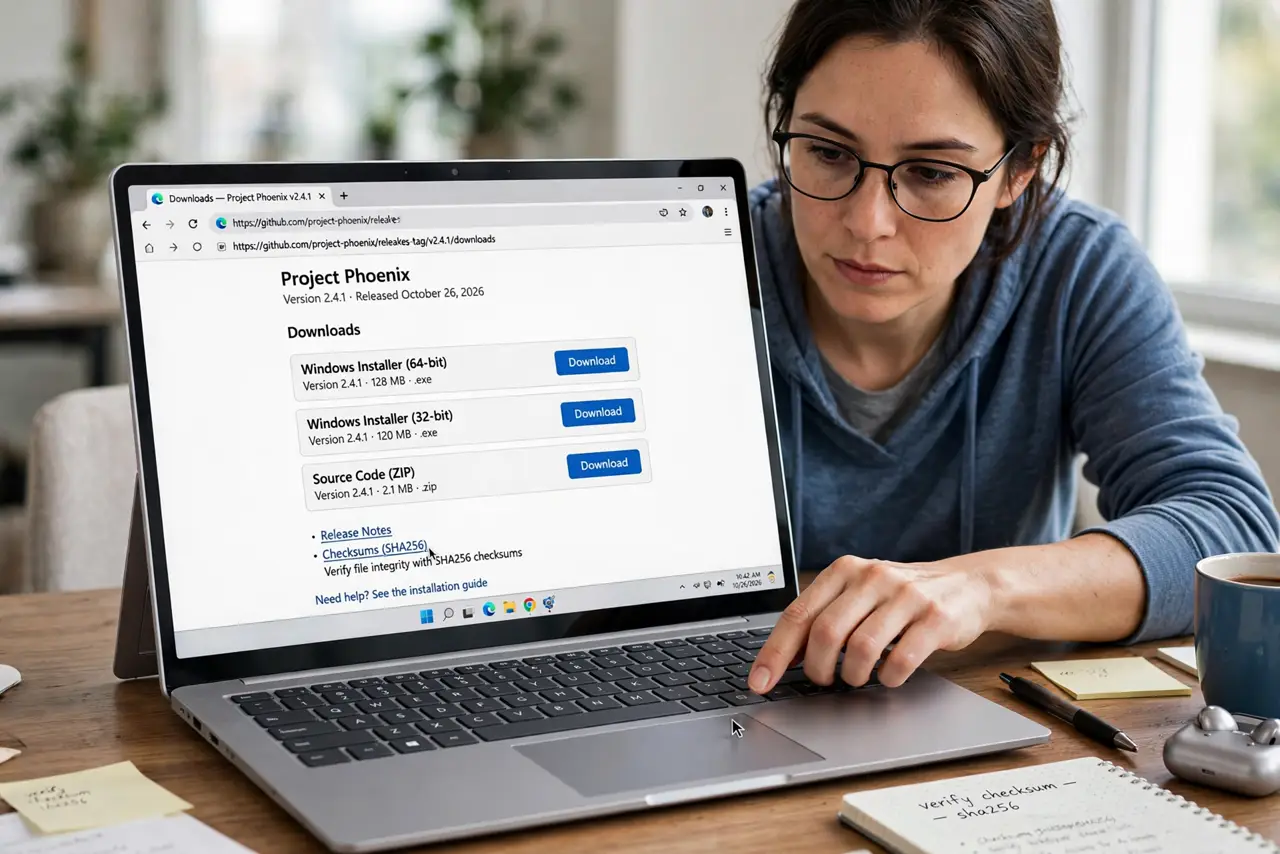
Quick fix: ignore the biggest, brightest button on the page. Look for the small, plain download link tied to the exact file name and size you want. If in doubt, get the file from the official source instead of the file site.
Follow these steps
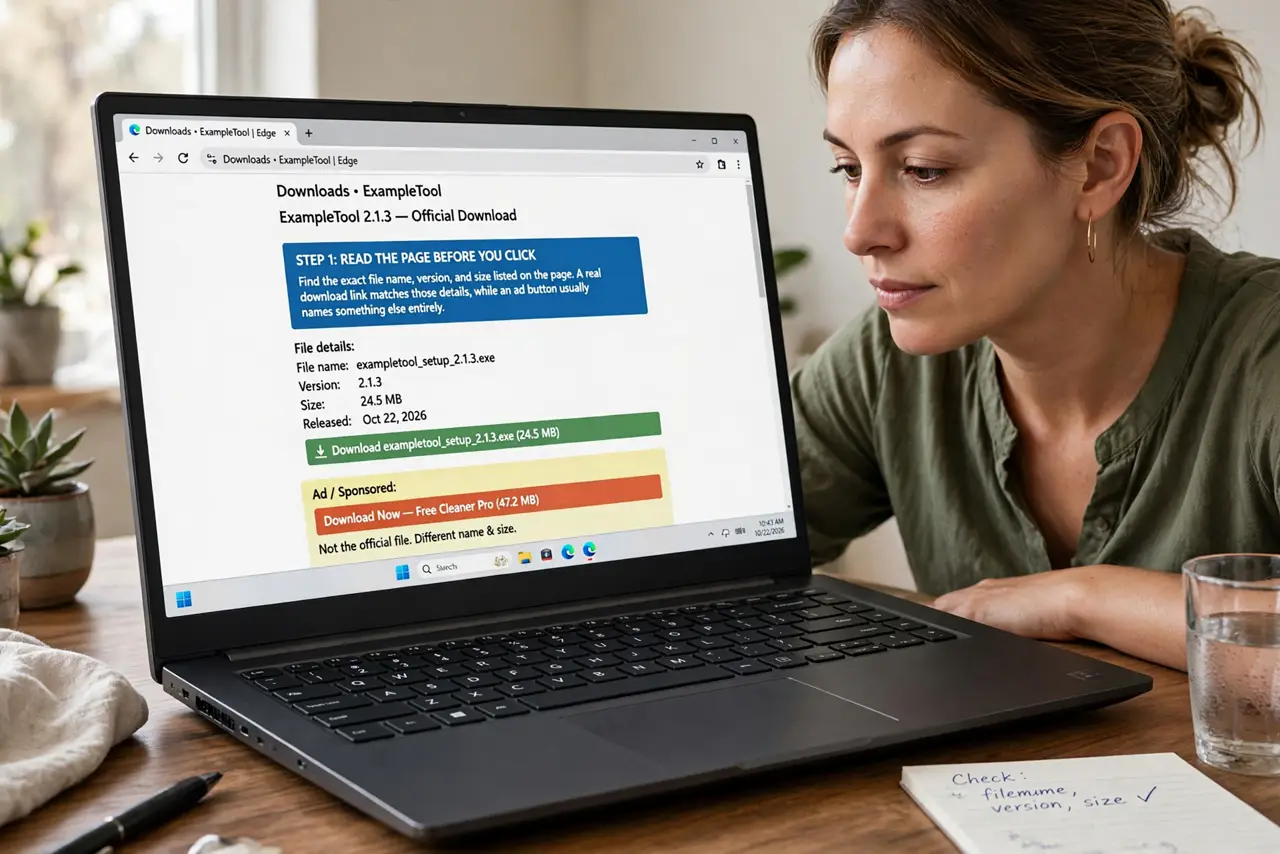
- Read the page before you click. Find the exact file name, version, and size listed on the page. A real download link matches those details, while an ad button usually names something else entirely.
- Hover before you click. Hover over a button and read the address shown at the bottom of the browser. If it points to an unrelated site or an ad network, it is not your file.
- Prefer the official source. Search for the program or file on the official website of its maker, and download it there. An official source removes the whole fake-button problem.
- Check the file before you open it. After downloading, check the file name and type carefully. A document should not arrive as a program file, and a small file should not claim to be a large one.
- Scan the download. Run a scan on the downloaded file with your built-in security software before opening it. If the scan flags it, delete the file and do not try to open it anyway.
- Delete look-alike installers. If a download starts that you did not intend, cancel it and delete the file. Do not run an installer just because it already downloaded.
What NOT to do
- Do not click the largest button on the page by habit. On file sites, size usually means advertising, not the real file.
- Do not trust a button just because it says Download now. Read the address it points to first.
- Do not open a downloaded program to see what it does. Scan it first, and delete it if anything looks wrong.
- Do not disable your security software to make a download work. A file that needs that is not worth opening.
Frequently asked questions
How can I tell the real button?
The real link matches the file name and size on the page and points to the same site, not an ad network. When unsure, use the official source.
What if I clicked a fake button?
Close any page it opened, cancel the download, and delete the file. Then run a security scan before continuing.
Are all file sites unsafe?
No, but many mix ads with downloads. The official source is always the safer choice when one exists.