Folder Permissions Deny a Teammate? Fix It
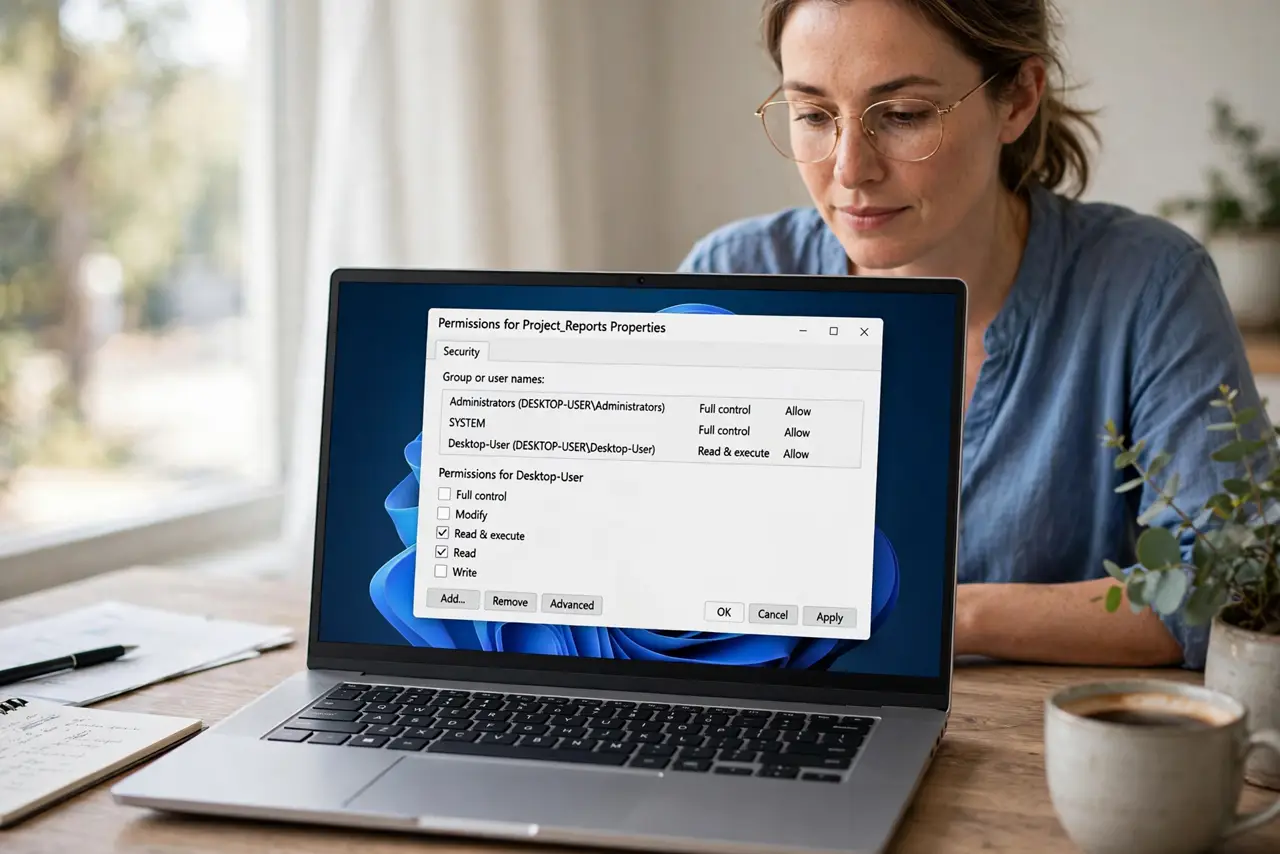
A teammate who cannot open a folder usually is not blocked by malice, but by a permission that points at the wrong folder, the wrong group, or an expired share. Checking those three things in order resolves most denials quickly.
TL;DR / Quick Fix
Quick fix: Confirm the exact folder and link. Check the people list for their name. Check group membership, not just names. Grant the lowest permission that works. Ask them to retry, and to sign into the right account. Check the parent folder if denial persists.
Follow these steps
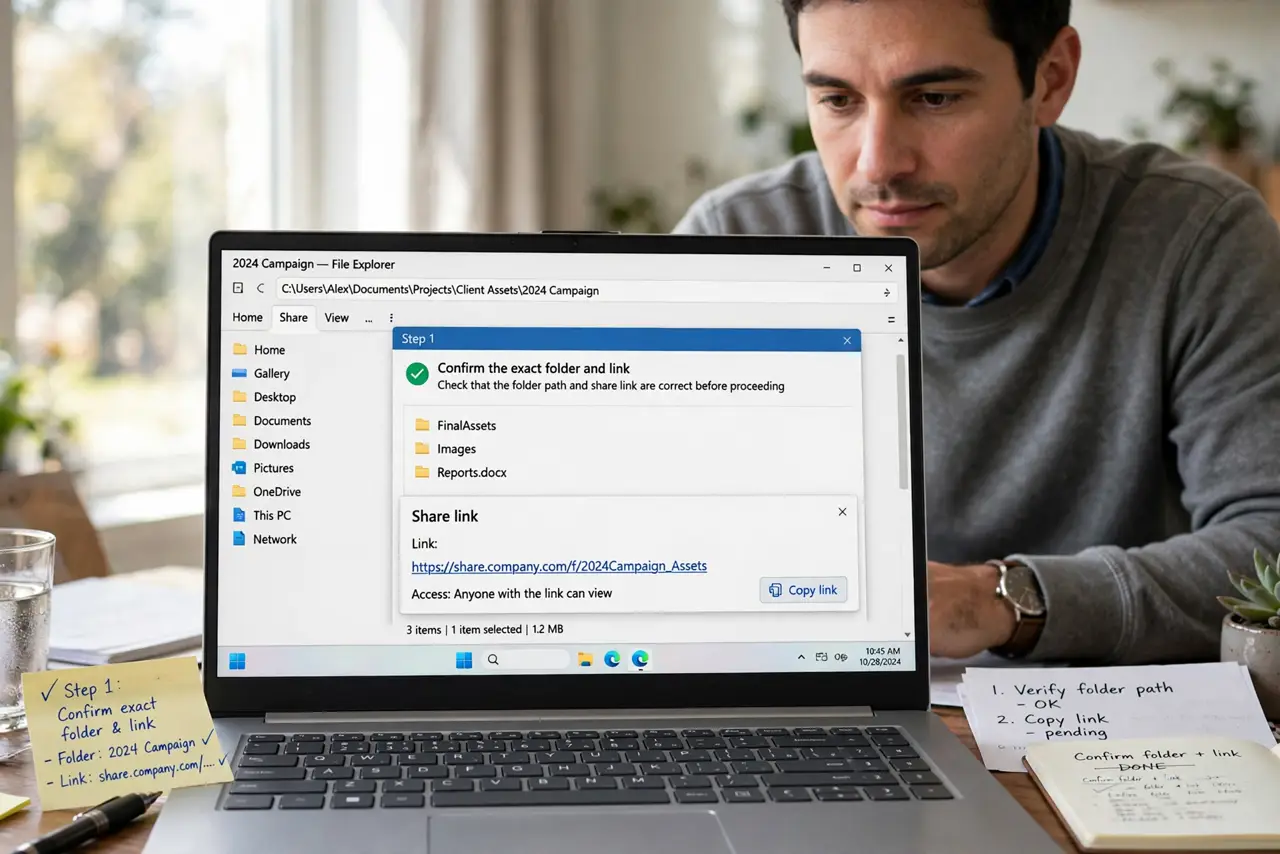
- Confirm the exact folder and link. Ask your teammate to copy the exact error and link they used. Half of all denials turn out to be a different folder, or an old link to a moved folder.
- Check the people list for their name. Open the sharing settings and look for your teammate by name. If they are absent, they were never added, whatever anyone assumed.
- Check group membership, not just names. If access is granted to a group, confirm your teammate is actually in that group. Group membership changes silently when roles change.
- Grant the lowest permission that works. Add them with view access first, then raise it to edit only if their work requires it. Least privilege keeps the folder safer.
- Ask them to retry, and to sign into the right account. A teammate signed into a personal account will be denied even with correct work-account access. Confirm the account, then retry.
- Check the parent folder if denial persists. A parent folder with restricted access can block a subfolder. If the subfolder looks correct, walk one level up and check there.
What NOT to do
- Do not grant everyone full edit access to fix one denial. That trades a small problem for a large risk.
- Do not assume the teammate is using the right account. Account mix-ups cause a surprising share of denials.
- Do not keep resending the same old link. If the folder moved, the link is dead no matter how often you send it.
- Do not ignore group membership. Adding a name to a group and adding a group to a folder are two different steps.
Frequently asked questions
Why can I open it but my teammate cannot?
Because permissions are per person or per group. Your access says nothing about theirs.
What if the teammate is in the group but still denied?
Check for a conflicting deny rule, an expired share, or the wrong account, in that order.
Should I just make the folder public to the team?
No. Add the specific people or group with the lowest permission that lets them work.