Archive in Bulk
Fifty thousand unread emails. The number is absurd, the inbox is unusable, and deleting them one by one would take a lifetime. The answer is archiving in bulk: sweep years of mail out of the inbox in minutes, keeping everything searchable. Here is how to do the big sweep safely.

TL;DR / Quick Fix
Quick fix: in Gmail, search for old or read mail, select all, and hit Archive — archived mail leaves the inbox but stays searchable forever. Use the select-all checkbox plus the select-all-matching link for thousands at once. Archiving is not deleting; nothing is lost.
Follow these steps
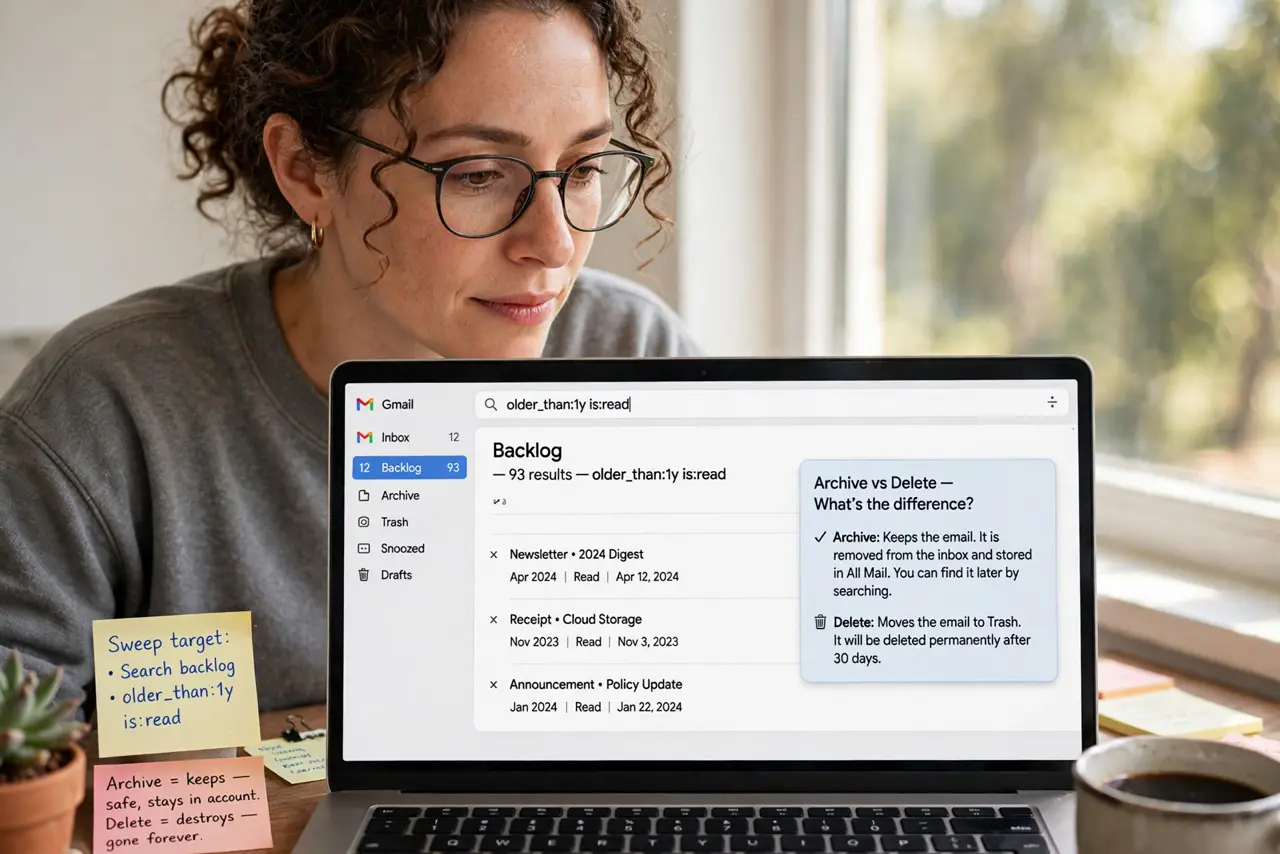
- Search for the sweep target. Use a search like older_than:1y or is:read to find the backlog. See the archive vs delete difference first — archiving keeps, deleting destroys.
- Select all — really all. Click the select-all checkbox, then click the select all conversations that match link. That second click is the secret — without it you only get one page.
- Hit Archive. Click the Archive button. Thousands of emails leave the inbox at once — it takes a moment, and it is gloriously satisfying.
- Verify nothing important vanished. Search for a few critical senders — bank, work, school. Archived mail is searchable, so confirm the important stuff is findable, not gone — the archive vs delete guide explains the safety net.
- Set up filters going forward. The sweep fixes the past; filters prevent the relapse. Auto-archive newsletters and notifications so the inbox never refills — see the outlook archive button if you also use Outlook.
- Enjoy inbox zero. With the backlog gone, process new mail daily. The sweep was the hard part; maintenance is minutes.
What NOT to do
- Do not delete in bulk by accident. Archive and Delete sit near each other — double-check which button you hit before confirming.
- Do not archive without searching first. Blind select-all grabs everything including this week's important mail — search, then sweep.
- Do not expect instant results on huge sweeps. Tens of thousands of emails take minutes to process — let it finish.
- Do not skip the filter follow-up. Without filters the inbox refills in months and you will be sweeping again next year.
Frequently asked questions
Will I lose anything by archiving?
No — archived mail stays in All Mail, fully searchable. Only deletion destroys, and archive is not deletion.
How long does a big sweep take?
Minutes for tens of thousands. Gmail processes in the background — you can keep working.
Can I undo a bulk archive?
Yes — search for the mail and move it back to the inbox. Nothing about archiving is permanent.