Check Other Accounts in Gmail
Your old Yahoo address still gets the occasional important email, but you never check it anymore. Instead of juggling logins, Gmail can fetch mail from your other accounts into one inbox — POP3 for the old-timers, or Gmailify for the modern ones. Here is how to consolidate without losing anything.
TL;DR / Quick Fix
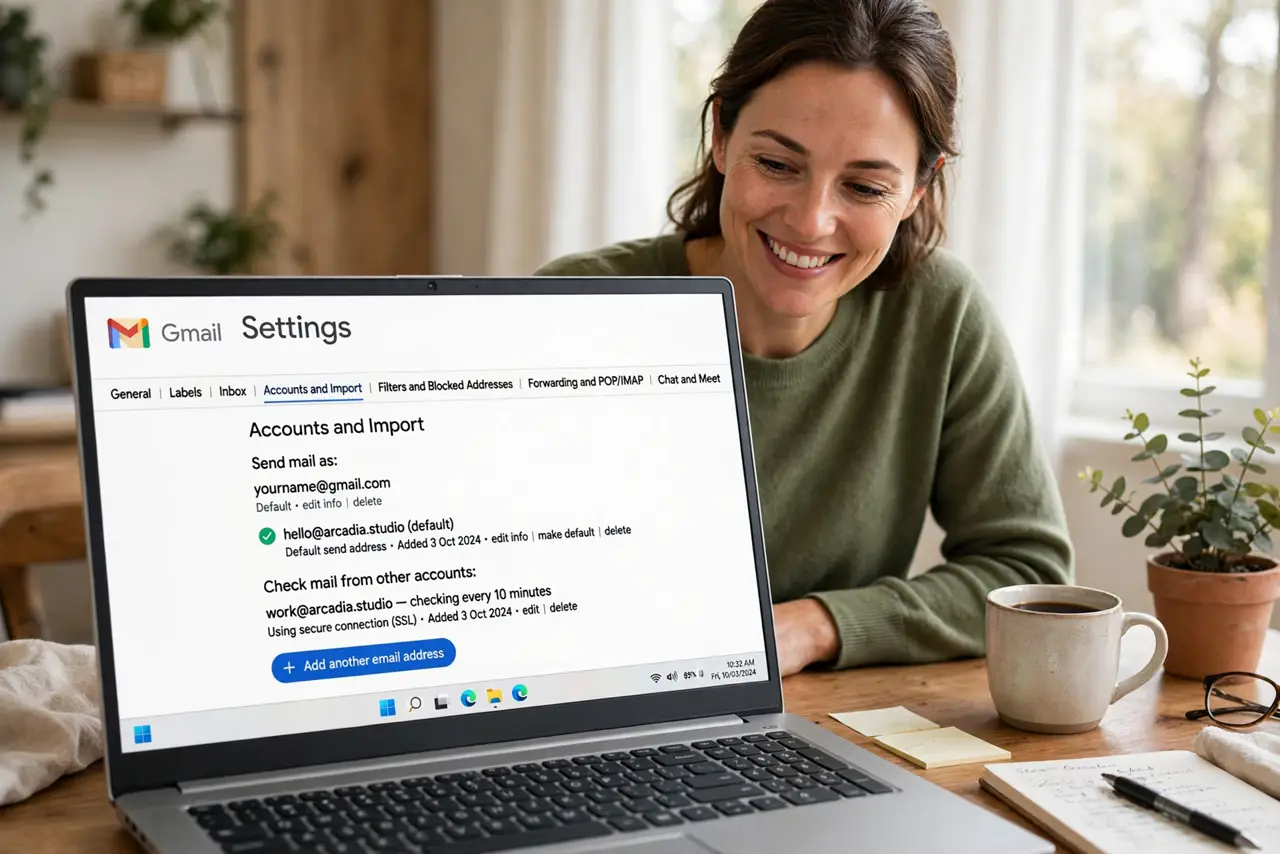
Quick fix: in Gmail settings under Accounts, use 'Add a mail account' in the Check mail from other accounts section. Enter the other address and its password or app password. New mail from that account then lands in your Gmail inbox, labeled so you know where it came from.
Follow these steps
- Open the Accounts settings. Gear icon, See all settings, Accounts and Import tab — the 'Check mail from other accounts' section is your target.
- Add the other mail account. Click 'Add a mail account,' enter the address, and choose the import option. Gmail will ask for the account's password or an app-specific password.
- Use an app password when required. Yahoo, Outlook, and others with two-factor login need an app-specific password, not your regular one. Generate it in that account's security settings.
- Label incoming mail from that account. Tell Gmail to label fetched mail — 'Old-Yahoo' for example. Labels keep the merged inbox readable instead of mysterious.
- Decide whether to leave copies on the server. Keeping copies means the old account stays intact as a backup. Deleting after fetch consolidates fully — choose based on how much you trust the old provider.
- Pair it with Send-as for full consolidation. Fetching covers incoming; Send-as covers replies. Together, the old account becomes invisible in daily use.
What NOT to do
- Do not delete the old account immediately. Run the fetch for a month first — stragglers and password-reset emails still arrive there.
- Do not use your regular password where an app password is required. It will fail cryptically; generate the app password in the other account.
- Do not import without labels. Unlabeled merged mail becomes an archaeology project within weeks.
- Do not forget the old account's own spam folder. Gmail fetches the inbox, not the spam — check the old spam folder once for anything important.
Frequently asked questions
Will Gmail check the other account continuously?
Roughly every few minutes to hourly — not instant. For time-critical mail, keep the old app installed during the transition.
Can I add more than one extra account?
Yes — Gmail supports several. Each gets its own label so the merged inbox stays organized.
What happens to mail already in the old account?
The first fetch pulls recent history too, depending on settings. Old mail stays on the old server unless you choose to delete after fetching.