HDMI CEC? What It Does
One remote controlling the TV, the soundbar, and the streaming stick — that is HDMI CEC, the feature with a dozen brand names (Anynet+, Bravia Sync, Simplink) and one job: letting HDMI devices boss each other around. When it works it feels like magic; when it misbehaves, devices turn on at 3 a.m. Here is how to tame it.
TL;DR / Quick Fix
Quick fix: HDMI CEC lets devices control each other — one remote powers everything and adjusts the soundbar volume. Find it in TV settings under its brand name (Anynet+, Bravia Sync, Simplink) and enable it per device. If gadgets switch inputs on their own, disable CEC on the troublemaker only.
Follow these steps
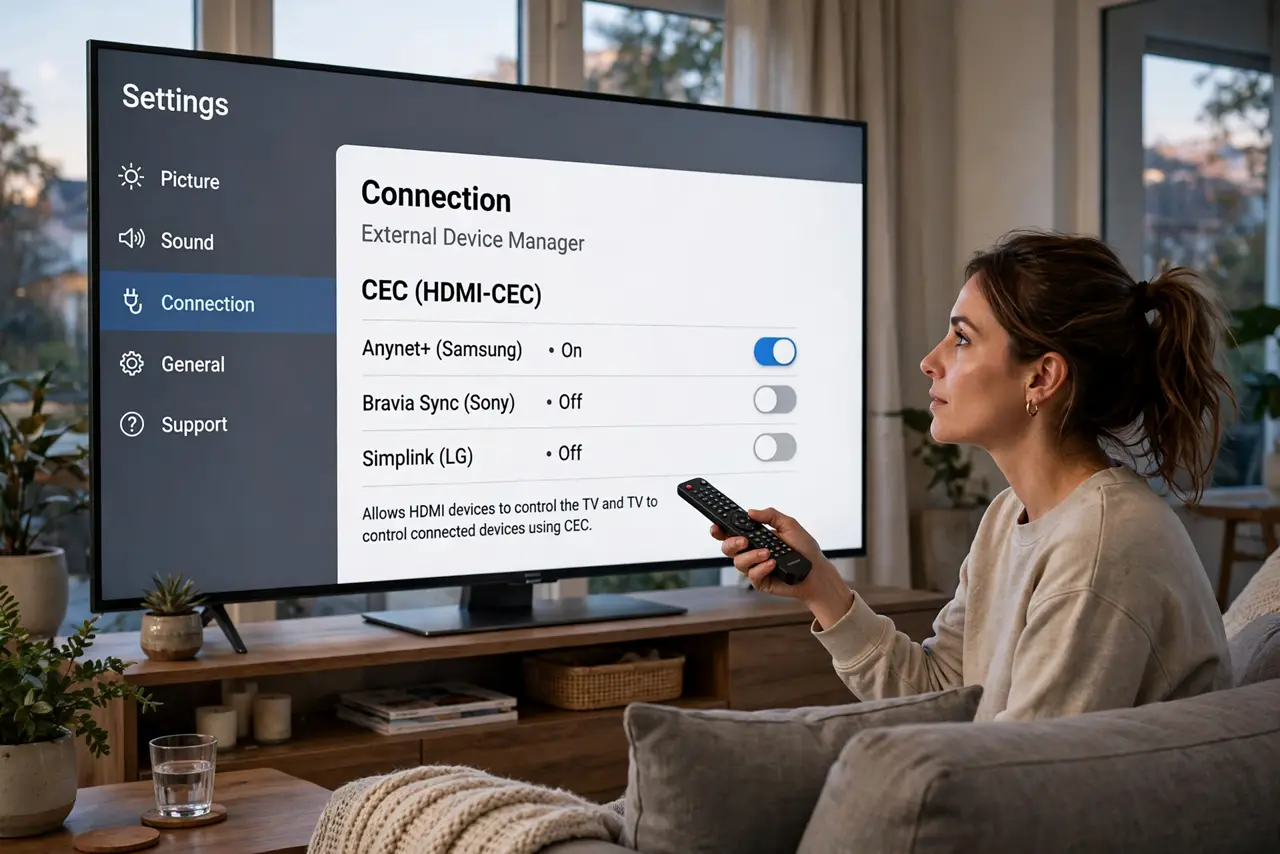
- Learn its brand name on your TV. Makers rename CEC: Samsung Anynet+, Sony Bravia Sync, LG Simplink, and others. Search settings for the brand name — 'CEC' alone often finds nothing.
- Enable it on every device in the chain. CEC is per-device. TV, soundbar, and player each need it on, or the chain breaks at the silent one.
- Use one remote for power and volume. With CEC on, the TV remote powers the soundbar and controls its volume; the player can wake the TV and switch inputs. This is the whole payoff.
- Expect input auto-switching. Powering on a console jumps the TV to its input automatically. Usually delightful — occasionally the source of 'my TV changed inputs by itself.'
- Disable it selectively when it misbehaves. A device powering on at night or stealing inputs gets CEC turned off individually. Keep it on everywhere else.
- Pair it with ARC for full soundbar bliss. CEC plus HDMI ARC is the classic combo: one cable for audio, one remote for everything.
What NOT to do
- Do not enable CEC on everything and wonder why devices wake at night. One misbehaving device can wake the whole chain.
- Do not assume a non-responding device supports CEC. Older and bargain gear often skips it — check the specs, not the hope.
- Do not factory-reset the TV over CEC weirdness. Disable CEC per device first; resets rarely fix handshake quirks.
- Do not confuse CEC with ARC. CEC is control (remotes, power); ARC is audio return. They are separate features that often get enabled together.
Frequently asked questions
Why does my TV turn on by itself?
Usually a CEC device waking it — a console updating, a stick rebooting. Disable CEC on suspects one by one until the ghost stops.
Can one remote really control everything?
Power, volume, and playback — yes, across CEC devices. Deep menus and apps still need each device's own remote.
Is CEC the same on all brands?
The standard is shared, but implementations vary — which is why cross-brand chains misbehave more than single-brand ones.