Double NAT? What It Breaks
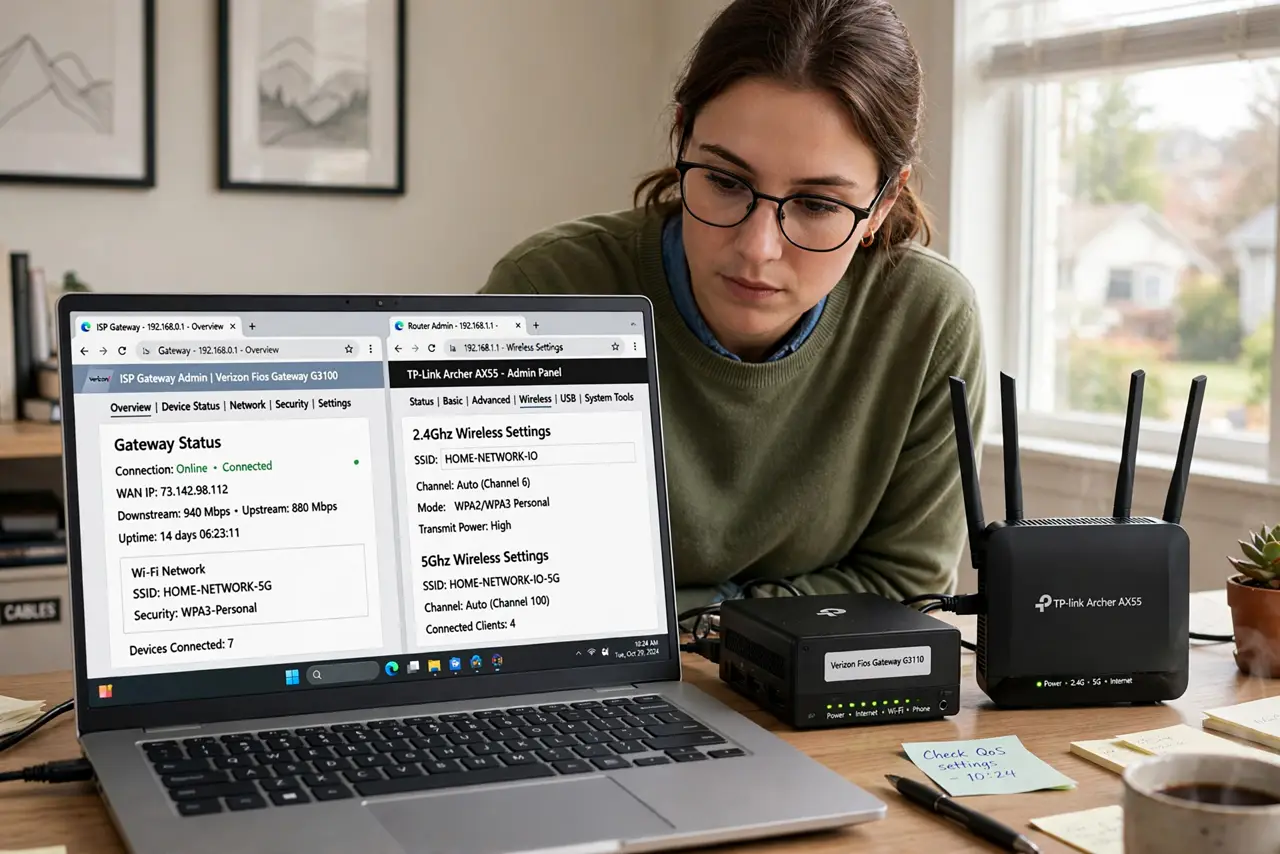
Your ISP's gateway routes, then your own shiny router routes again — two translators in a row, each rewriting addresses. That is double NAT, and while browsing usually survives it, gaming, video calls, port forwarding, and some smart-home gear quietly break. Here is how to spot it and the clean ways to end it.
TL;DR / Quick Fix
Quick fix: double NAT happens when two routers in a row both translate addresses — typically the ISP gateway plus your own router. Symptoms: strict NAT in games, port forwarding that never works. The clean fixes are bridge mode on the ISP gateway or access-point mode on your router.
Follow these steps
- Understand the two translators. Each router gives your devices private addresses and translates them to the outside. Two in a row means double translation — most traffic survives, but anything needing a direct inbound path breaks.
- Recognize the symptoms. Game consoles report strict NAT, port-forwarding rules do nothing, remote camera access fails, some VPNs struggle. Web browsing and streaming usually look fine — that is why it hides.
- Confirm it with an IP check. Log into your personal router and look at its WAN/internet IP. If it is a private address (10.x, 172.16-31.x, 192.168.x) instead of a public one, something upstream is NATing — see symptoms.
- Fix it with bridge mode. Putting the ISP gateway in bridge mode turns off its routing — your router becomes the only translator. This is the cleanest fix; see bridge mode setup.
- Or demote your own router. No bridge mode available? Set your personal router to access-point mode. One router routes, the other just extends Wi-Fi — single NAT restored.
- Leave it if nothing breaks. Double NAT harms nothing by itself. If gaming, cameras, and forwarding all work, there is nothing to fix.
What NOT to do
- Do not port-forward on both routers hoping it works. Double forwarding through double NAT is a configuration swamp — eliminate one NAT instead.
- Do not put both routers in bridge mode. Then nothing routes at all and the network dies — exactly one device must remain the router.
- Do not ignore it when gaming suffers. Strict NAT warnings are double NAT's signature complaint; the fix is structural, not a game setting.
- Do not assume your ISP allows bridge mode changes. Some lock their gateways — call and ask before planning around it.
Frequently asked questions
Is double NAT a security problem?
No — if anything it adds a layer. The issue is broken functionality (gaming, forwarding, remote access), not safety.
Why did it work fine for months, then break?
Something changed: a new game needing open NAT, a camera added, or a firmware update altering behavior. The double NAT was always there.
Can I just use the ISP gateway alone?
Yes — removing your router ends double NAT instantly. You lose your router's features, but it is the simplest fix of all.