Modem Signal Levels? Basics
Your cable modem has a hidden diagnostics page showing signal levels — numbers that reveal whether your internet problems come from the line or from everything else. Support technicians read these first; you can too. Here is how to find the page and what the numbers mean.
TL;DR / Quick Fix
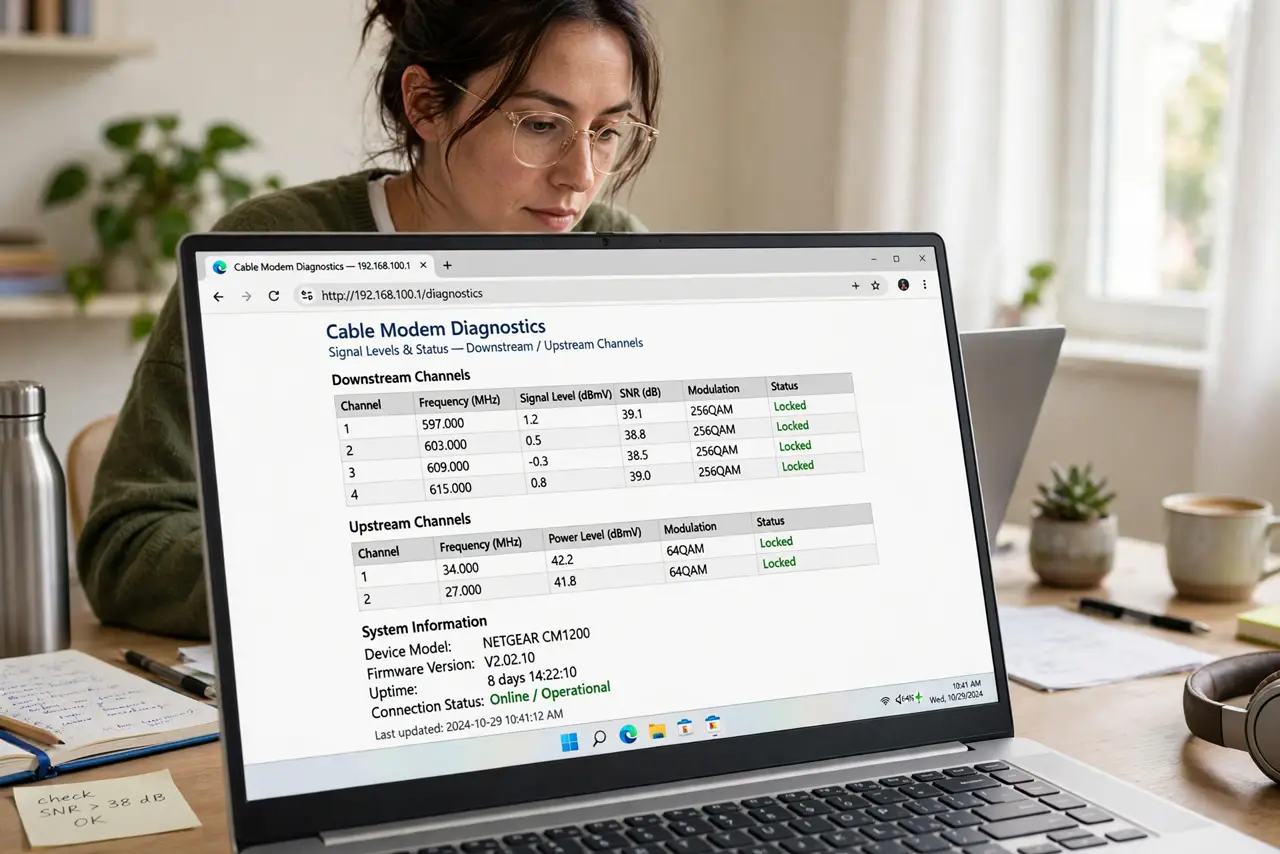
Quick fix: open your modem's diagnostics page (often 192.168.100.1) and check downstream power (ideal -7 to +7 dBmV), upstream power (under 50 dBmV), and SNR (above 33 dB). Out-of-range numbers mean a line problem — call your provider with the numbers ready instead of rebooting endlessly.
Follow these steps
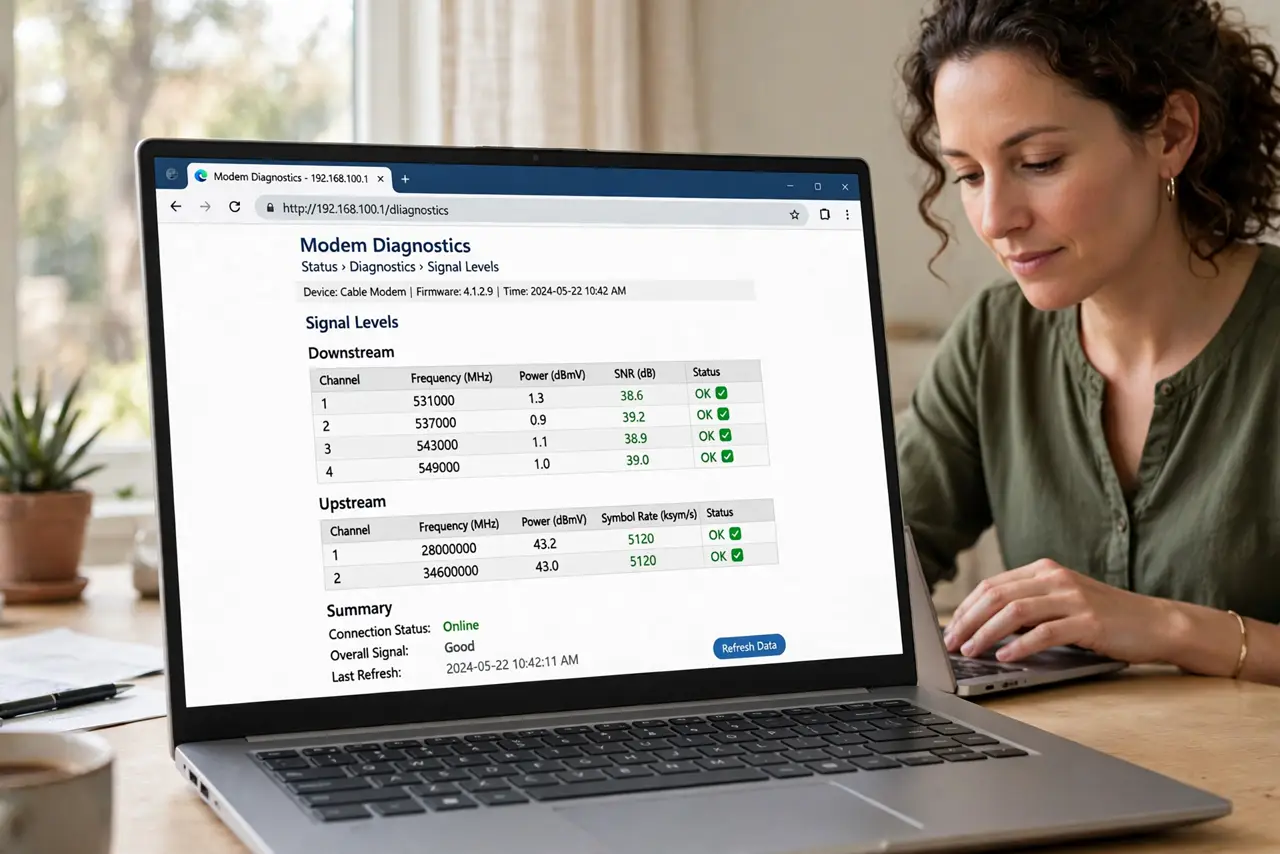
- Open the diagnostics page. Browse to 192.168.100.1 while connected to the modem — most cable modems serve a status page there. Look for 'Downstream', 'Upstream', or 'Connection' sections.
- Read downstream power. Ideal: -7 to +7 dBmV per channel. Too low (below -10) means weak signal — splitters or long cable runs are suspects. Too high (above +10) means an over-amplified line.
- Read upstream power. Ideal: under 50 dBmV, typically 40s. High upstream means the modem is shouting to be heard — noise or bad wiring on the return path. This is the number technicians care about most.
- Check the SNR. Signal-to-noise ratio above 33 dB is healthy; below 30 dB brings errors and slowdowns. Low SNR plus bad power levels paints the full picture of a sick line.
- Look for uncorrectable errors. The error counters show corrupted data — some correctables are normal, but climbing uncorrectables mean real line damage. Screenshot the page before calling support.
- Report numbers, not symptoms. Tell support: 'downstream -12, upstream 54, SNR 29 with uncorrectables climbing.' That sentence skips an hour of scripted rebooting — and check the DOCSIS version so the modem itself is not the cap.
What NOT to do
- Do not reboot ten times hoping levels fix themselves. Signal levels are physical — reboots do not change physics.
- Do not 'fix' levels with random amplifiers. Boosting a noisy line amplifies the noise too — amplifiers need proper placement.
- Do not ignore slowly worsening numbers. Corrosion and water ingress degrade lines gradually — catch it before the outage.
- Do not touch the provider's outside box. The demarc box is theirs — report, do not rewire.
Frequently asked questions
What are good signal levels?
Downstream -7 to +7 dBmV, upstream below 50, SNR above 33 dB. Inside those ranges, look elsewhere for your problem.
Can bad levels cause slow Wi-Fi?
They cause slow everything — the modem itself gets bad data. Fix the line first, then judge the Wi-Fi.
Why do my levels change with weather?
Water in damaged cables and temperature-swollen connections shift levels — weather-correlated problems scream 'outside plant issue' to technicians.