Invoice Template Total Wrong? Fix It
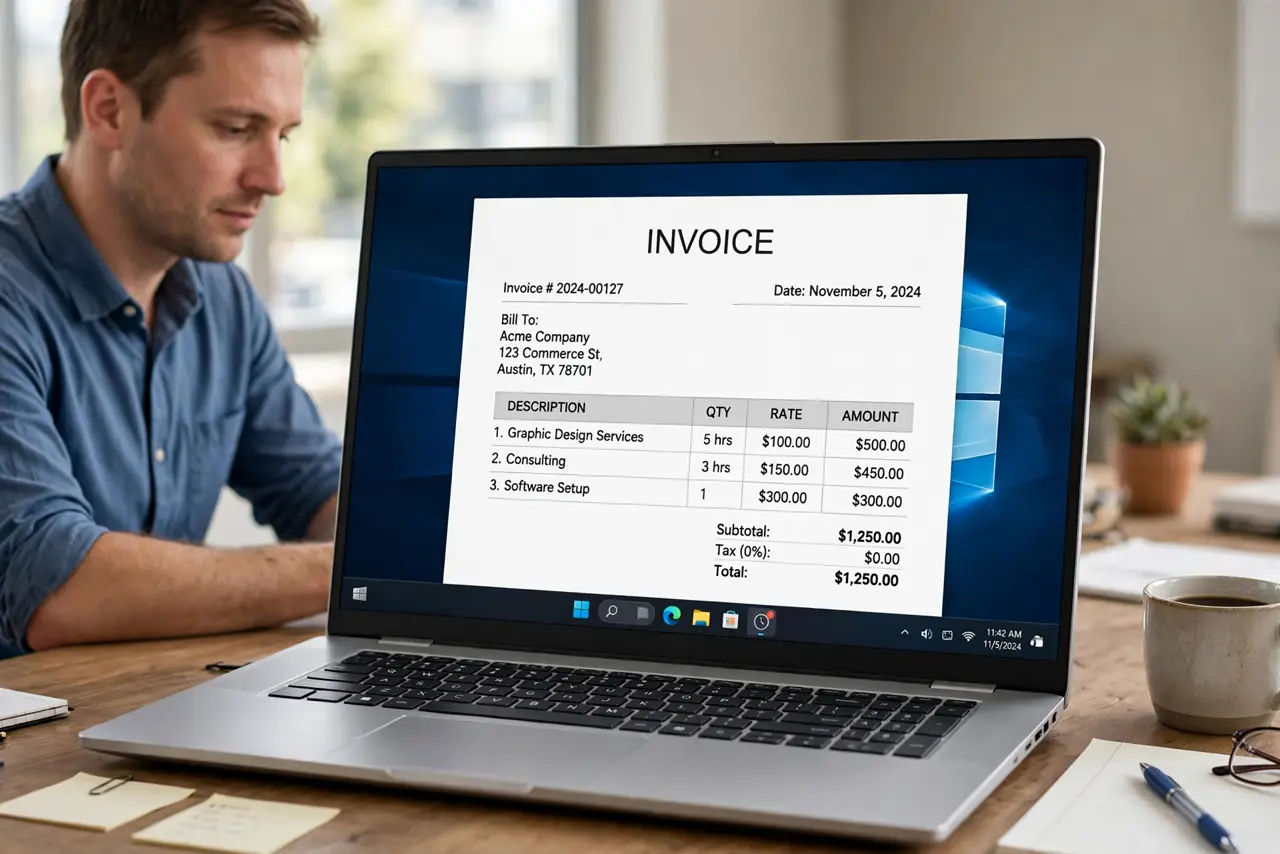
A wrong invoice total damages trust and delays payment, and the error is usually a formula, a quantity, or a tax setting, not arithmetic you did by hand. Checking the template line by line finds it before your client does.
TL;DR / Quick Fix
Quick fix: Check the total formula itself. Verify quantities and rates per line. Check tax and discount settings. Look for hidden or extra rows. Test the template with a known invoice. Compare against your expense spreadsheet habits. Work in order, and verify each step before moving on.
Follow these steps
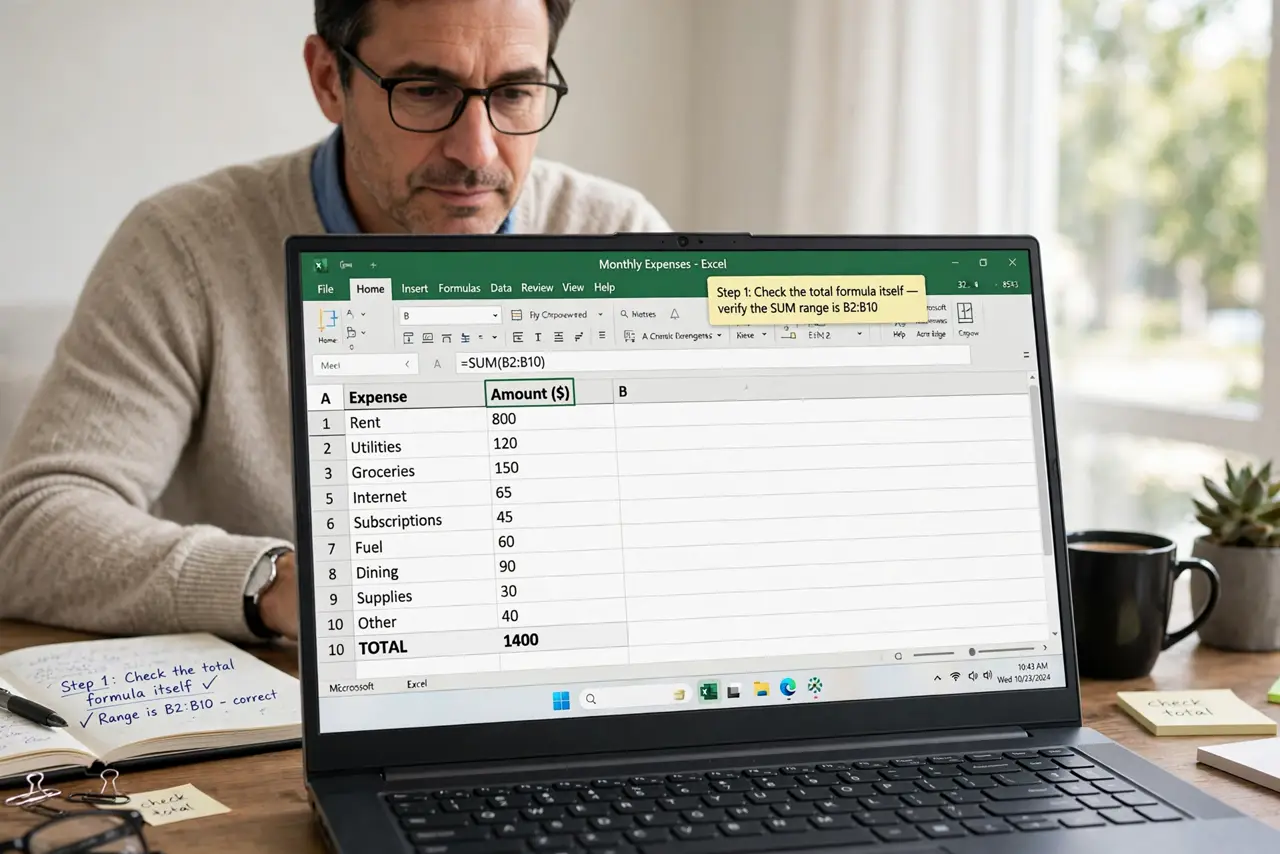
- Check the total formula itself. Open the total cell or field and read its formula. A total that sums the wrong range, or misses the last row, is wrong on every invoice from that template.
- Verify quantities and rates per line. Multiply each line yourself for a sample invoice. A quantity of 10 typed as 100, or a rate with a misplaced decimal, throws the total off quietly.
- Check tax and discount settings. Confirm whether tax applies per line or on the subtotal, and whether discounts apply before or after tax. A swapped order changes the total legitimately-looking but wrong.
- Look for hidden or extra rows. Hidden rows, sample rows, and duplicated lines can all feed the total. Unhide rows and delete sample content from the working template.
- Test the template with a known invoice. Build a test invoice with round numbers you can verify mentally, such as two items at 50 each. If the test total is wrong, the template is wrong, not your data.
- Compare against your expense spreadsheet habits. The same line-by-line checking that fixes expense totals fixes invoice totals. Verify the template, then verify each invoice built from it.
What NOT to do
- Do not send an invoice with a total you have not checked. Clients notice, and corrections slow payment.
- Do not hard-code a total over a formula. A typed total looks right once and breaks on the next invoice.
- Do not leave sample rows in a working template. Sample data has a way of reaching real clients.
- Do not assume tax is correct because last month's invoice was. Tax settings change with templates and regions.
Frequently asked questions
Why is my invoice total wrong?
Usually the total formula sums the wrong range, a quantity or rate is mistyped, or tax and discount order is wrong.
Should I type the total manually?
No. Fix the formula so every future invoice totals correctly on its own.
How do I test a template safely?
Build a test invoice with round, verifiable numbers and confirm the total mentally before using it for real.