Replace an AirTag Battery
When your AirTag chirps about a low battery or disappears from Find My, the fix is a one-minute battery swap — no tools, no appointment. AirTags use a common CR2032 coin battery you can buy anywhere. This guide covers the swap step by step, plus battery safety basics for handling old cells.
TL;DR / Quick Fix
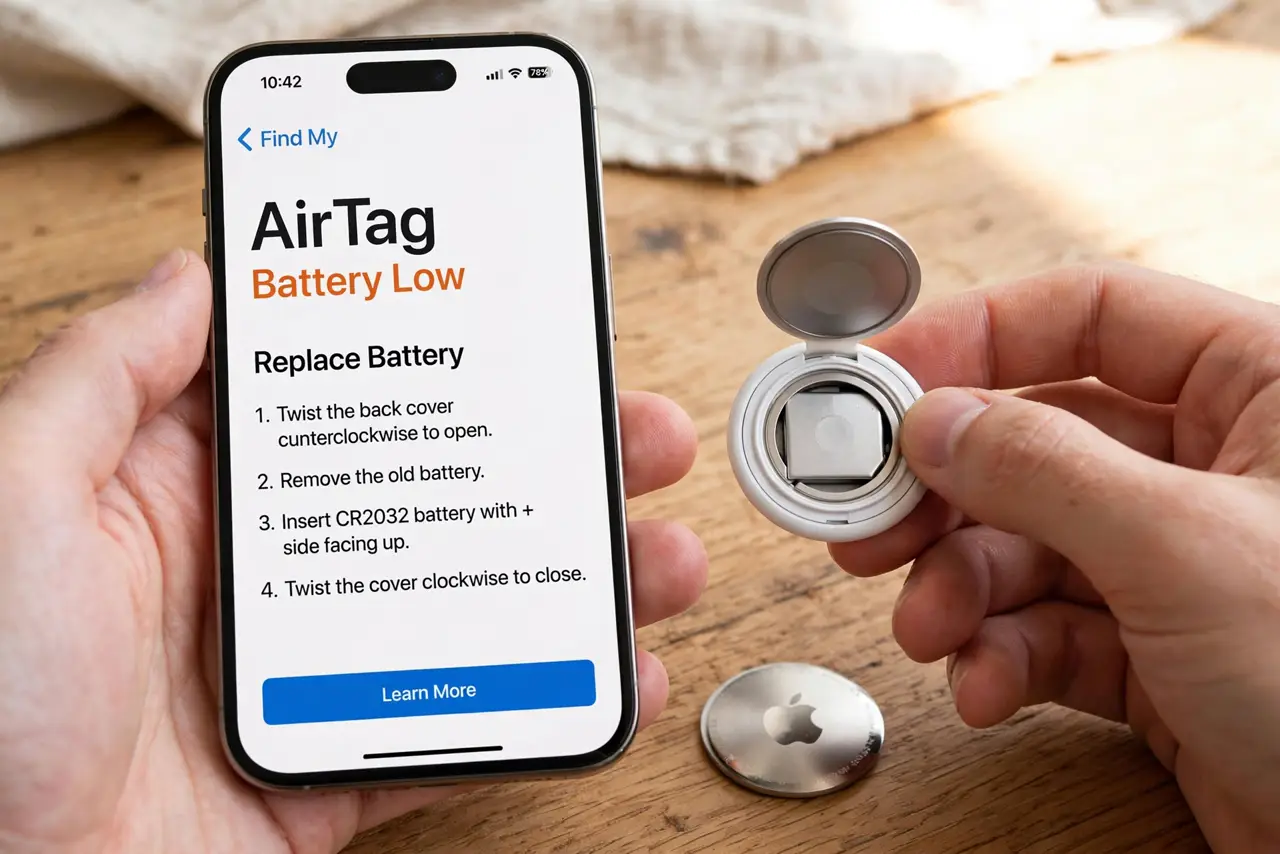
Quick fix: press and twist the AirTag's steel back counter-clockwise, swap the old CR2032 coin battery for a fresh one, and twist the cover back until it clicks. Your iPhone chirps to confirm. If the new battery has a bitter coating, wipe it off — coatings can block contact.
Follow these steps
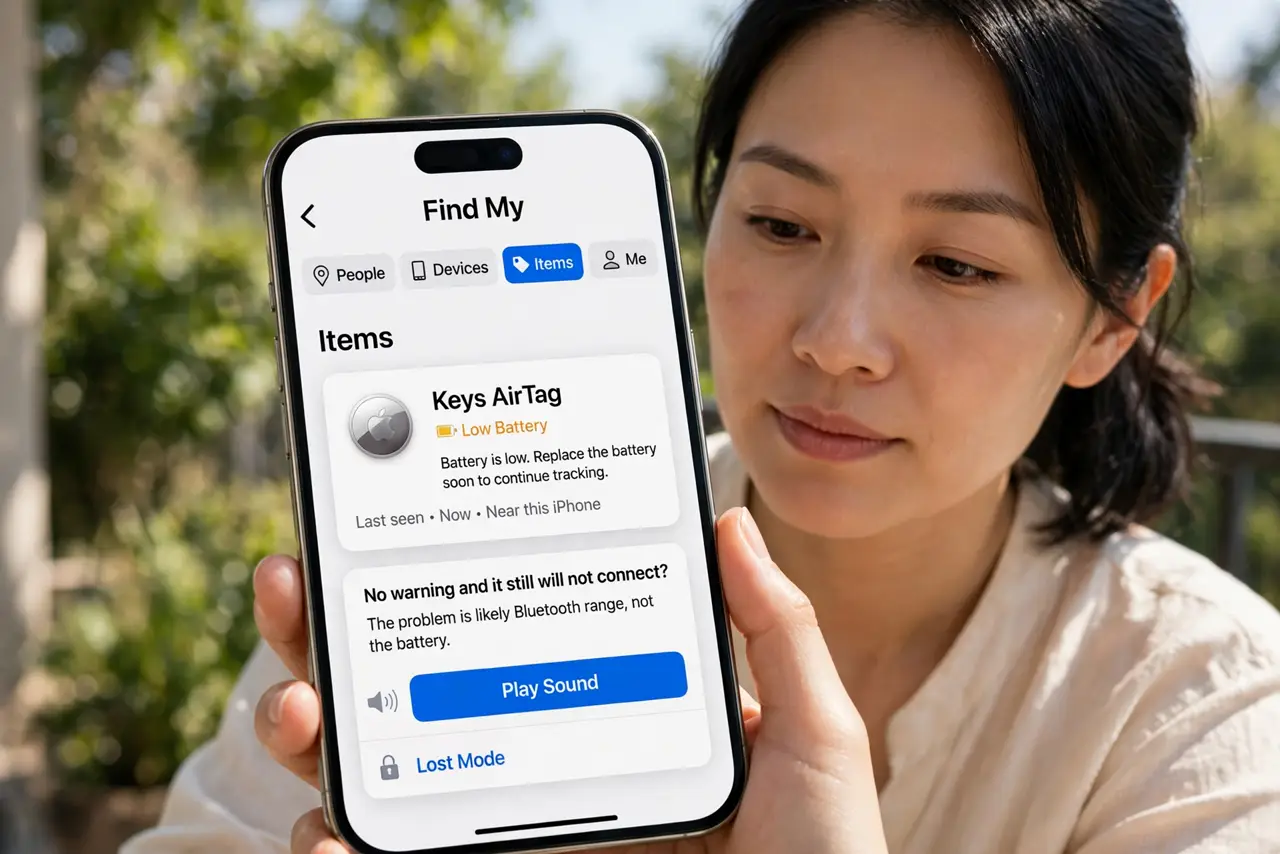
- Confirm the battery is actually low. Open Find My, tap Items, then your AirTag — a low-battery warning appears under its name. No warning and it still will not connect? The problem is likely Bluetooth range, not the battery.
- Buy a plain CR2032 battery. Get a standard CR2032 coin cell — the same battery in many watches and car remotes. Avoid bitter-coated child-safe versions if possible; the coating can interfere with the AirTag's contacts.
- Press and twist the steel back. Hold the AirTag with the steel side up, press down with two thumbs, and rotate counter-clockwise. The cover pops off with no tools and no force beyond a firm press.
- Swap the old battery for the new. Lift out the old cell, drop in the fresh CR2032 with the positive side facing up, and press it flat. If it has a bitter coating, wipe the flat faces with a dry cloth first.
- Twist the cover back until it clicks. Align the cover's tabs with the slots, press down, and rotate clockwise until it locks. Your iPhone should play a confirmation sound as the AirTag powers up.
- Check it in Find My. Open Find My and confirm the AirTag shows a fresh battery and its location updates. On Android, use a Bluetooth scanner app to confirm the tag is broadcasting again.
What NOT to do
- Do not use a sharp tool to pry the cover. Thumbs and a twist are all it needs — prying scratches the seal.
- Do not insert the battery upside down. Positive side faces up toward you as you drop it in.
- Do not throw the old battery in the trash. Coin cells go to battery recycling — they are a fire risk in household waste.
- Do not keep coin batteries where small children can reach them. Swallowed coin cells are a medical emergency.
Frequently asked questions
How long does an AirTag battery last?
About a year with normal use. Find My warns you when it runs low, so there is no need to replace it on a schedule.
Can I use a rechargeable CR2032?
Not reliably — rechargeable coin cells run at a lower voltage and the AirTag may report them as dead or behave erratically. Use a standard disposable CR2032.
The new battery does not work. Now what?
Remove it, wipe both flat faces, and reseat it firmly — most 'dead' swaps are just poor contact. If it still fails, try a different brand; a small number of cells arrive dead.