Communication Safety Blocks a Harmless Photo
Communication Safety flags a perfectly harmless photo a child tries to send or receive. The check is cautious by design — it can misread images — but a parent can review the setup rather than fight each photo.

TL;DR / Quick Fix
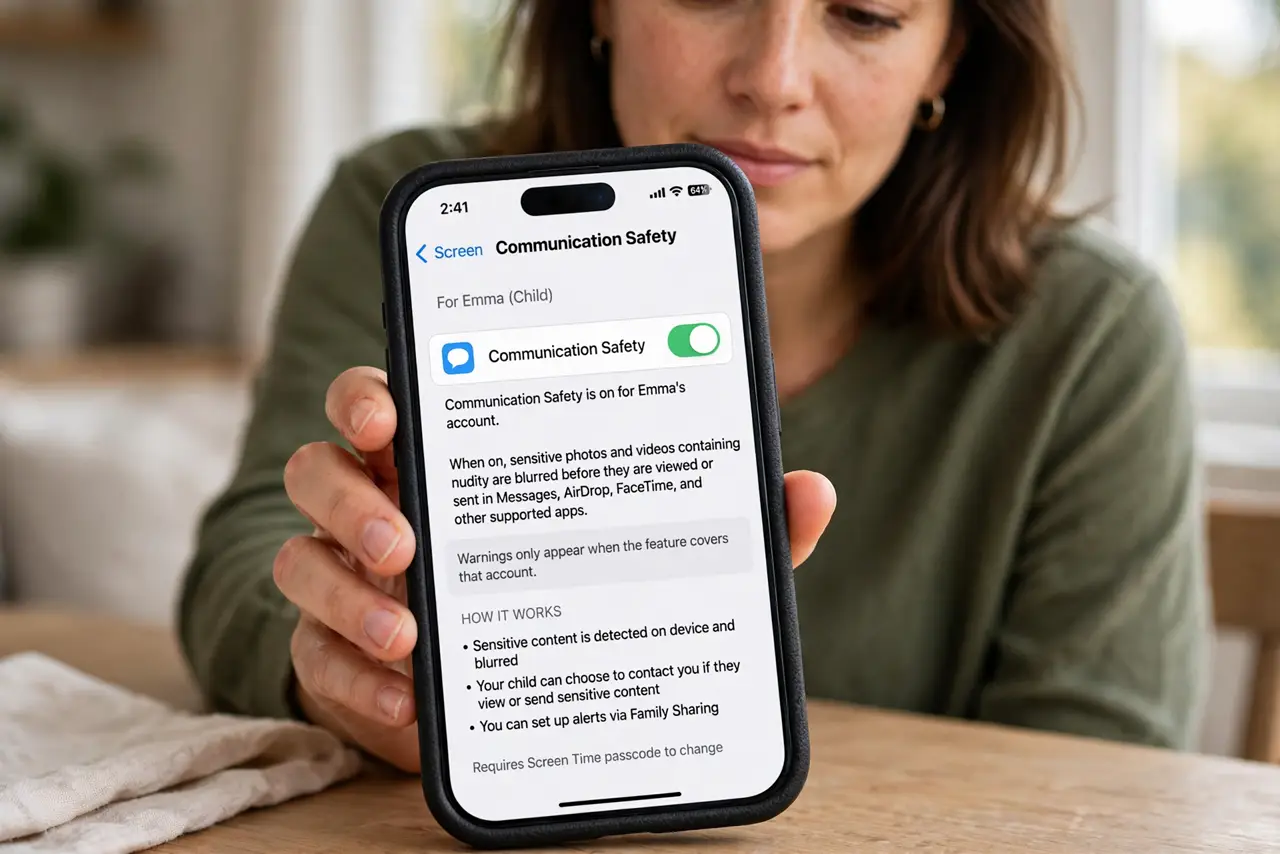
Quick fix: open Settings, then Screen Time, then Communication Safety, and confirm it is on for the right child account. Then review the flagged photo together, and check whether the warning came from the photo or a messaging setting and review flagged photos together calmly.
Follow these steps
- Confirm Communication Safety is on for the child. Open Settings, then Screen Time, then Communication Safety, and confirm the feature is on for the child's account. Warnings only appear when the feature covers that account.
- Review the photo together calmly. Look at the flagged photo with the child and talk about what it shows. A harmless photo flagged by mistake is a good moment to explain why the check exists, not a reason to panic.
- Check the message app involved. Confirm whether the warning appeared in Messages, AirDrop, or another app. Communication Safety covers specific apps, so a warning in one app does not mean every app flagged the photo.
- Check the child's age and account settings. In Family Sharing, confirm the child's age and account are correct. An account set up with the wrong age can trigger checks meant for a different age group.
- Report a repeated misread through feedback. If the same harmless kind of photo keeps getting flagged, send feedback to Apple describing the pattern. Repeated misreads improve only when Apple hears about them.
- Decide together whether to keep the feature on. Talk with the child about keeping Communication Safety on. Its caution is the point, and a rare false warning is a smaller cost than missing a genuinely sensitive image.
What NOT to do
- Do not turn off Communication Safety over one false warning. The feature guards children by design, and one cautious misread does not outweigh that protection.
- Do not scold a child for a flagged harmless photo. A false warning is the system's caution, not the child's fault, and a calm review teaches more than blame.
- Do not let a child approve warnings alone. Review flagged photos together, so the child learns what the warning means instead of tapping past it.
- Do not assume every flagged photo is sensitive. Automated checks misread images sometimes, so look at the photo before deciding what it is.
Frequently asked questions
Why did a harmless photo get flagged?
Because automated checks are cautious and can misread images, especially unusual poses, art, or close-ups.
Which apps does Communication Safety cover?
It covers Messages and certain sharing features for child accounts, not every app on the phone.
Should I turn it off after a false warning?
No. Keep it on and review warnings together, since its caution protects children more than a rare misread costs.