Dual SIM Labels Get Confused on iPhone
Two lines, two labels — and calls, messages, or data keep using the wrong one. Labels only help if each line carries the right label and the right default for each job.
TL;DR / Quick Fix
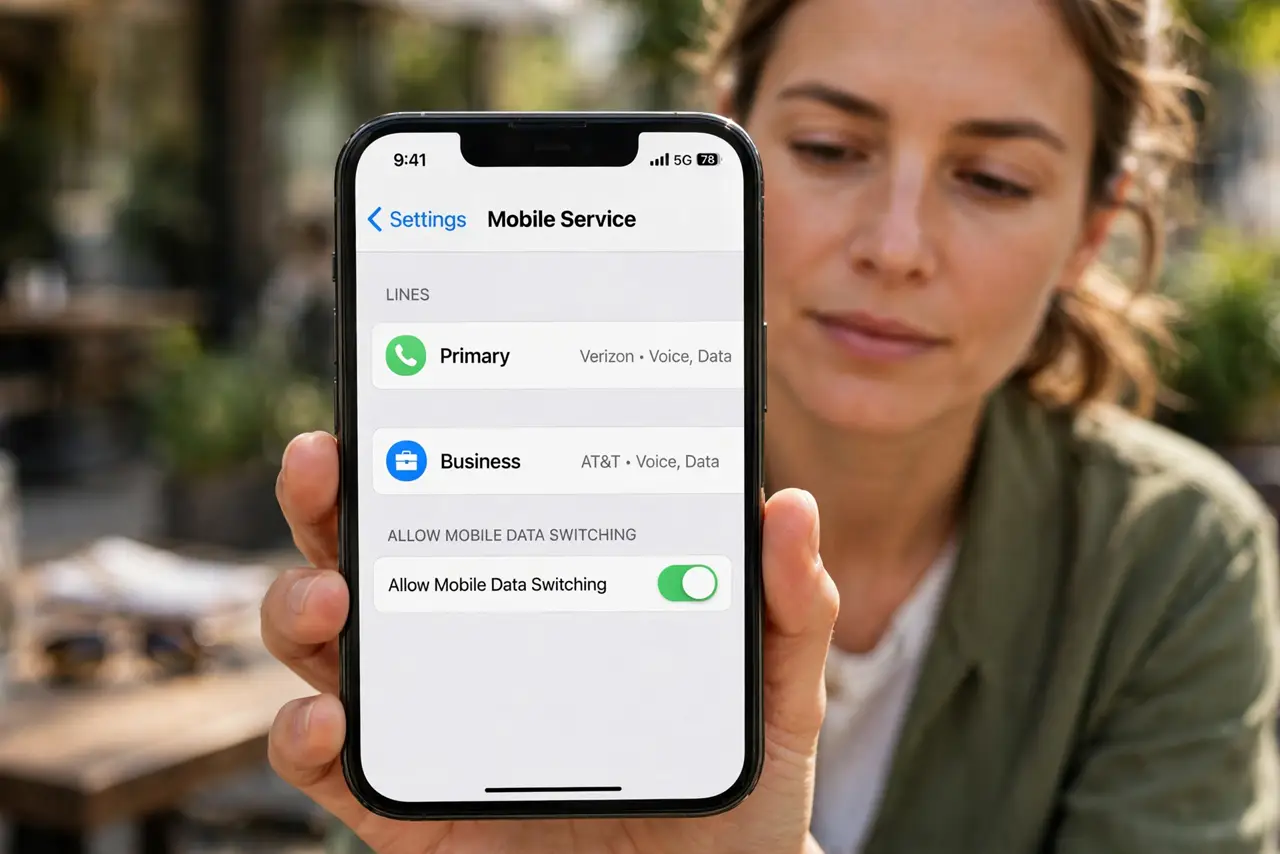
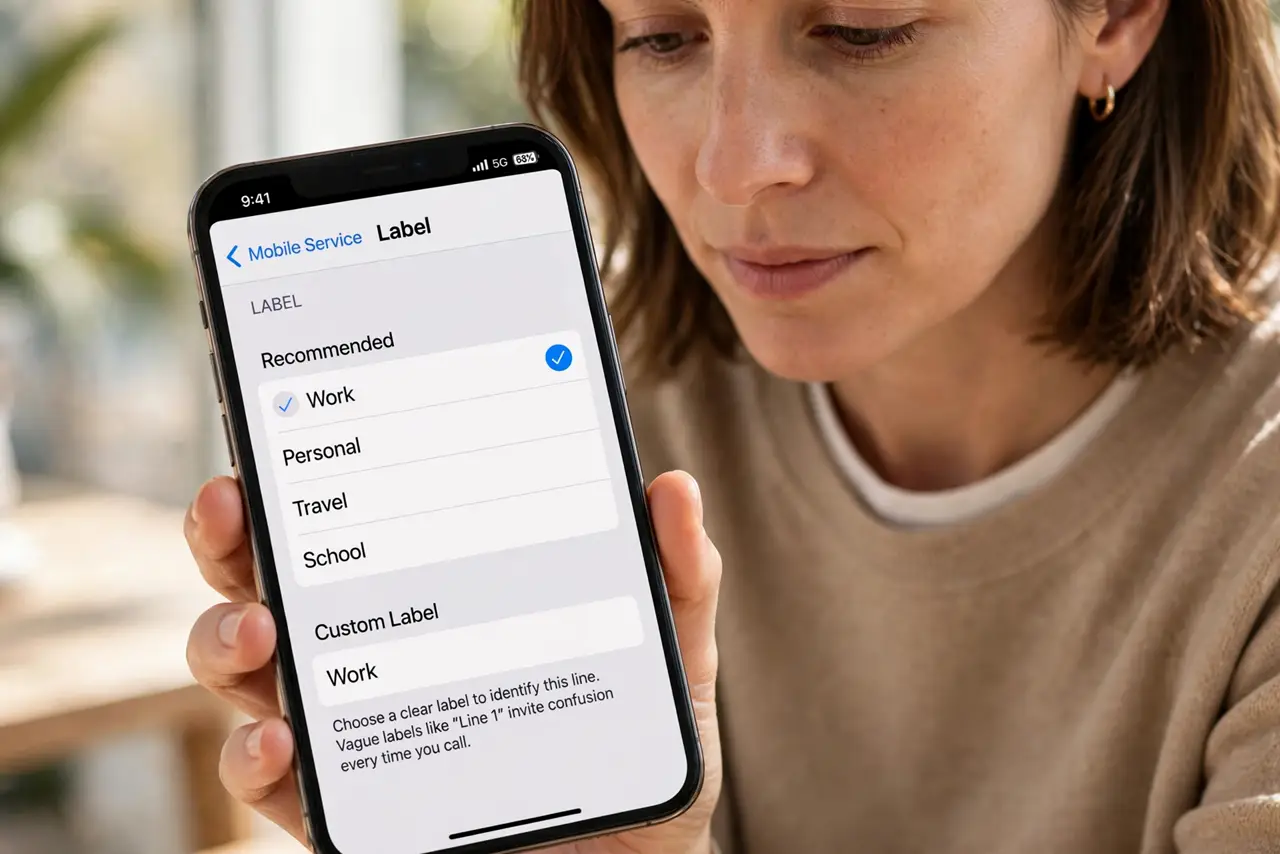
Quick fix: open Settings, then Mobile Service, tap each plan, and give it a clear label like Work and Personal. Then set the default line for calls and data, and test one call from each line and test one call from each line afterwards.
Follow these steps
- Label each plan clearly. Open Settings, then Mobile Service, tap a plan, then Label, and choose or type a clear label such as Work or Personal. Vague labels like Line 1 invite confusion every time you call.
- Set the default line for calls. In Mobile Service settings, choose the default line for voice calls. The default decides which line a new call uses when you do not pick one by hand.
- Set the default line for data. In the same settings, choose which line provides mobile data. Data and calls can use different defaults, so set both deliberately rather than assuming one follows the other.
- Check the per-contact default. Open a contact whose calls keep using the wrong line, and check the preferred line for that contact. A contact can remember a line choice that overrides your default.
- Test one call and one message per line. Call a friend from each line and send a test message from each line. Real tests confirm the labels and defaults work, while settings screens alone can hide a mistake.
- Check which line a message used. After sending, look at the message details to confirm which line sent it. If the wrong line sent it, the per-contact or default setting for messages needs another look.
What NOT to do
- Do not label both lines with similar names. Work and Work 2 look alike in a hurry, so use labels that differ at a glance.
- Do not assume the data line follows the call line. Calls and data have separate defaults, so set each one on purpose.
- Do not ignore a per-contact line choice. One contact remembering the wrong line can make the whole setup feel broken, when only that contact needs fixing.
- Do not delete a plan to fix a label mix-up. Labels and defaults are settings, and deleting a plan removes a working line for a problem a label fixes.
Frequently asked questions
Why do calls use the wrong SIM?
Because the default line for calls, or a per-contact line choice, points to the other line.
Can calls and data use different lines?
Yes. Each has its own default in Mobile Service settings, so set both deliberately.
Why does one contact always use the wrong line?
Because that contact remembers a preferred line that overrides your default, so change it for that contact.