eSIM Transfer Fails to Your New iPhone
Moving an eSIM to a new iPhone stalls, fails, or says the plan cannot transfer. Carrier approval, an old iOS version, or a locked plan usually stands in the way — not the new phone itself.
TL;DR / Quick Fix
Quick fix: keep both iPhones close, charged, and on Wi-Fi, then retry the transfer in Settings under Mobile Service. If it fails again, ask your carrier for a fresh eSIM activation instead of retrying blindly and keep the old iPhone active until service works.
Follow these steps
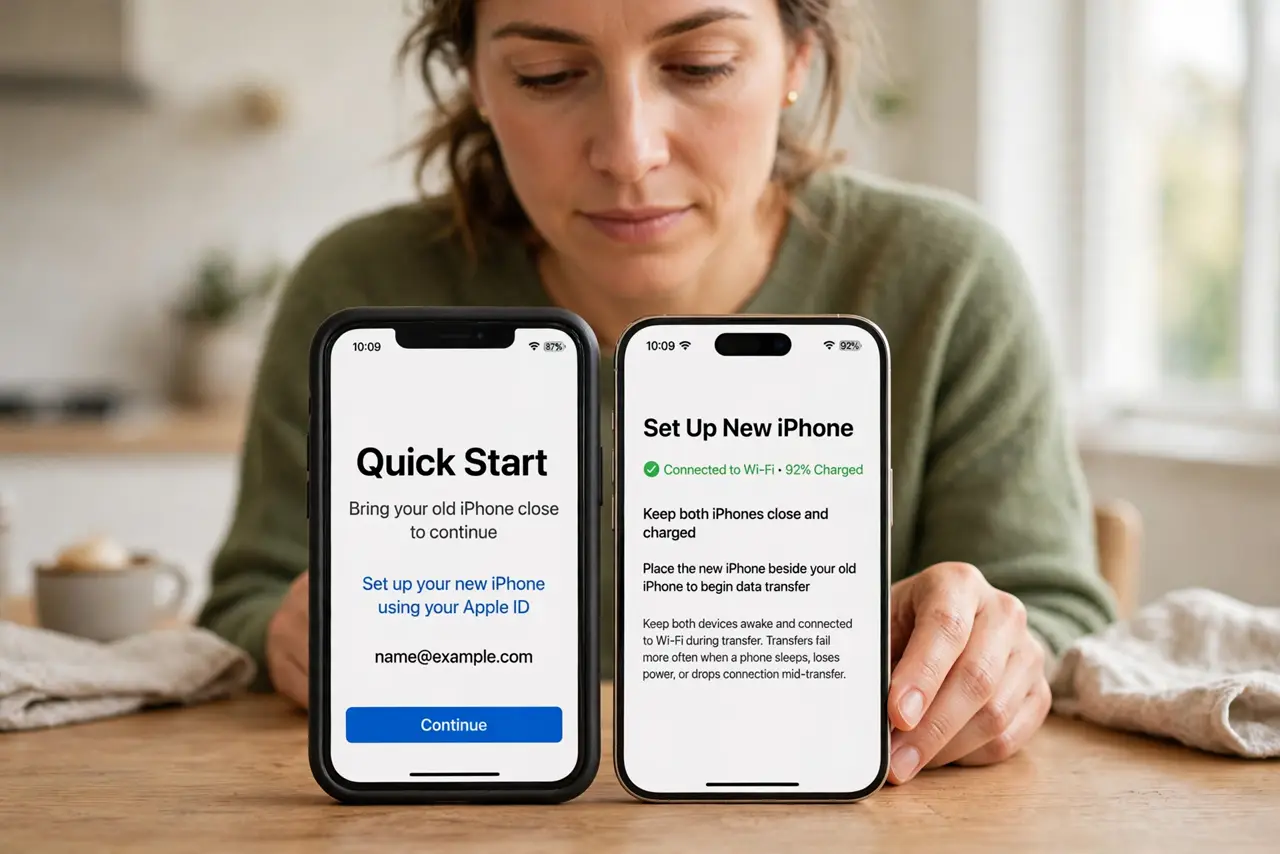
- Keep both iPhones close and charged. Place the old and new iPhones beside each other, both charged and on Wi-Fi. Transfers fail more often when a phone sleeps, loses power, or drops connection mid-transfer.
- Retry from Mobile Service settings. On the new iPhone, open Settings, then Mobile Service, then Add eSIM, and choose Transfer From Nearby iPhone. Follow the prompts on both phones without leaving the screen.
- Update both iPhones first. Open Settings, then General, then Software Update on each iPhone and install any update. A transfer between mismatched or old versions fails more often than one between updated phones.
- Check the plan allows transfer. Some plans need carrier approval before they move. If the transfer keeps failing, contact your carrier and ask whether the plan needs unlocking or a fresh activation.
- Ask the carrier for a fresh eSIM. If transfer keeps failing, ask the carrier to issue a new eSIM for the new iPhone. Activating a fresh eSIM on the new phone replaces the transfer entirely.
- Do not erase the old iPhone until service works. Keep the old iPhone and its eSIM active until calls and data work on the new one. Erasing the old phone early can strand the plan between devices.
What NOT to do
- Do not erase the old iPhone before the new one has service. The old eSIM is your fallback, and erasing it early removes the working line.
- Do not retry a failed transfer ten times in a row. Repeated failures can lock the transfer, while a carrier-issued fresh eSIM solves it cleanly.
- Do not buy a physical SIM to dodge an eSIM problem without checking. Many new iPhones have no SIM tray, so a physical SIM may not fit at all.
- Do not share eSIM activation codes or QR codes with anyone else. Those codes activate your line, and sharing them hands your number to a stranger.
Frequently asked questions
Why does eSIM transfer fail?
Usually the phones lose connection mid-transfer, a version is out of date, or the carrier plan needs approval before it moves.
What if transfer never works?
Ask your carrier for a fresh eSIM activation on the new iPhone, which replaces the transfer.
Should I erase the old iPhone first?
No. Keep the old iPhone active until calls and data work on the new one.