Check Headphone Levels
Your volume creeps up through the day until your ears ring at night. iPhone tracks your headphone audio levels and warns you when the week's exposure gets loud — a hearing-health feature most people never open. Five minutes here can save your hearing over years.
TL;DR / Quick Fix
Quick fix: open Settings, Sounds and Haptics, Headphone Safety, and turn on Reduce Loud Sounds with a sensible limit. Check weekly exposure in the Health app under Hearing. If levels run high, lower the limit instead of ignoring warnings. Your ears get no reset button — protect them early.
Follow these steps
- Open Headphone Safety. Go to Settings, Sounds and Haptics, Headphone Safety. This is mission control for volume limits and exposure tracking.
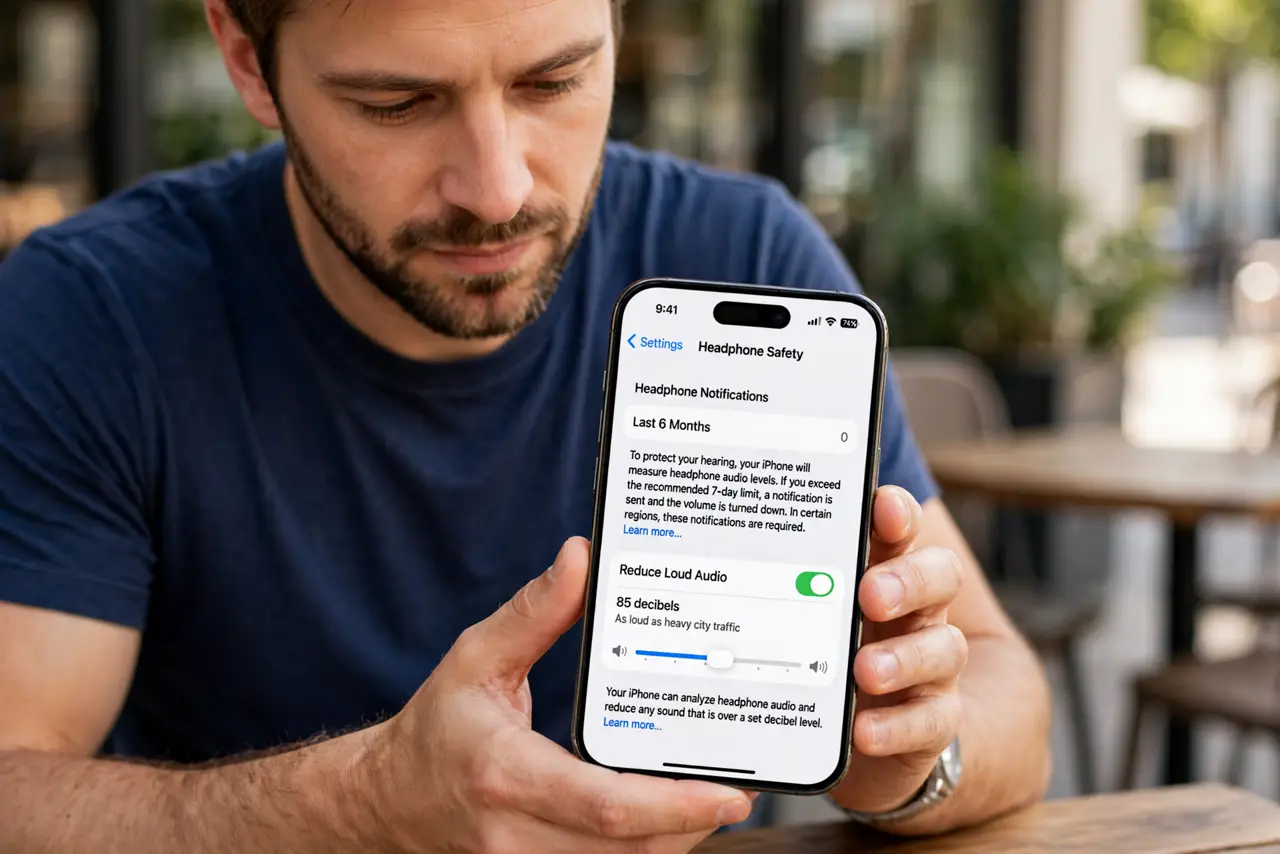
- Turn on Reduce Loud Sounds. Enable it and set the cap — 85 decibels is the widely cited safe line for long listening. The phone now auto-limits peaks.
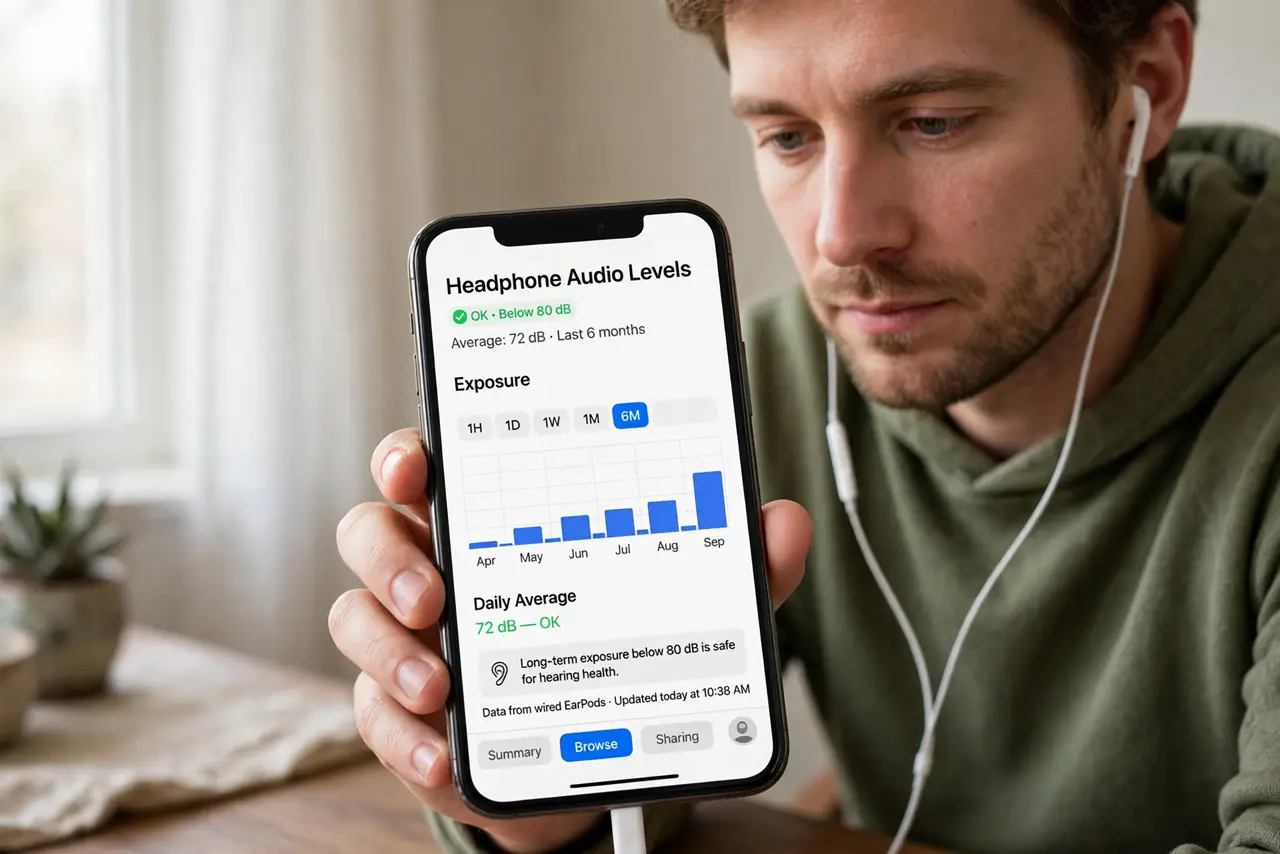
- Check your exposure history. Open the Health app, Browse, Hearing, Headphone Audio Levels. The weekly chart shows whether you are consistently loud.
- Understand the warnings. iOS notifies you when the week's exposure exceeds safe guidelines. These are not nag screens — they are audiologist math.
- Lower the cap if you keep hitting it. Constant warnings mean your habit exceeds the limit. Drop the cap a notch instead of dismissing the alerts.
- Watch for audio glitches too. Crackling or dropouts make people crank volume to compensate. Fix the audio quality and the volume often drops naturally.
What NOT to do
- Do not disable the warnings to escape them. The exposure does not stop because the notification did.
- Do not assume earbuds are safer than headphones. Volume matters, not form factor — loud is loud in any bud.
- Do not max volume to overcome noise. Noise-cancelling or better-sealed tips beat raw volume every time.
- Do not ignore ringing ears. Ringing after listening is your hearing asking for a lower limit — listen to it.
Frequently asked questions
What is a safe headphone volume?
Around 85 decibels for extended listening is the common guideline. Short bursts louder are fine; hours loud are not.
Does Reduce Loud Sounds affect calls?
It targets media audio. Call volume has separate controls, but the same hearing logic applies.
Why is my phone limiting volume on its own?
Some regions require it by law, and the exposure tracker triggers it too. It is protection, not a bug.