iPhone Hotspot Drops Connected Devices
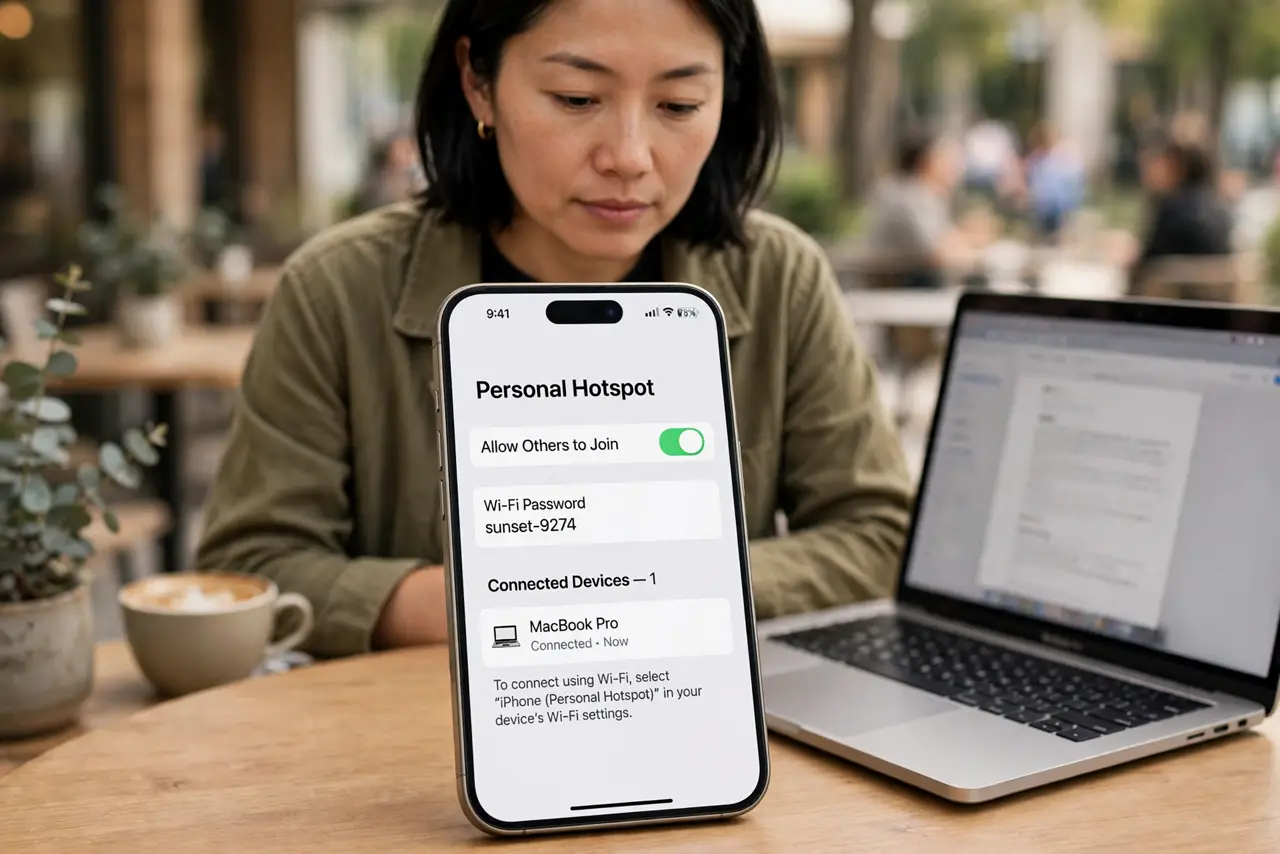
Your iPhone hotspot works for a few minutes, then connected laptops and tablets drop off. iPhones aggressively manage the hotspot to save battery — turning the screen off or enabling Low Power Mode can cut clients loose. This guide keeps everyone connected, including when the hotspot shuts itself off.
TL;DR / Quick Fix
Quick fix: keep the iPhone's screen on or plug it into power while hosting — iOS drops hotspot clients to save battery. Turn off Low Power Mode and set the hotspot to maximum compatibility if devices struggle. Forget and rejoin the network on the dropped device.
Follow these steps
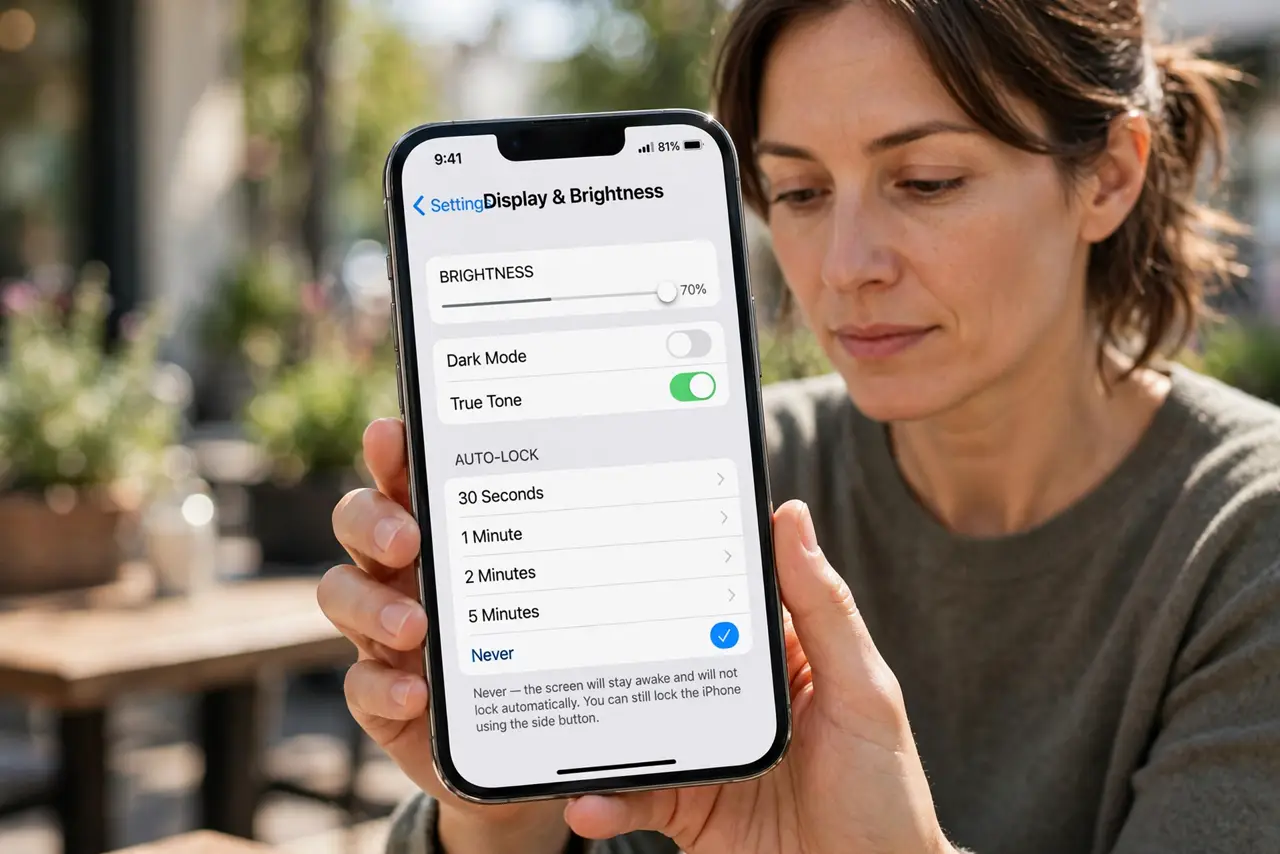
- Keep the iPhone awake or powered. The biggest cause of drops: iOS powers down the hotspot when the screen has been off a while. Keep the screen on, or better, plug the iPhone into power while hosting.
- Turn off Low Power Mode. Low Power Mode throttles background activity including the hotspot. Disable it for the duration of the hotspot session.
- Enable maximum compatibility. In Personal Hotspot settings, turn on Maximize Compatibility. It switches to the 2.4 GHz band, which older laptops connect to more reliably.
- Forget and rejoin on the dropped device. On the laptop or tablet, forget the iPhone's hotspot network and join fresh. Stale network profiles cause repeated drops.
- Move the iPhone for a better signal. A weak cellular signal makes the hotspot flaky for everyone. Move near a window or higher up — the hotspot is only as good as the iPhone's own connection.
- Check the carrier hotspot allowance. Some plans throttle or cut hotspot data after a cap. If drops happen at the same usage point each month, the plan — not the phone — is the limit.
What NOT to do
- Do not host a hotspot on 5 percent battery and expect stability. iOS protects the last of the battery by shedding hotspot clients first.
- Do not leave Maximize Compatibility off if an old laptop keeps dropping. The 2.4 GHz band exists exactly for those devices.
- Do not assume the laptop is broken. When several devices drop at once, the iPhone's power management is the suspect, not each laptop.
- Do not stream video over a hotspot and wonder about drops. Heavy use heats the phone and burns the data cap, both of which kill stability.
Frequently asked questions
Why does my iPhone hotspot keep disconnecting devices?
iOS drops hotspot clients to save battery when the screen is off or Low Power Mode is on. Keep the phone awake or plugged in.
Why won't my laptop stay connected to the hotspot?
Try Maximize Compatibility for the 2.4 GHz band, and forget and rejoin the network on the laptop.
Does the carrier limit hotspot connections?
Many plans cap hotspot data or the number of devices. Check your plan if drops follow a usage pattern.