Use a Longer iPhone Passcode
Four digits felt fine in 2007. Today a four-digit passcode has 10,000 combinations — trivial for anyone who watches you type it once or gets hold of the phone. The fix takes thirty seconds in Settings and costs you one extra second per unlock. Here is how to upgrade to a longer code without locking yourself out.
TL;DR / Quick Fix
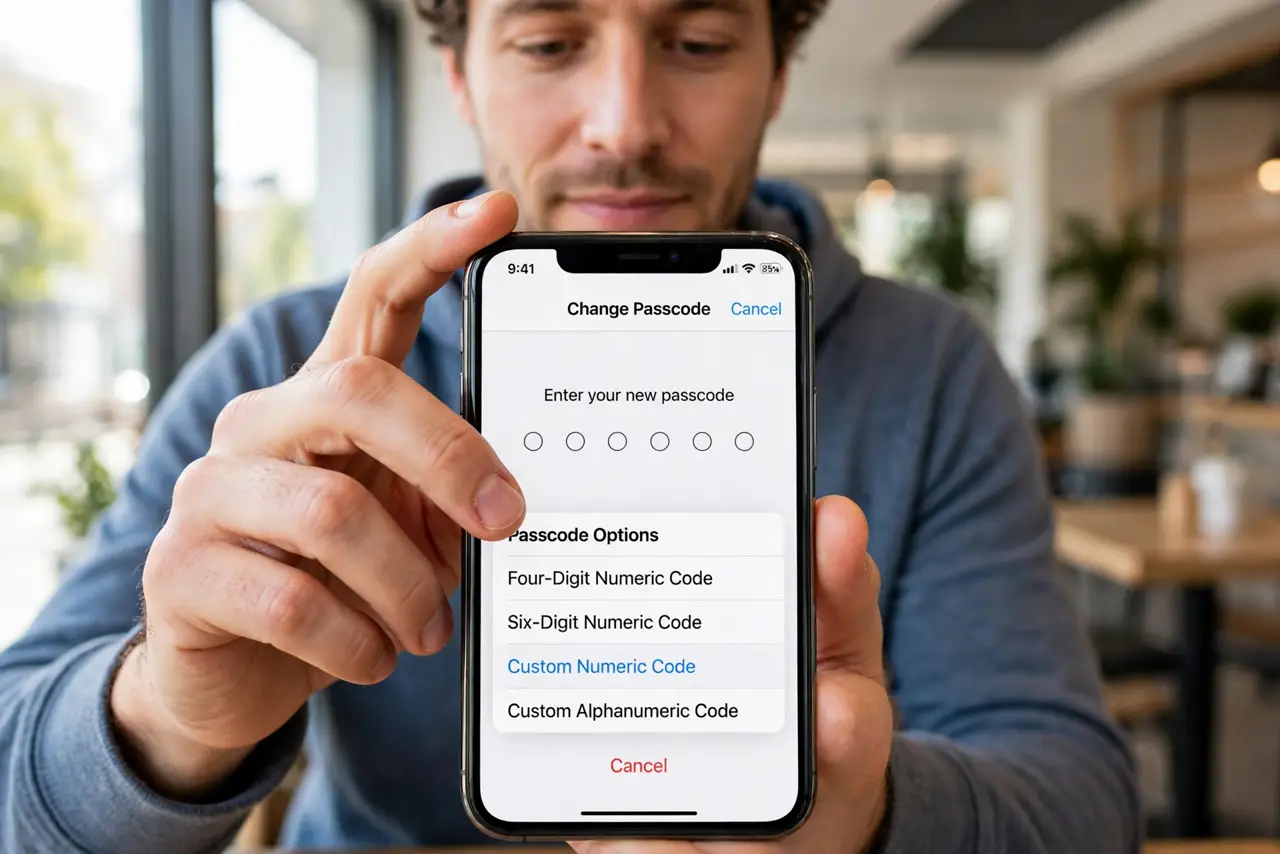
Quick fix: a four-digit iPhone passcode has only 10,000 combinations — a six-digit or alphanumeric code is far stronger. Go to Settings, Face ID and Passcode, Change Passcode, then tap Passcode Options to pick a longer numeric or custom alphanumeric code. It takes seconds and blocks casual guessing cold.
Follow these steps
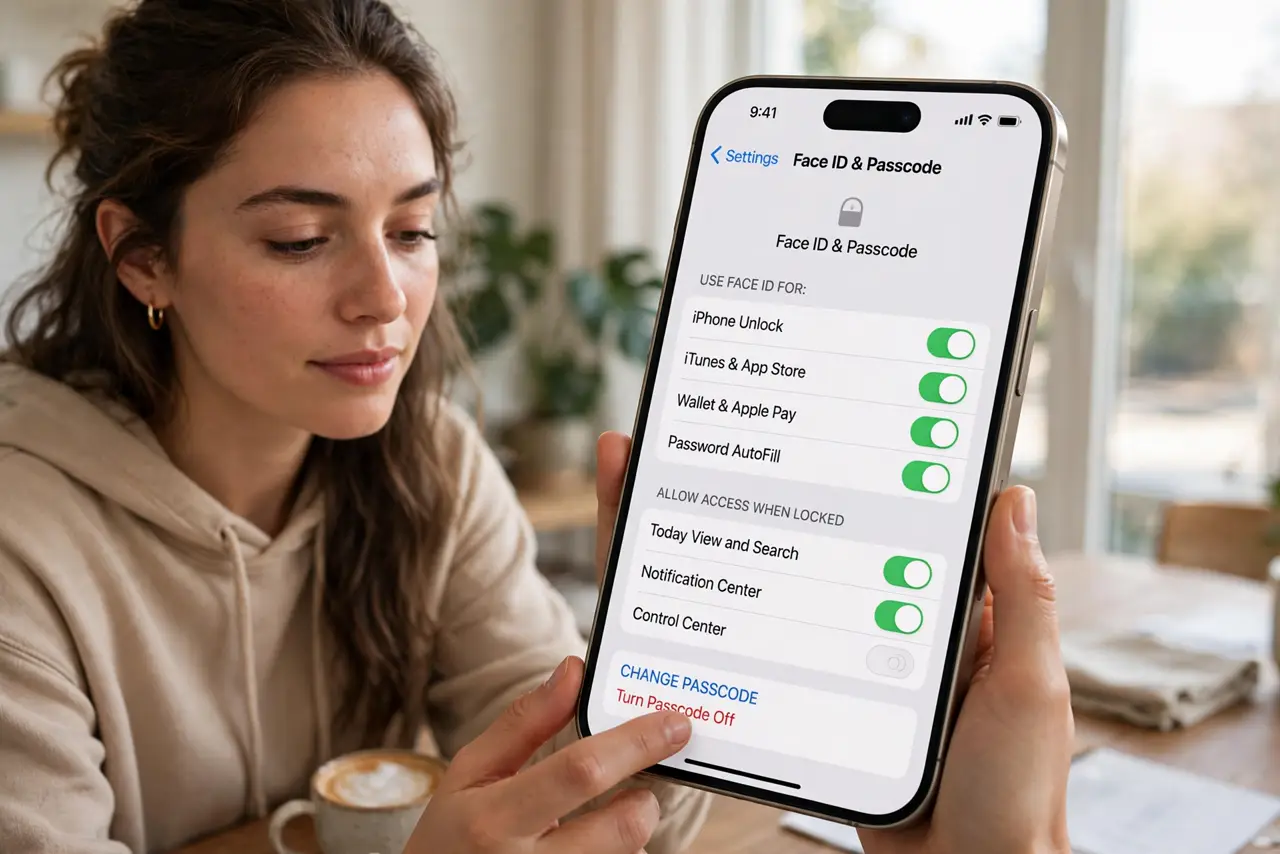
- Open the passcode settings. Go to Settings > Face ID & Passcode and enter your current passcode. This is the gatekeeper screen for everything that follows — no changes happen without proving it is you first.
- Start the change flow. Tap Change Passcode and enter your old passcode once more. Apple asks twice so a casual snooper with momentary access cannot quietly weaken your lock.
- Reveal the hidden options. On the 'enter new passcode' screen, tap Passcode Options — this is the step everyone misses. It reveals Custom Alphanumeric Code, Custom Numeric Code, and 4-Digit Numeric Code. The default is six digits; the good stuff hides here.
- Pick a longer code you can actually type. A random six-digit code beats a meaningful four-digit one. For maximum strength, a custom alphanumeric passphrase — three random words — resists both guessing and shoulder-surfing. Avoid birthdays and repeating digits either way.
- Confirm and test the new code. Enter the new code twice, then immediately lock the phone and unlock with it once. Testing now — while the old code is fresh in memory — beats discovering a typo at the worst moment.
- Keep Face ID as the daily unlock. You will still unlock with your face 99% of the time; the passcode matters when Face ID is unavailable — after restarts, or when someone demands the code. A strong code protects exactly those vulnerable moments.
What NOT to do
- Do not use a birth year, 123456, or repeating digits. Attackers try the obvious codes first — a longer obvious code is barely better than a short one.
- Do not change the passcode when rushed or distracted. A mistyped new code confirmed twice is a lockout; do it calmly, sitting down.
- Do not tell anyone the new code 'just this once.' Every person who knows it is a copy you cannot revoke — share device access another way.
- Do not disable the passcode because typing is annoying. Face ID handles daily unlocks; the passcode is your last line, not your daily chore.
Frequently asked questions
Is six digits enough?
For most people, yes — a million combinations defeats casual guessing and shoulder-surfing. Go alphanumeric if your threat model includes a determined, skilled attacker.
Will a longer passcode slow me down?
Barely — Face ID still handles nearly every unlock. You type the code only after restarts or Face ID failures.
What if I forget the new passcode?
Too many wrong attempts disables the iPhone, and recovery means erasing it via a computer or iCloud. Pick something memorable-but-unguessable, and consider storing it in a password manager.