Fill In Medical ID
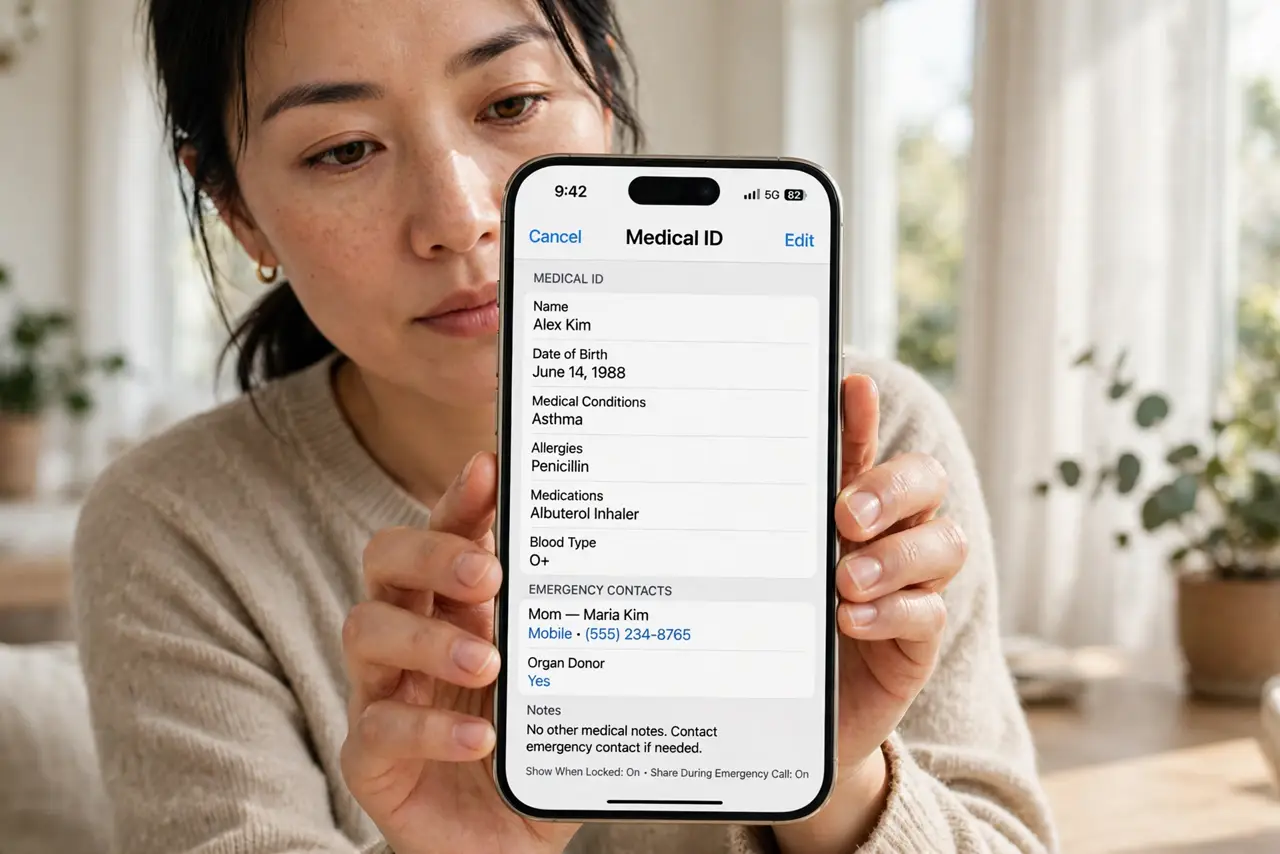
If you are ever unconscious or unable to speak, your phone can speak for you — but only if you fill in your Medical ID first. It puts allergies, conditions, medications, and emergency contacts on your lock screen, where paramedics are trained to look. Two minutes of typing today could matter enormously one day.
TL;DR / Quick Fix
Quick fix: fill in your Medical ID in the iPhone Health app — conditions, allergies, medications, blood type, and emergency contacts — and enable Show When Locked. On Android, add the same details under Safety and emergency. Paramedics check lock screens; give them something useful to find.
Follow these steps
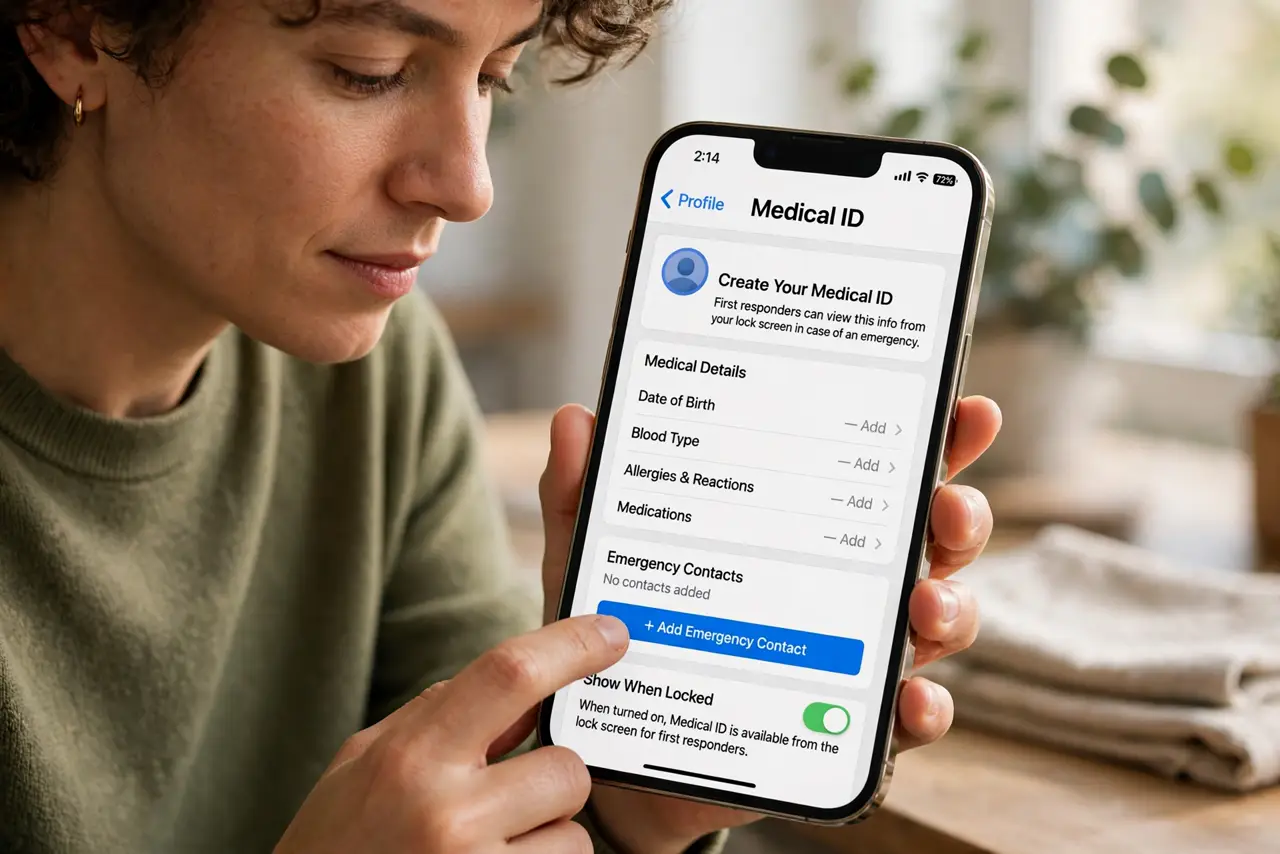
- Open the Health app Medical ID. On iPhone, open Health, tap your profile picture, then Medical ID. This is the setup walkthrough starting point — it takes longer to read about than to do.
- Enter conditions and allergies. List what a stranger treating you must know: allergies (especially drug allergies), conditions like diabetes or epilepsy, and current medications with doses.
- Add emergency contacts. Pick two people who answer their phones. They appear on the lock screen Medical ID and get notified by Emergency SOS — the two features share this list.
- Enable Show When Locked. This is the crucial toggle: without it, the Medical ID is locked behind your passcode exactly when it is needed most. Turn it on.
- Set it on Android too. Open Settings, Safety and emergency, then Medical information. Android shows it on the lock screen emergency dialer — same idea, different path.
- Review it once a year. Medications change, contacts change. A yearly two-minute review keeps it trustworthy — stale medical info is barely better than none.
What NOT to do
- Do not leave Medical ID empty because it feels morbid. It is a seatbelt — you hope never to need it.
- Do not include your full life story. Critical, treatment-changing facts only — paramedics skim, they do not read essays.
- Do not forget Show When Locked. A Medical ID behind your passcode helps nobody in an emergency.
- Do not put sensitive details like your home address. Medical facts and contacts are enough.
Frequently asked questions
Who can see my Medical ID?
Anyone holding your phone can open it from the lock screen — that is the point. Keep it to medical essentials.
Does it share data with Apple?
No — it stays on the device and is not part of health data syncing unless you enable it.
What about the lock screen on Android?
Tap Emergency call on the lock screen, then Medical information. The lock screen path differs slightly by maker, but the info is there.