Text During Calls (RTT)
Phone calls are hard when you cannot hear well — or when talking aloud is not an option. RTT (real-time text) lets you type during a call while the other person reads your words live, character by character. It is built into the iPhone and waiting in Accessibility.
TL;DR / Quick Fix
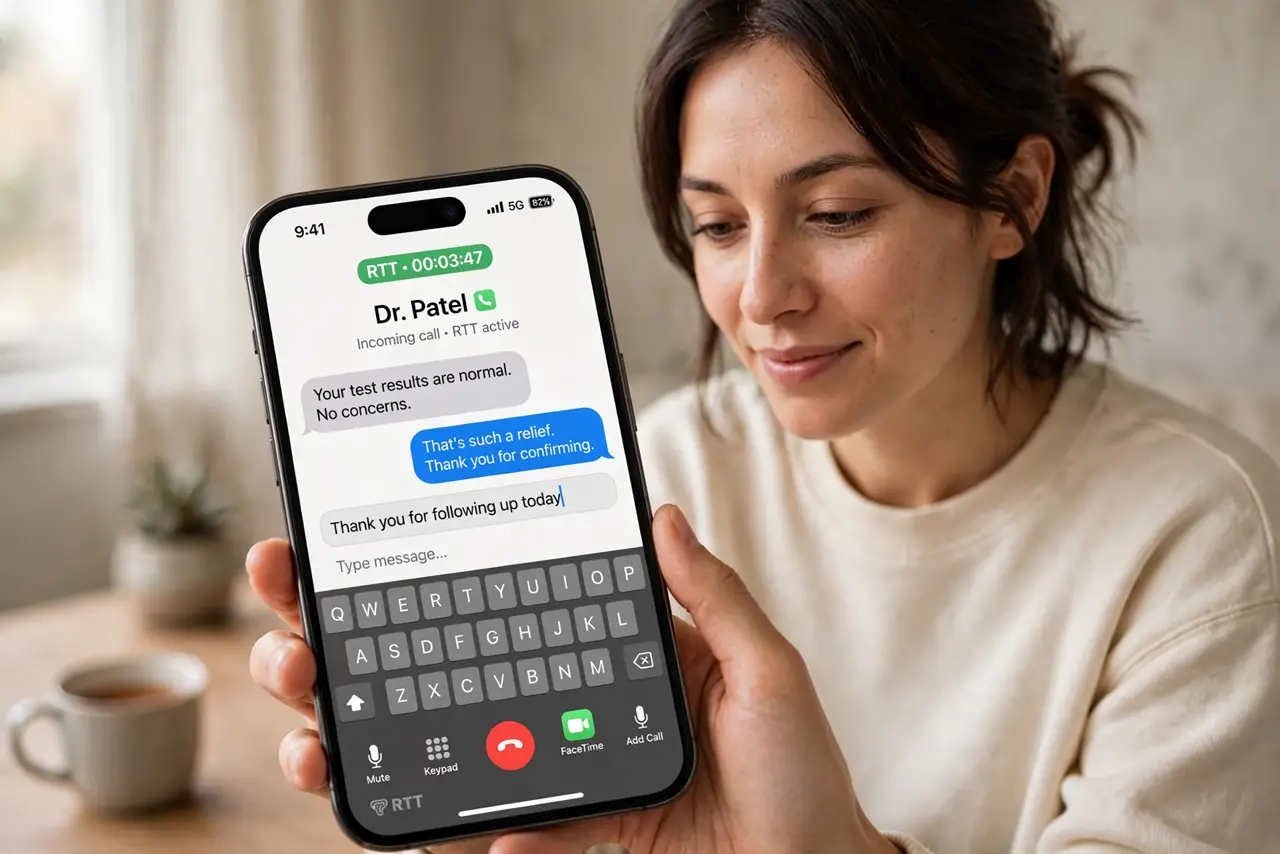
Quick fix: go to Settings, Accessibility, RTT, and turn on RTT Calling. During a call, tap the RTT button to type while talking or instead of talking. Your words appear on their screen as you type. Ask the other person to enable it too for two-way text.
Follow these steps
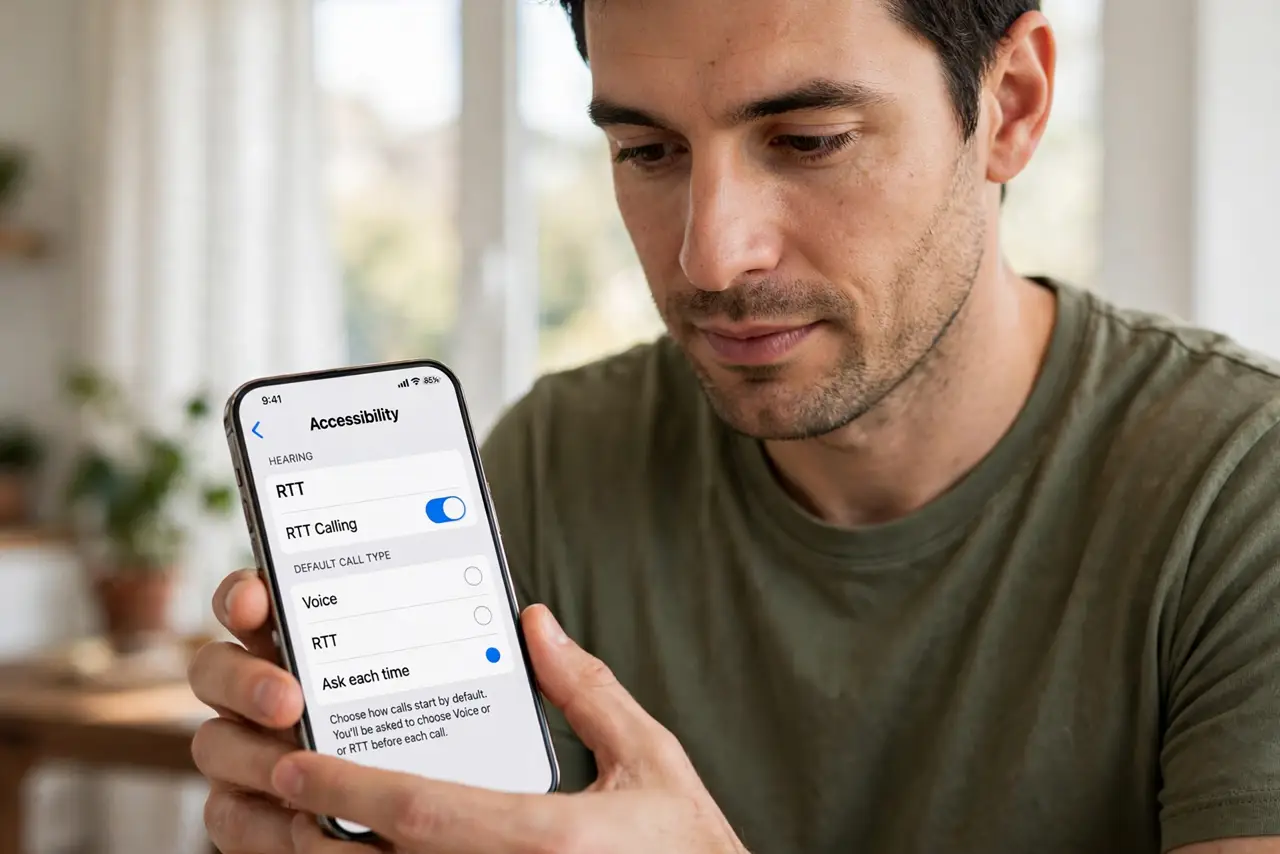
- Enable RTT in Settings. Go to Settings, Accessibility, RTT, and turn on RTT Calling. Choose whether calls default to voice, RTT, or ask each time.
- Start an RTT call. Call as usual, then tap the RTT button during the call. The text field appears alongside the call controls.
- Type while they talk. Your keystrokes stream live — they read as you type, no send button needed. It feels like instant messaging inside a phone call.
- Read their replies. If they have RTT too, their typing streams back. If not, they speak and you read the captions — or just listen.
- Know the Android equivalent. Android offers RTT on Android with the same live-typing idea. Cross-platform RTT works when both sides enable it.
- Try TTY for full relay. For deeper hearing support, TTY setup connects through a relay operator — RTT's bigger sibling.
What NOT to do
- Do not assume the other person sees your typing. Without RTT on their end, they only hear silence — tell them you are typing.
- Do not use RTT for emergencies without checking. Verify your carrier routes RTT to emergency services in your area first.
- Do not type passwords over RTT. The live stream can be seen by anyone glancing at either screen.
- Do not forget it needs a data connection. RTT rides on data — no signal, no text stream.
Frequently asked questions
What is the difference between RTT and TTY?
RTT streams your typing live during a normal call; TTY uses a relay operator who speaks and types for you. RTT is faster and more direct.
Does the other person need an iPhone?
No — any RTT-capable phone works. But both sides need it on for two-way typing.
Can I use RTT with FaceTime?
RTT works on cellular calls; FaceTime has its own live captions for the same need.