Share an AirTag
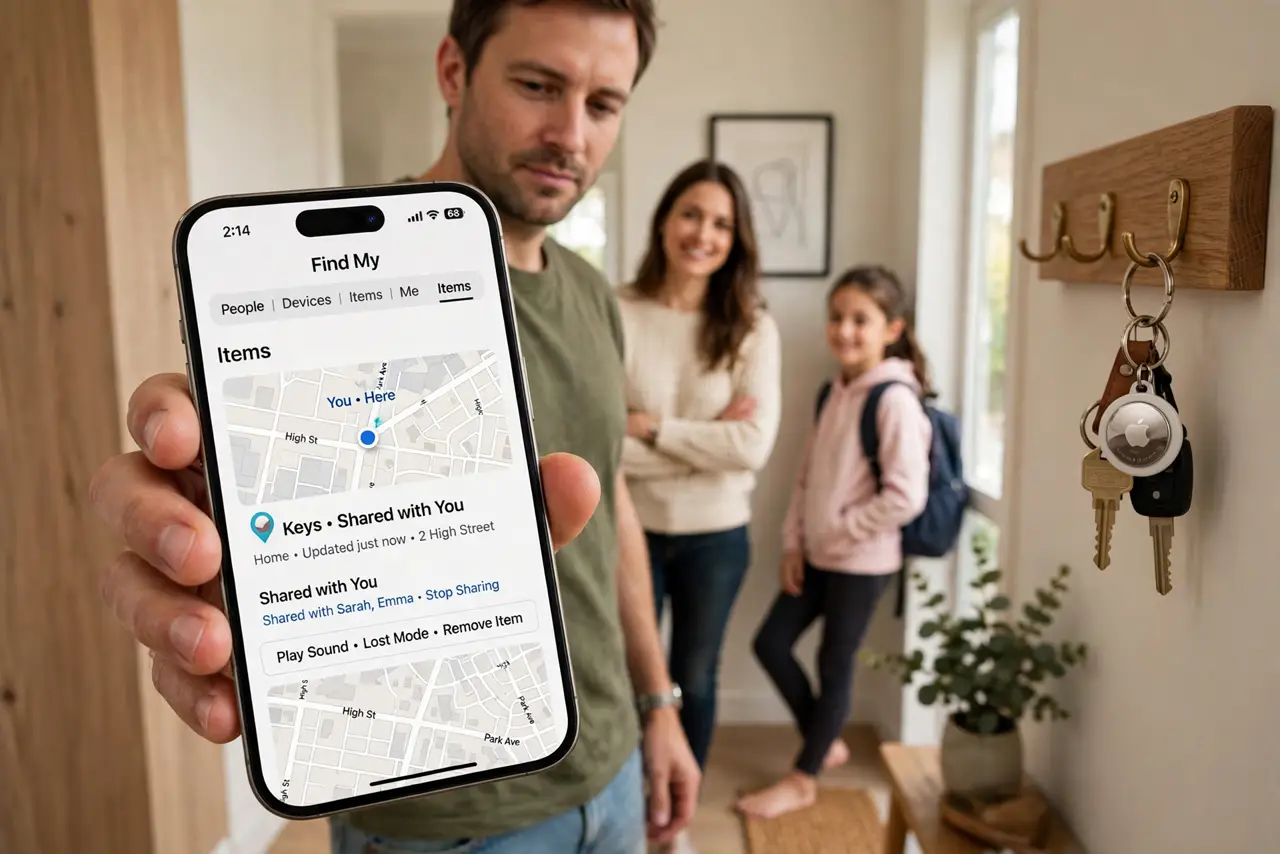
The family shares one set of house keys with an AirTag on them, but only your phone can see where they are — everyone else is texting you did anyone see the keys? Apple's AirTag sharing fixes this: add up to five people to an AirTag, and they all get full Find My access — location, separation alerts, and Play Sound. Borrowers also stop getting those alarming unknown-AirTag stalking warnings.
TL;DR / Quick Fix
Quick fix: share an AirTag with family in Find My — select the AirTag, tap Share This AirTag, and add up to five people. Everyone can locate it and play a sound, and borrowers stop getting stalking alerts. Remove people when the trip ends or the item comes home.
Follow these steps
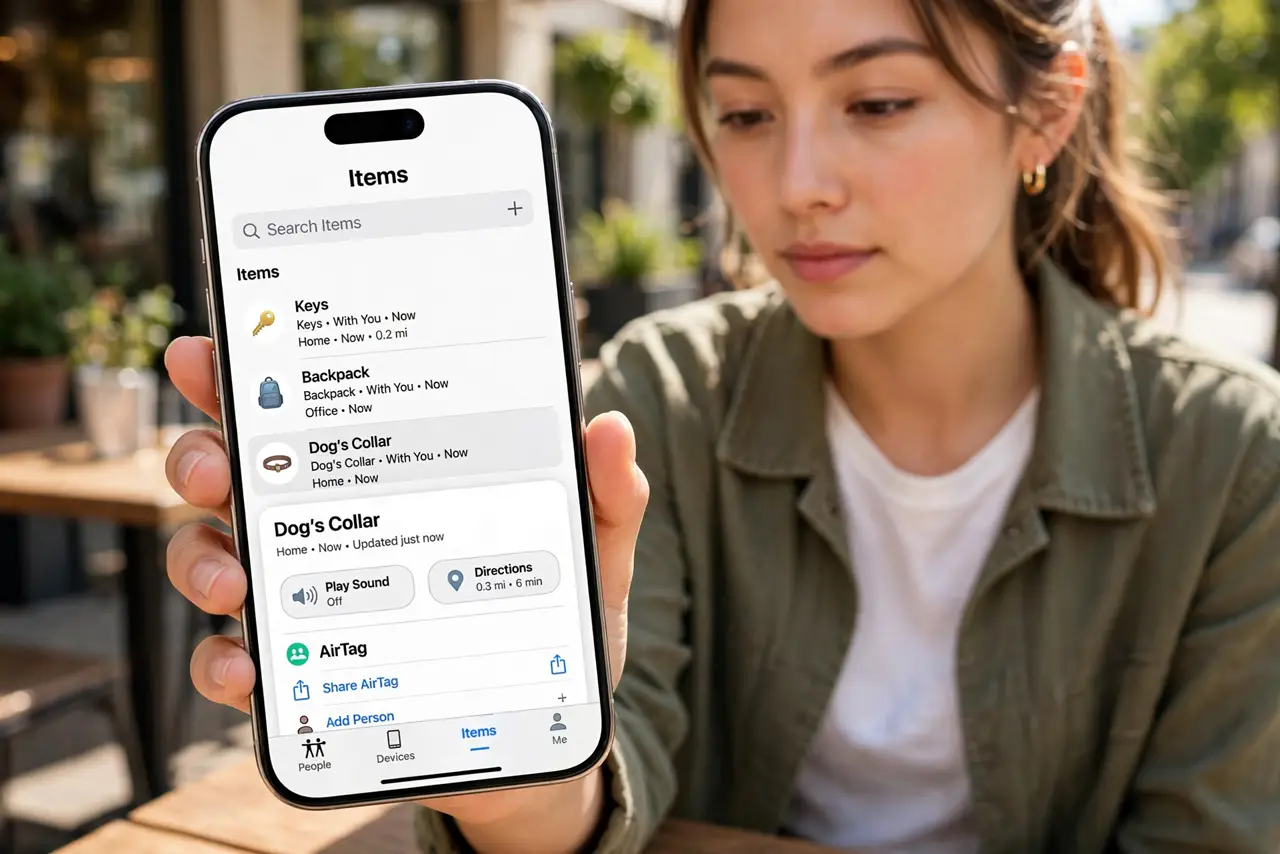
- Open Find My and select the AirTag. Go to the Items tab in Find My, tap the AirTag you want to share — the keys, the luggage, the dog's collar. Only the AirTag's owner can share it, so this starts from your phone.
- Add people. Tap Share This AirTag (or Add Person) and choose up to five contacts. Each gets an invitation; once accepted, the AirTag appears in their Find My with full tracking, separation alerts, and Play Sound.
- Explain the stalking-warning fix. Before sharing, a borrowed AirTag triggered Apple's unwanted-tracking alerts on the borrower's phone — alarming and confusing. Shared AirTags are recognized as borrowed, so those warnings stop. It is the feature's quiet superpower.
- Use it for trips and shared gear. Luggage on a family trip, the shared car keys, the toolbox that lives between houses — anything multiple people legitimately carry. Set up sharing before the trip, not during the airport scramble.
- Pair it with location sharing. AirTag sharing covers things; location sharing covers people. Together they answer where is everyone and everything on one map — the full family-travel stack.
- Remove people when done. Trip over? Keys back home? Remove the extra people from the share. Stale shares are how ex-roommates keep seeing your luggage — audit the list the way you would any permission. Check AirTag setup basics if you are starting from zero.
What NOT to do
- Do not share an AirTag to track a person. AirTags track items; using one to monitor someone without consent is misuse and triggers the anti-stalking alerts for a reason.
- Do not add all five slots casually. Every person added is a permanent window until you remove them — share with need, not with enthusiasm.
- Do not forget the borrower still needs an Apple device. Sharing is Apple-ecosystem only; Android family members cannot join an AirTag share.
- Do not ignore the battery. A dying AirTag misleads everyone sharing it — see the battery replacement steps when location goes stale.
Frequently asked questions
How many people can share one AirTag?
Up to five additional people plus the owner. For bigger groups, the owner can just share their screen — six trackers on one set of keys is enough.
Will borrowers get tracking notifications?
No — that is the point of official sharing. Accepted borrowers are recognized, so the unwanted-tracking alerts stay silent for them.
Can I stop sharing without telling them?
Removing someone revokes their access immediately; they get no dramatic notification, the AirTag simply disappears from their Find My. A quick heads-up is still polite.