iPhone Still Says Storage Full After Deleting?
You deleted a pile of photos, but the storage warning is still there. Deleted photos are not really gone yet: they sit in Recently Deleted for 30 days and still take up space. That is the first place to look, and it explains most cases of freeing up space on a phone that seems to ignore your deletions.
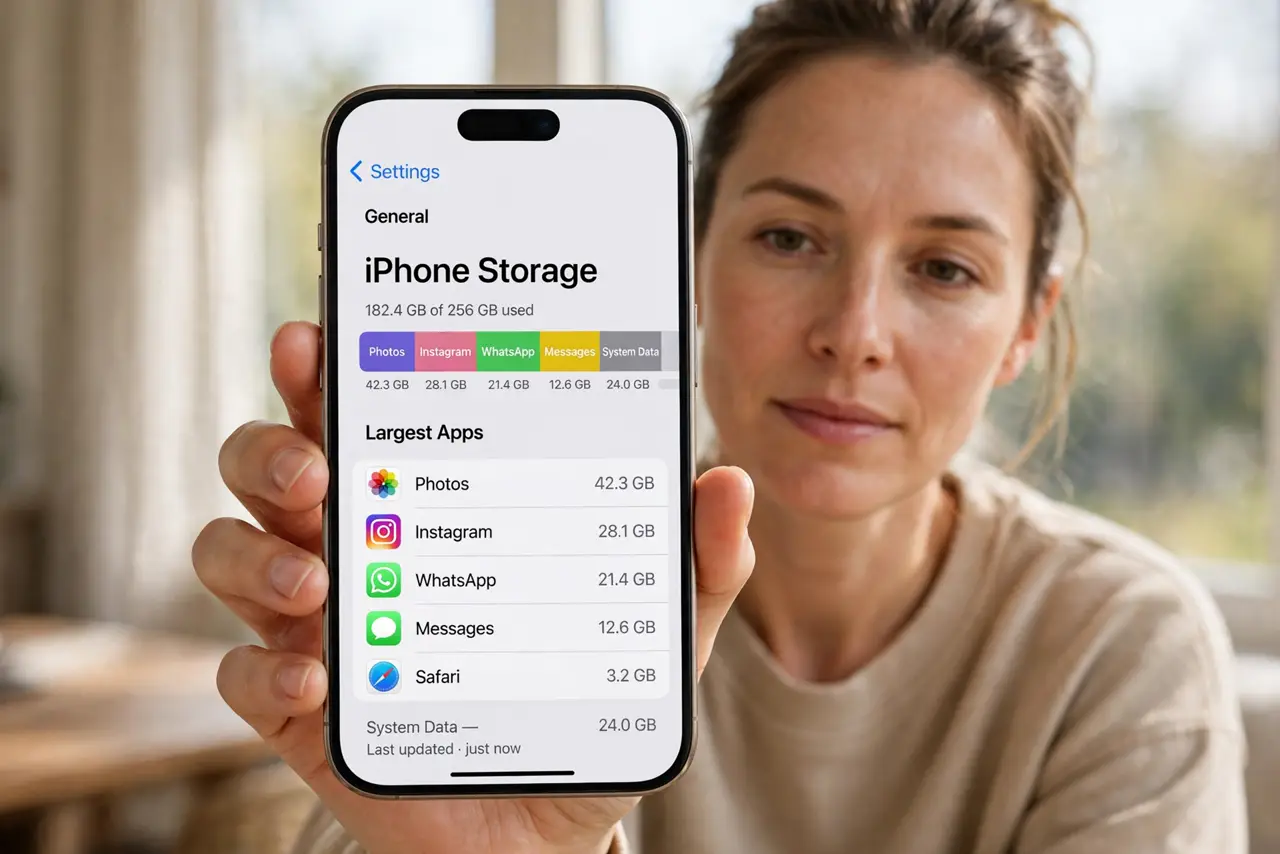
TL;DR / Quick Fix
Quick fix: empty the Recently Deleted album, check whether the warning is about iCloud or the phone itself, see which apps use the most space, offload unused apps, clear large message attachments, and restart the phone. Test the fix right away, then recheck tomorrow morning.
Follow these steps
- Empty the Recently Deleted album. Open Photos, then Albums, then Recently Deleted, and tap Delete All. Deleted photos stay there for 30 days and still count against storage until you empty it.
- Check whether it is iCloud or the phone. Open Settings, then General, then iPhone Storage, for phone storage, and Settings, then your name, then iCloud, for cloud storage. They are different warnings with different fixes.
- See which apps use the most space. In iPhone Storage, look at the list below the bar. A few apps, videos, or games often use far more than photos, and deleting photos alone will not move the needle.
- Offload unused apps. In iPhone Storage, tap Enable next to Offload Unused Apps, or offload single large apps you rarely use. Offloading removes the app but keeps its documents and data.
- Clear large message attachments. Open Settings, then General, then iPhone Storage, then Messages, and review large attachments. Old videos in chats can quietly use gigabytes.
- Restart the phone and recheck. Restart the iPhone, then open iPhone Storage again. Storage figures update slowly, so a restart and a few minutes often show the space you actually freed.

What NOT to do
- Do not delete photos you have not backed up. Emptying Recently Deleted is permanent, so confirm the photos are safe elsewhere first.
- Do not buy more iCloud storage to fix a full phone. Cloud storage does not free space on the device itself.
- Do not delete apps you still need just to clear the warning. Offload them instead, so your data stays when you reinstall.
- Do not trust the warning number at once. Storage figures lag, so recheck after emptying Recently Deleted and restarting.
Frequently asked questions
How long do deleted photos stay in Recently Deleted?
30 days, unless you empty the album yourself. They count against storage the whole time.
Why did deleting photos free no space at all?
Because they moved to Recently Deleted, or the real hog is another app, video, or message attachment.
Does offloading an app delete my data?
No. It removes the app itself and keeps documents and data, so reinstalling restores it.