Laptop Only Works Plugged In? Fix It
Unplug it and it dies instantly — no warning, no graceful shutdown. Your laptop has become a desktop. The cause is usually a dead battery, a disconnected battery, or a power circuit issue. Here is how to tell which, and what to do about each.

TL;DR / Quick Fix
A laptop that dies the instant it's unplugged has a dead, disconnected, or unrecognized battery. Check the battery report for wear, reseat the battery if removable, and try a full shutdown and power drain. If a healthy-looking battery still dies instantly, the internal connection needs professional repair.
Follow these steps
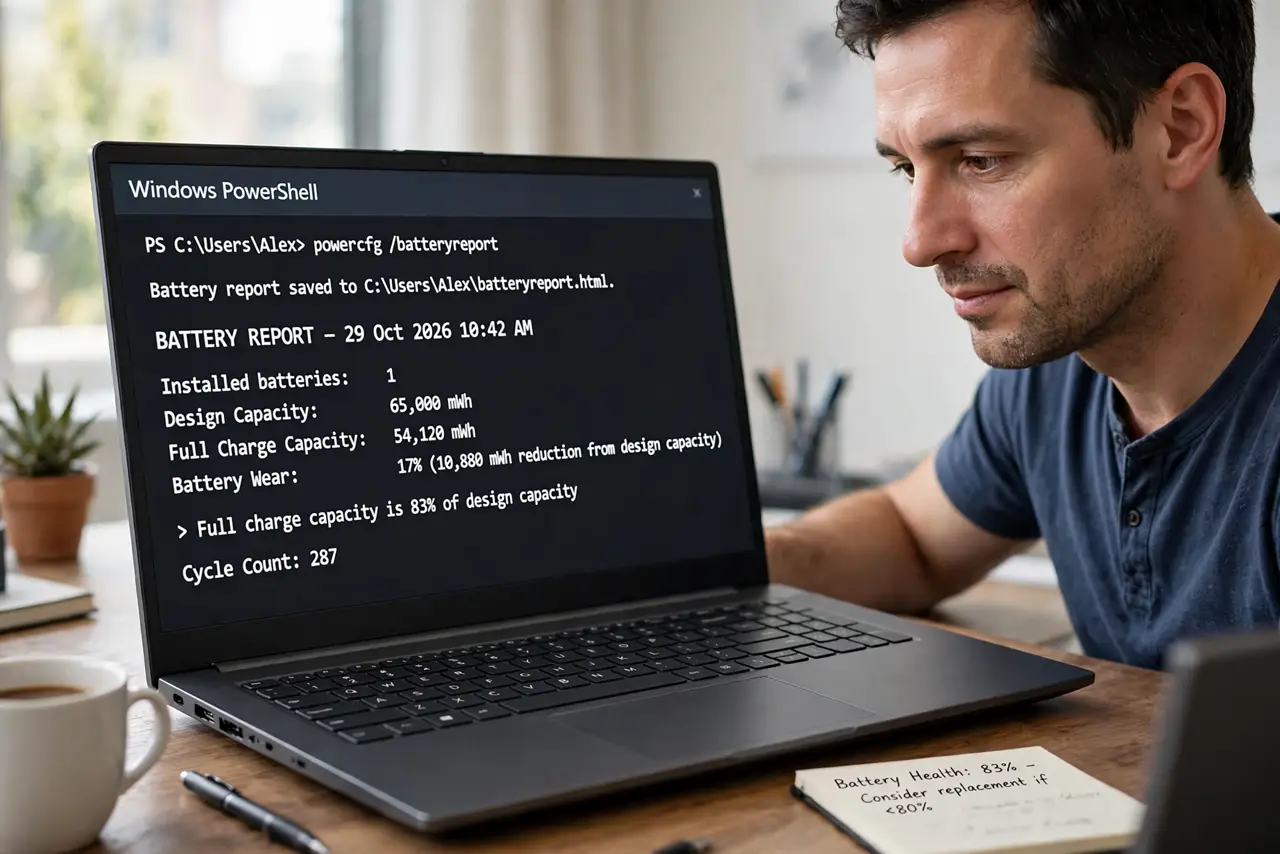
- Check the battery report. On Windows run powercfg /batteryreport and compare design capacity against full charge capacity. Massive wear explains everything.
- Reseat the battery if removable. Pop it out, inspect the contacts for corrosion or bent pins, and reinsert it firmly.
- Do a full power drain. Shut down, unplug, hold the power button 30 seconds, then reconnect. This resets the embedded controller that manages charging.
- Check whether the battery is detected. If the OS reports no battery at all, it is a connection or hardware fault — see the charging light guide.
- Compare with the dies-on-battery pattern. A battery that holds some charge behaves differently — see the dies-on-battery guide to isolate your case.
- Get repair if a healthy battery is useless. A good battery that the laptop cannot use points at the charging circuit or internal connector — shop work.
What NOT to do
- Do not buy a new battery before checking the report. The old one may be perfectly fine.
- Do not live plugged in forever without a backup plan. One power outage means instant lost work.
- Do not open a sealed laptop to reseat the battery unless you are comfortable. That is shop work on most modern machines.
- Do not confuse this with swelling. Check for bulging as a separate safety step before anything else.
Frequently asked questions
Can a laptop run without a battery?
Many can, on charger power alone — but unplugging kills them instantly, which is exactly your symptom.
Why did this happen suddenly?
Batteries can fail abruptly, or a drop can loosen the internal connector. Sudden is normal for both.
Is it worth repairing?
Compare the battery or repair cost against the laptop's age and value. On a five-year-old budget machine, often not.