Fix Fuzzy External Monitors
You plugged a perfectly good monitor into your Mac and the text looks fuzzy — like reading through slightly wrong glasses. macOS scaling assumes Retina pixel densities, and non-Apple monitors often land in the awkward middle. The fix is a scaling choice plus the right cable, and text goes crisp.
TL;DR / Quick Fix
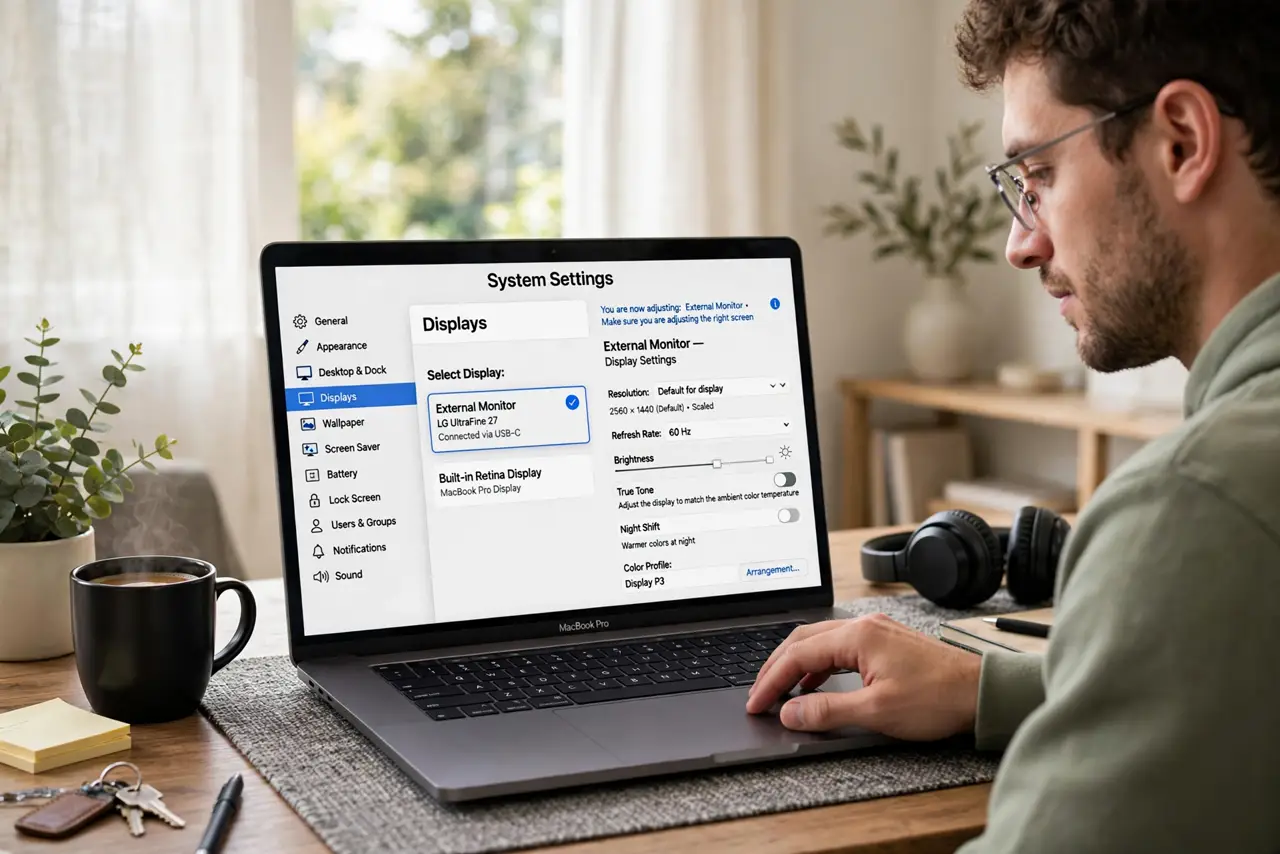
Quick fix: open System Settings, Displays, select the external monitor, and try each Scaled resolution — one will look dramatically sharper. Use a direct digital cable (USB-C or DisplayPort), not a VGA adapter. If text is still soft, the resolution cap may be limiting you.
Follow these steps
- Open the Displays settings. Go to System Settings, then Displays, and click the external monitor. macOS shows per-display options — make sure you are adjusting the right screen.
- Try every Scaled option. Hold Option and click Scaled to reveal all resolutions. Test each — the blurry text patterns usually vanish at one specific scaling, often not the default.
- Use a proper digital cable. USB-C, DisplayPort, or HDMI — direct and digital. Adapters and VGA chains soften the signal before macOS ever sees it.
- Check the refresh rate. While in Displays, confirm the refresh rate is set to the monitors maximum. Low refresh plus bad scaling is a double misery — see the refresh rate settings if the option hides.
- Match expectations to the panel. A 1080p 27-inch monitor will never be Retina-crisp — physics. The Windows-side scaling comparison shows the same limits apply everywhere.
- Consider the monitor upgrade. If nothing satisfies, the panel density is the ceiling. A 4K 27-inch hits the sweet spot where macOS scaling shines.
What NOT to do
- Do not use VGA or cheap adapters. Analog connections guarantee softness no setting can fix.
- Do not pick the highest resolution blindly. On macOS, the right scaled resolution beats the maximum raw one.
- Do not ignore the cable. A surprising share of fuzzy monitor complaints are just bad cables.
- Do not expect 1080p at 27 inches to look Retina. Pixel density is physics; settings can only optimize within it.
Frequently asked questions
Why is text blurry on my external monitor?
macOS scaling mismatched to the panels density, usually fixable with the right Scaled choice and a digital cable.
Does the cable really matter?
Yes — digital, direct, and rated for the resolution. Old or analog cables visibly soften text.
What resolution is best for Mac?
27-inch at 4K scaled, or 24-inch at 4K — densities where macOS integer scaling looks its best.