Mouse Grip: Palm vs Claw for Comfort
Palm grip and claw grip are the two ways most people hold a mouse, and each suits different hands and tasks. Neither is universally better — the right one is the grip that leaves your hand relaxed after a full day.
TL;DR / Quick Fix
Quick fix: try palm grip first — rest your whole hand on the mouse with fingers relaxed — and use it for a full day. Switch to claw grip only if your hand feels cramped or you need finer control, and pick a mouse size that fits your hand.
Follow these steps
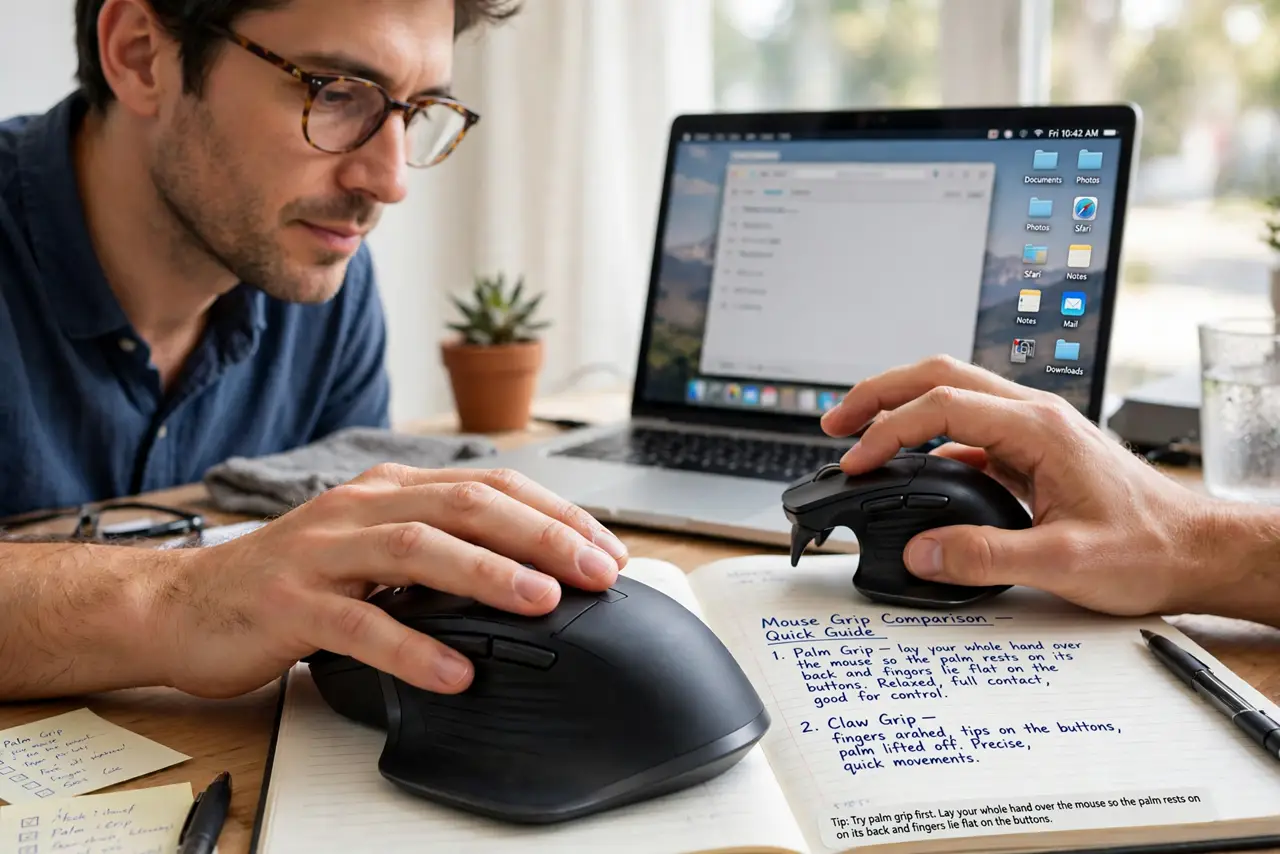
- Try palm grip first. Lay your whole hand over the mouse so the palm rests on its back and fingers lie flat on the buttons. Palm grip spreads the work across the whole hand, which suits long office days.
- Understand claw grip. In claw grip, the palm stays on the mouse back but the fingers arch up like a claw. That arch gives finer fingertip control, at the cost of more finger tension.
- Match the grip to the task. Use palm grip for relaxed browsing and documents, and claw grip for precise work like photo editing. Switching by task beats forcing one grip all day.
- Size the mouse to your hand. A mouse too small forces a claw even when you want palm, and one too big strains a small hand. Your fingers should reach the buttons without stretching or scrunching.
- Watch for tension signals. If your pinky drags, your fingers hover stiffly, or your forearm aches, the grip or the mouse size is wrong. Relax the hand completely, then regrip and notice what changed.
- Recheck the wrist rest setup too. Hand comfort is a system: check that your wrist stays straight, your wrist rest supports your palms during pauses, and your desk height lets your forearm rest level. A good grip cannot fix a desk that is too high.
What NOT to do
- Do not death-grip the mouse. A light hold steers just as well, while a tight grip tires the hand in under an hour.
- Do not copy a gamer's claw grip for office work. Gamers choose tension for speed in short sessions, not for eight relaxed hours.
- Do not buy a new mouse before testing your grip. Many discomfort complaints come from the grip, not the mouse, so test first.
- Do not ignore forearm ache. Forearm ache points to desk height or tension, not to the grip style, so fix the setup before blaming the grip.
Frequently asked questions
Which mouse grip is best?
Palm grip for relaxed all-day use, claw grip for precise short tasks. Comfort after a full day is the real test.
Does grip affect wrist pain?
Grip matters less than wrist angle and tension. A relaxed grip with a straight wrist beats any perfect grip held tensely.
Should I switch grips if my hand hurts?
Try the other grip for a day, but also check mouse size and desk height, since those cause more pain than grip style.