Number Your Files
Folders nested six levels deep — Projects, then Clients, then Drafts, then Final, then Final-final — and you still cannot find anything. Numbering your files and folders is a boring trick that works: a simple prefix like 01, 02, 03 forces a stable order that every device sorts the same way, no matter how deep things get. It pairs well with a sane folder structure and a file naming habit.
TL;DR / Quick Fix
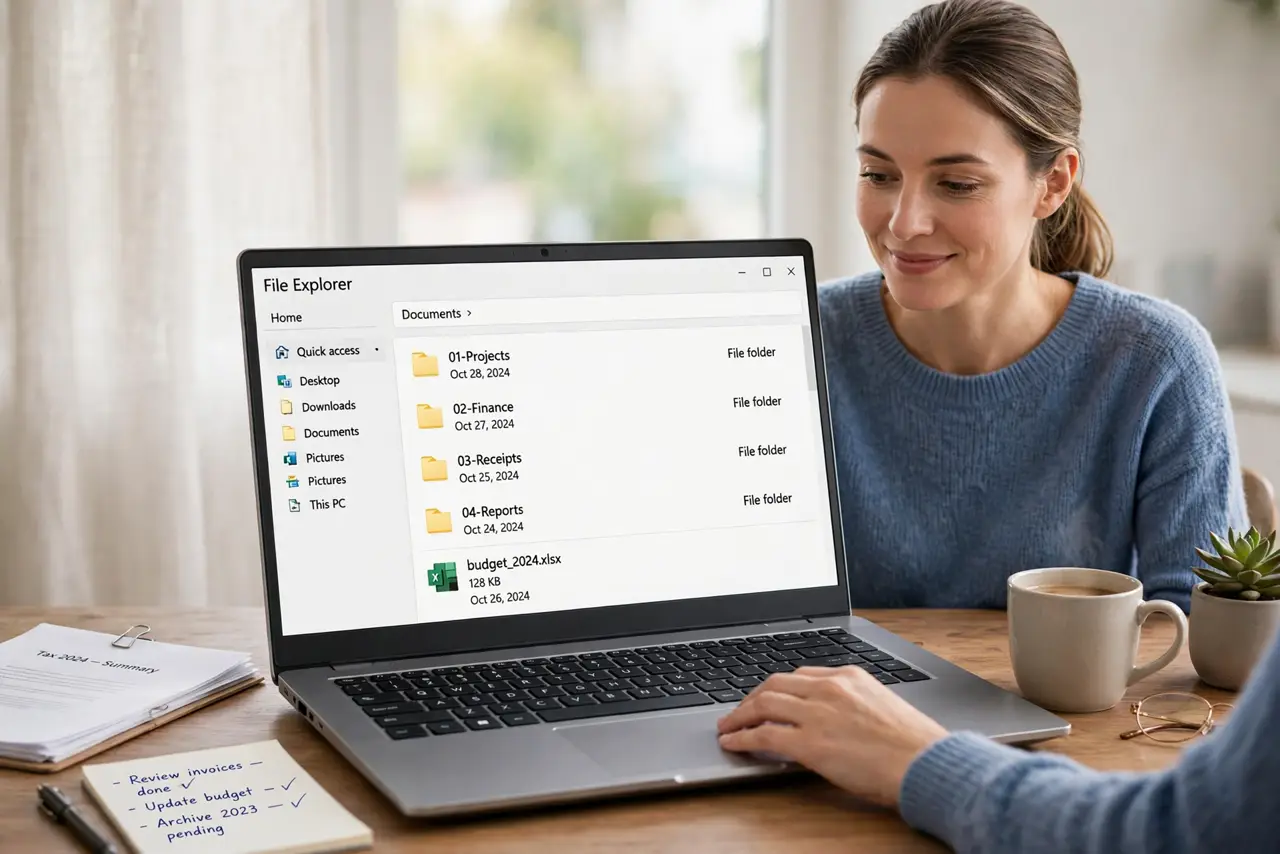
Quick fix: prefix folders with numbers — 01, 02, 03 with a leading zero — to force a stable order every device sorts the same way. Number the top level first, keep the scheme stable instead of renumbering, combine numbers with clear names, and write the scheme down.
Follow these steps
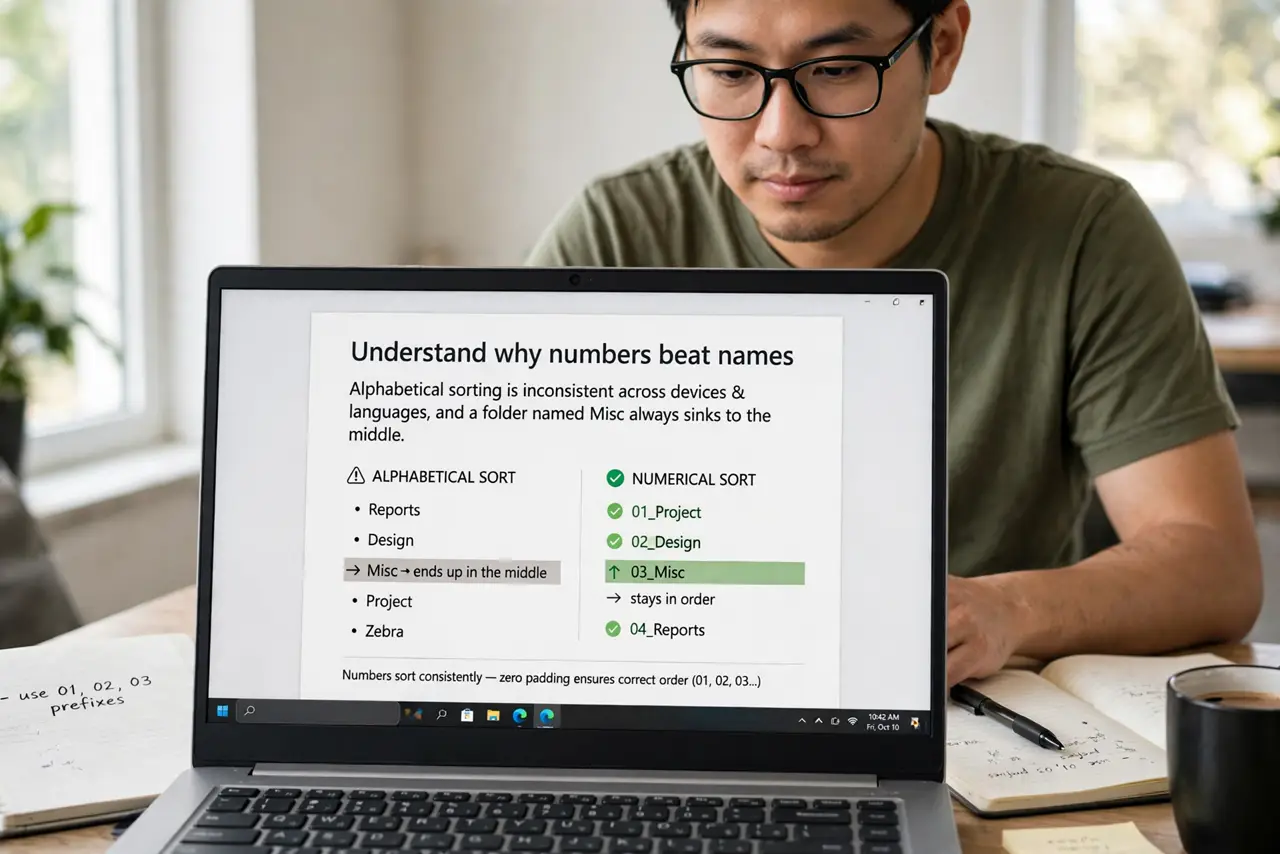
- Understand why numbers beat names. Alphabetical sorting is inconsistent across devices and languages, and a folder named Misc always sinks to the middle. Numbers sort identically everywhere and let you control the order deliberately.
- Pick a simple two-digit scheme. Use 01, 02, 03 — never 1, 2, 10, because 10 sorts before 2 without the leading zero. Reserve 00 for an inbox and 99 for archive so the edges stay clean.
- Number the top level first. Apply numbers to your main folders — 01-Projects, 02-Finance, 03-Personal. The top level is where the chaos starts; deeper levels can wait.
- Keep numbering stable. Do not renumber everything when a new folder arrives — slot it in with the next free number. Stable numbers are ones you can remember and link to.
- Combine numbers with clear names. The number sets the order, the name sets the meaning: 02-Taxes-2026 beats both 02 and Taxes alone. Never use numbers without names — future you will not remember what 07 was.
- Write the scheme down. Keep a one-page note of what each number means. A numbering system only you can decode is just a new kind of mess.
What NOT to do
- Do not number without the leading zero. 1, 2, 10 sorts as 1, 10, 2 — the zero is the whole point.
- Do not renumber your entire system monthly. Churn destroys the muscle memory the system is supposed to build.
- Do not nest deeper just because numbering feels organized. Numbers help you find things; they do not excuse seven levels of folders.
- Do not use numbers alone with no names. 04 means nothing in six months; 04-Invoices does.
Frequently asked questions
Should I number files or just folders?
Folders first — that is where the ordering matters most. Number individual files only in sequences that must stay ordered, like chapters or invoices.
What about dates instead of numbers?
Dates are great for time-ordered things like receipts and backups. Use numbers for priority or category order, dates for chronological order — do not mix them in one scheme.
Will this work in cloud drives?
Yes — Google Drive, Dropbox, and OneDrive all sort by name, so numbered prefixes work everywhere. Rename in one place and let it sync.