Version Important Documents
Which draft is latest — Contract-v3, Contract-final, Contract-final-FINAL, or Contract-final-FINAL-really? Version chaos eats hours and once cost someone the wrong file sent to a client. The fix is a simple versioning habit: one naming rule, one current version, and old versions archived instead of deleted. Cloud tools with built-in version history help, but the habit matters more than the tool.
TL;DR / Quick Fix
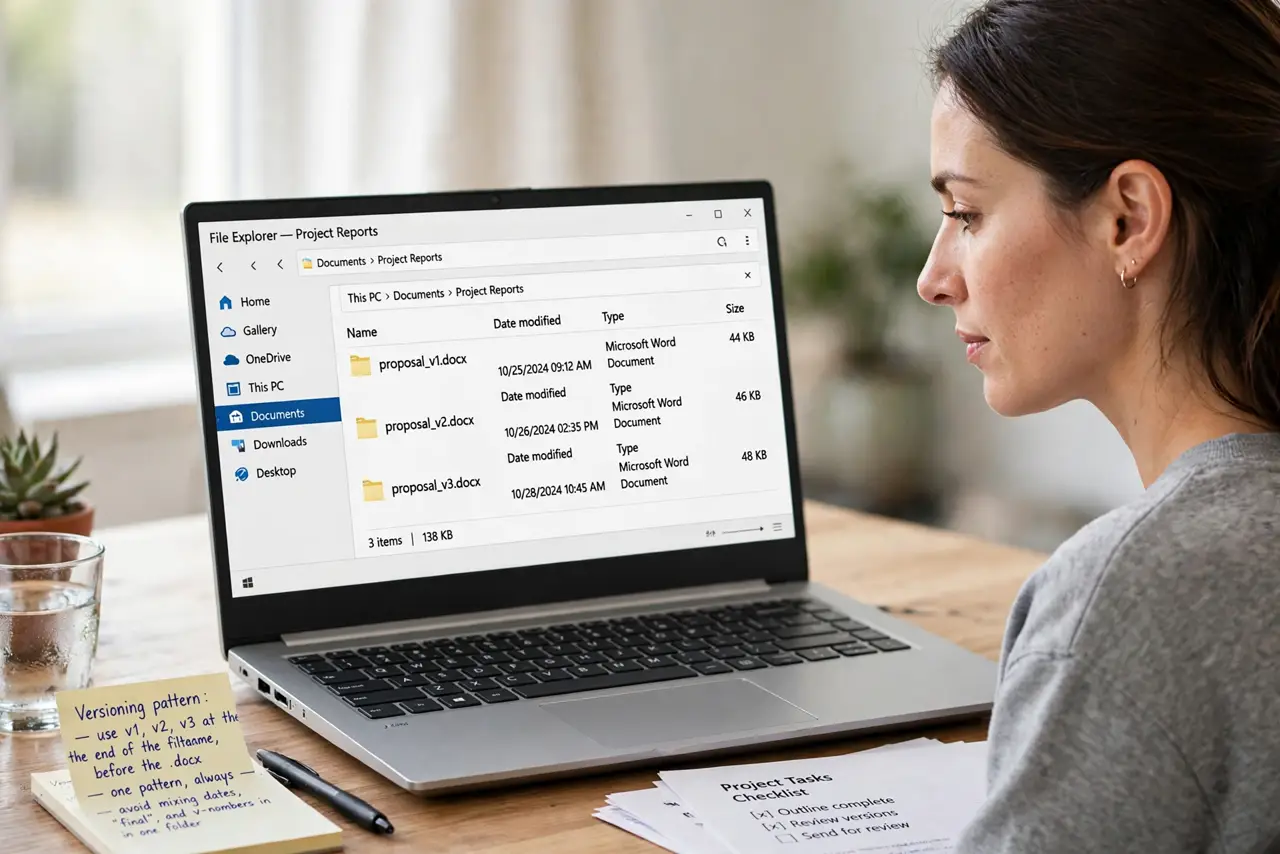
Quick fix: name files with a clear version pattern — Project-v1, v2, v3 — and keep exactly one current version in the working folder. Archive old versions in a subfolder instead of deleting them, and never use 'final' in a filename until it is truly done.
Follow these steps
- Pick one versioning pattern. Use v1, v2, v3 at the end of the filename, before the extension. One pattern, always — mixing dates, finals, and v-numbers in one folder is how chaos starts.
- Keep one current version. The working folder holds exactly one live version. Everything older moves to an Archive or Old Versions subfolder — out of sight, still recoverable.
- Never trust the word final. Final in a filename is a wish, not a fact — there is always a final-v2. Reserve it for the truly delivered version, and even then keep the v-number.
- Write a one-line changelog. A tiny text note — v3: updated pricing — saves future you from opening five files to find what changed. Thirty seconds now, thirty minutes saved later.
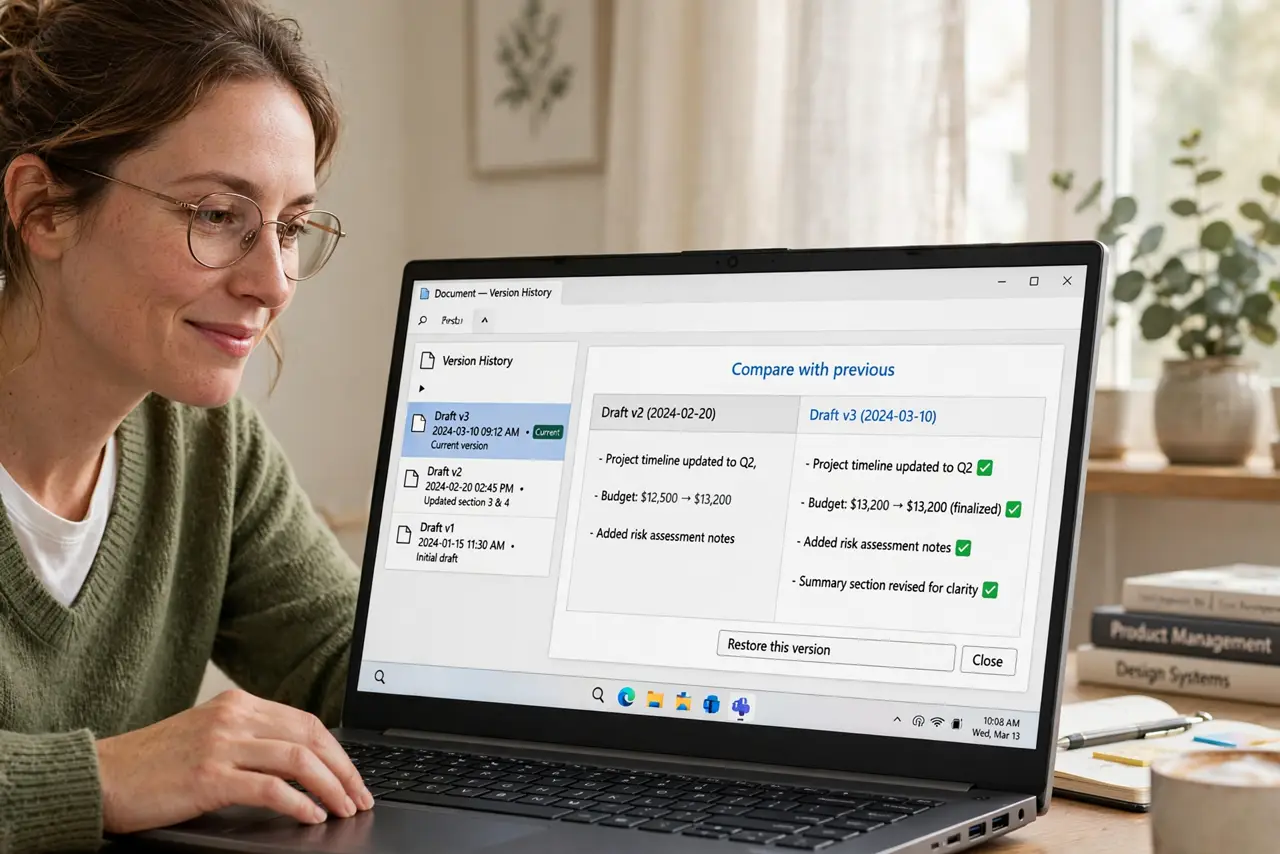
- Use built-in version history. Google Docs, Word, and Dropbox all keep automatic version histories. For important documents, prefer the tool with history over the one without — the safety net is free.
- Archive, do not delete. Old versions are insurance against bad edits and disputes. Storage is cheap; the v2 you deleted is the one you will need.
What NOT to do
- Do not keep five currents in one folder. One live version, the rest archived — duplicates in the working folder guarantee mistakes.
- Do not rely on memory for what changed. Without even a one-line note, every old version is a mystery file.
- Do not email versions as the system. Attachments multiply chaos; one shared link to the live document beats twelve emailed drafts.
- Do not delete old versions to save space. Text documents are tiny; the insurance value of history dwarfs the storage cost.
Frequently asked questions
Should I use dates or version numbers?
Version numbers for drafts in progress, dates for delivered milestones. Mixing both in one sequence causes confusion — pick per context.
What about collaborative documents?
Use the platform's built-in history and named versions instead of filename juggling — see named versions for the clean approach.
How long should I keep old versions?
For important work: indefinitely, archived. Storage is cheap and disputes are expensive — the archive folder costs nothing to keep.