Selling an Old Phone Without a Full Wipe
A quick delete of a few apps is not a wipe — the buyer can recover your photos, messages, and logins with free software. A proper wipe follows an order: back up, sign out, encrypt, then erase.
TL;DR / Quick Fix
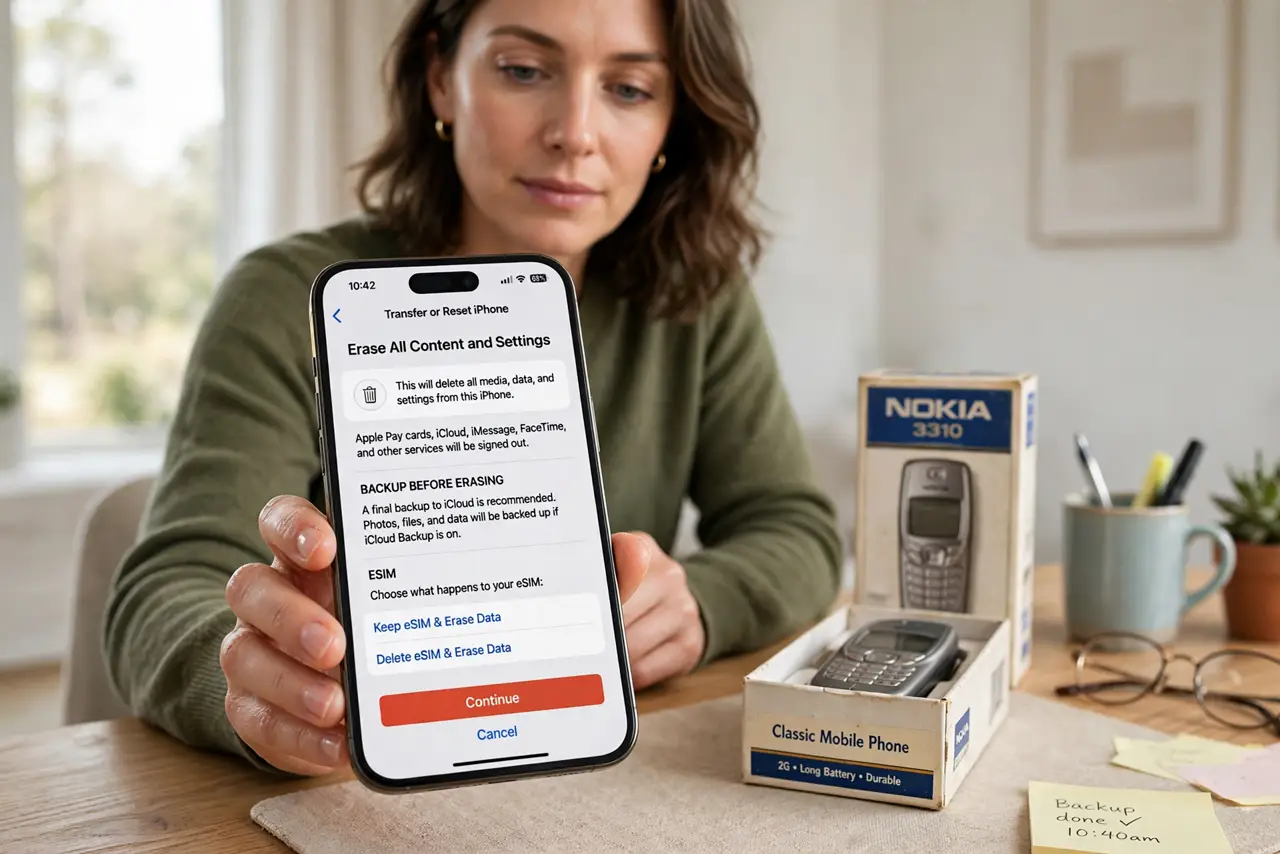
Quick fix: back up the phone, sign out of every account, then run the factory erase from settings. Then remove the phone from your account's device list, take out the SIM and memory card, and verify it boots to the setup screen.
Follow these steps
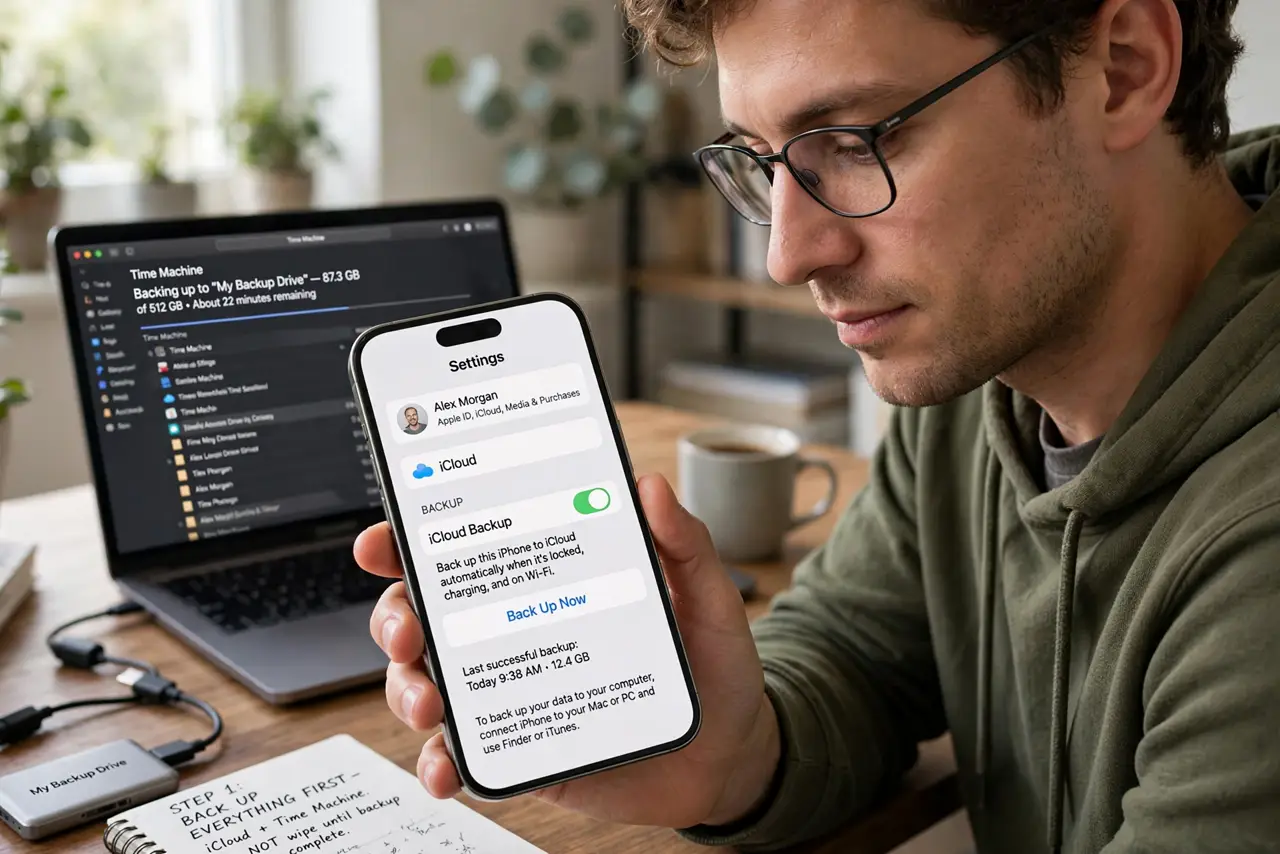
- Back up everything first. Run a full backup to your computer or cloud before touching anything — the same backup-first rule as wiping a laptop for donation. The wipe is permanent, and the backup is your only way back.
- Sign out of every account. Sign out of the phone's ecosystem account, email, and social apps. A signed-in account can survive a sloppy erase and hand the buyer your identity.
- Encrypt the phone before erasing. If the phone offers encryption, turn it on before the factory reset. Encryption scrambles the underlying data so recovery software finds only noise.
- Run the factory erase from settings. Use the official erase-all-content option in settings, not a manual delete of apps and photos. Only the full erase clears every partition properly.
- Remove it from your device list. Open your account's device management and remove the old phone. This detaches it from your identity even if something was missed on the device.
- Verify it boots to the setup screen. After the erase, confirm the phone shows the fresh setup wizard. A phone that boots to your home screen was not wiped, whatever the seller tool claimed.
What NOT to do
- Do not just delete photos and call it wiped. Deleted files are recoverable in minutes with free tools; only a proper erase clears them.
- Do not forget the SIM and memory card. The wipe covers internal storage, but cards carry their own data out of the phone.
- Do not sell it still signed into your accounts. A signed-in phone can receive your messages and reset your passwords from the buyer's hands.
- Do not skip the backup. The wipe cannot be undone, and lost photos hurt more than a delayed sale.
Frequently asked questions
Is a factory reset enough?
Yes, when done from settings after signing out, especially with encryption on first. It clears all user data partitions properly.
What about the SIM card?
Remove it and destroy or reuse it yourself. SIMs hold contacts and can receive your calls and texts.
Should I remove it from my account online too?
Yes. Detaching it from your device list ensures services stop trusting it even if the wipe missed something.