Cancel One Meeting Instance
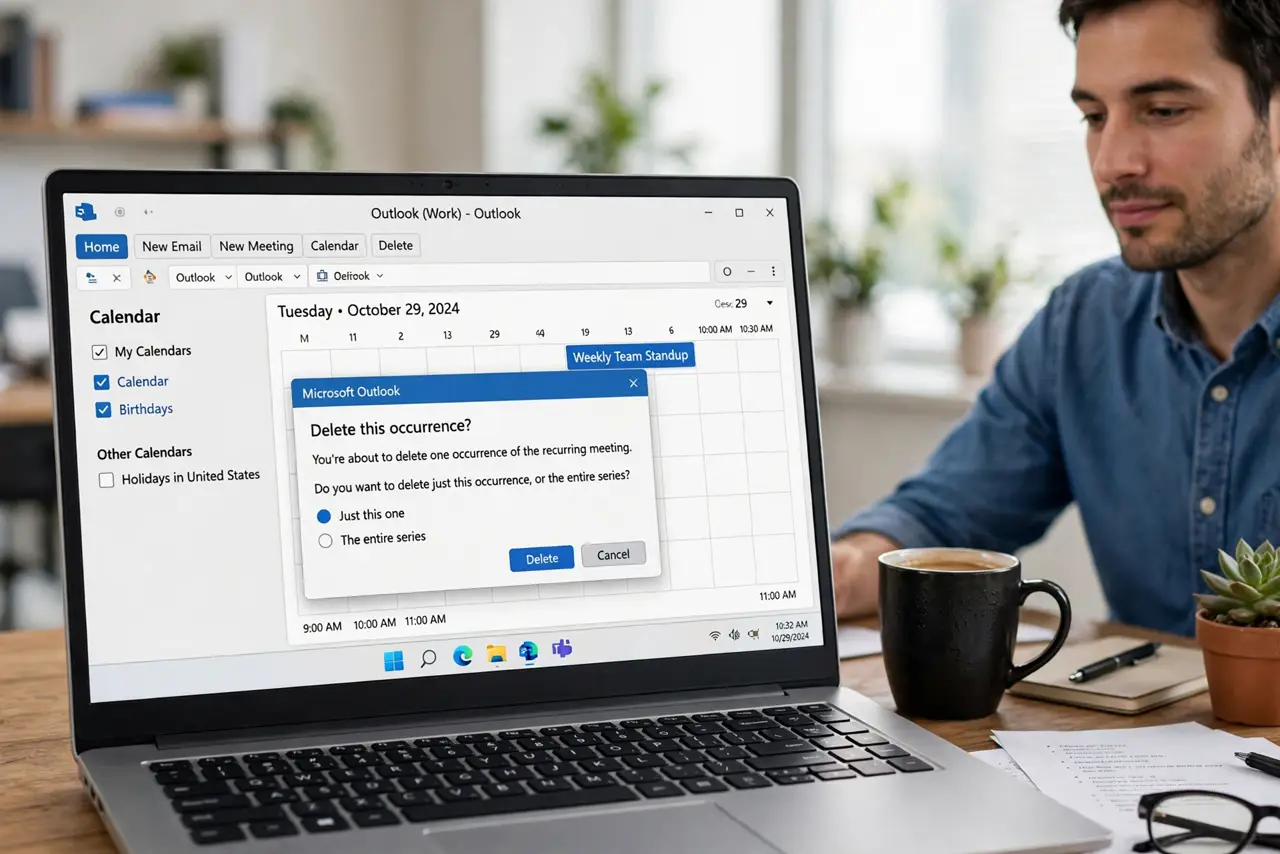
Next Friday's standup is cancelled for the holiday, but the series runs all year. Deleting the whole series would nuke months of meetings; deleting just that one instance removes only the holiday occurrence. The difference is one dialog choice. Here is how to cancel a single instance without touching the rest.
TL;DR / Quick Fix
Quick fix: to cancel one meeting occurrence without killing the series, open that instance, choose Delete, and select only this event. Send the cancellation so attendees know. The remaining occurrences continue normally. To end the whole series, delete the series instead and set an end date.
Follow these steps
- Open the occurrence to cancel. Find the meeting on the specific date and open it — or select it and press Delete.
- Choose 'this event' only. When Outlook asks, select Delete This Event (not the series). Read the dialog — the default is not always the safe one.
- Send the cancellation. Choose to send the cancellation notice so attendees' calendars clear too. A silent delete leaves phantom meetings on their side.
- Confirm the series survives. Check the weeks before and after — the other occurrences should sit there untouched.
- Add a note if the reason matters. For a holiday or one-off cancellation, a line in the cancellation message ('no standup on the holiday') prevents confused replies.
- End the series properly if it is over. If the meeting is done for good, open the series and delete it — or set an end date. Do not cancel instances one by one forever.
What NOT to do
- Do not delete the series when you mean one instance. It is the most common recurring-meeting disaster — months of invites vanish at once.
- Do not skip sending the cancellation. Without it, attendees keep the meeting on their calendars and show up to an empty room.
- Do not cancel from a stale copy. If the organizer already changed the series, your old instance may not match — refresh first.
- Do not forget exceptions when editing later. A cancelled instance stays cancelled even if the organizer later edits the series — usually what you want, but worth knowing.
Frequently asked questions
Attendees still see the cancelled meeting — why?
You likely deleted without sending the cancellation. Re-delete the instance and choose to send the notice this time.
Can I un-cancel a single instance?
Not directly — recreate it as a one-off meeting on that date, or ask the organizer to restore the occurrence.
What is the difference between deleting an instance and ending a series?
Deleting an instance removes one date. Ending the series stops all future occurrences. Different tools for different intentions.