Live Voicemail? How It Works
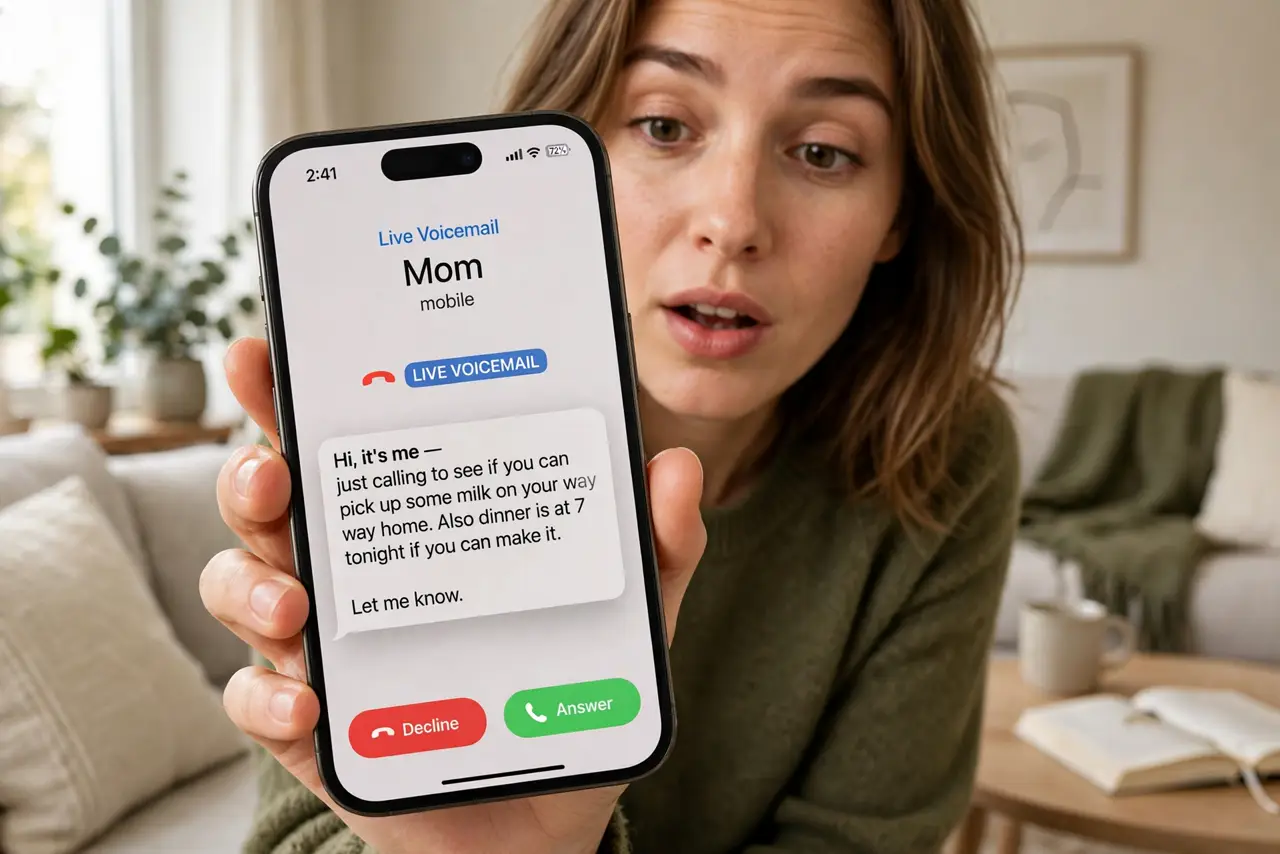
Your phone rings from an unknown number, and instead of a gamble — answer or ignore — you watch the voicemail being transcribed live on screen as they speak. That is Live Voicemail: real-time transcription while the caller is still talking, with a button to pick up mid-message if it turns out to matter. Here is how it works on iPhone.
TL;DR / Quick Fix
Quick fix: Live Voicemail transcribes the caller's message on your screen in real time while they speak. On iPhone, enable it in Settings > Phone > Live Voicemail. When an unknown caller reaches voicemail, watch the transcript; tap accept to pick up mid-message if it matters.
Follow these steps
- Understand what you are watching. When a call goes to voicemail, the iPhone answers silently and transcribes the caller's speech live on your screen. You read the message as it is being left — like screening calls through an answering machine, upgraded.
- Turn it on. Go to Settings > Phone > Live Voicemail and enable it. It needs a few setup seconds the first time. If the toggle is missing, your iPhone model or region may not support it yet.
- Let unknown calls roll to it. Live Voicemail shines on unknown numbers: instead of declining blindly, watch the first seconds of transcript. A delivery driver says 'package'; a robocall says nothing — you decide with evidence.
- Pick up mid-message when it matters. If the transcript turns out to be important — your doctor's office, a real human — tap the accept button and you are connected instantly. The caller never knew you were screening.
- Know its limits. Transcription happens on-device and needs a decent signal to kick in. Very short messages may finish before the transcript appears, and heavy accents can confuse it.
- Pair it with the classic inbox. Messages you do not pick up land in your regular visual voicemail list with full transcripts. Live screening and the inbox are the same system — just two moments of it.
What NOT to do
- Do not rely on the live transcript for details. Names and numbers get mangled — play the recording before acting on specifics.
- Do not assume every iPhone has it. It needs a recent model and iOS version; older phones keep the classic voicemail only.
- Do not let it replace blocking. Live screening a repeat robocaller is fun once — then block the number.
- Do not expect it on roaming. Like visual voicemail, live transcription can fail abroad — check messages the old way when traveling.
Frequently asked questions
Is Live Voicemail the same as visual voicemail?
Related but different. Visual voicemail is the inbox of finished messages; Live Voicemail is the real-time transcript while the caller is still speaking.
Does the caller know I am screening?
No. They hear a normal voicemail greeting and leave a message as usual. Your silent screening is invisible to them.
Why did it not trigger on a call?
It needs time to engage — very quick hang-ups beat it. Also check the toggle is on and your iOS is up to date.