Photo Location Data Shared by Default? Stop It
Many phones save where a photo was taken inside the photo file itself. When you share that photo, the location can travel with it, even if the image shows nothing sensitive. Turn off camera location and strip data before sharing publicly.
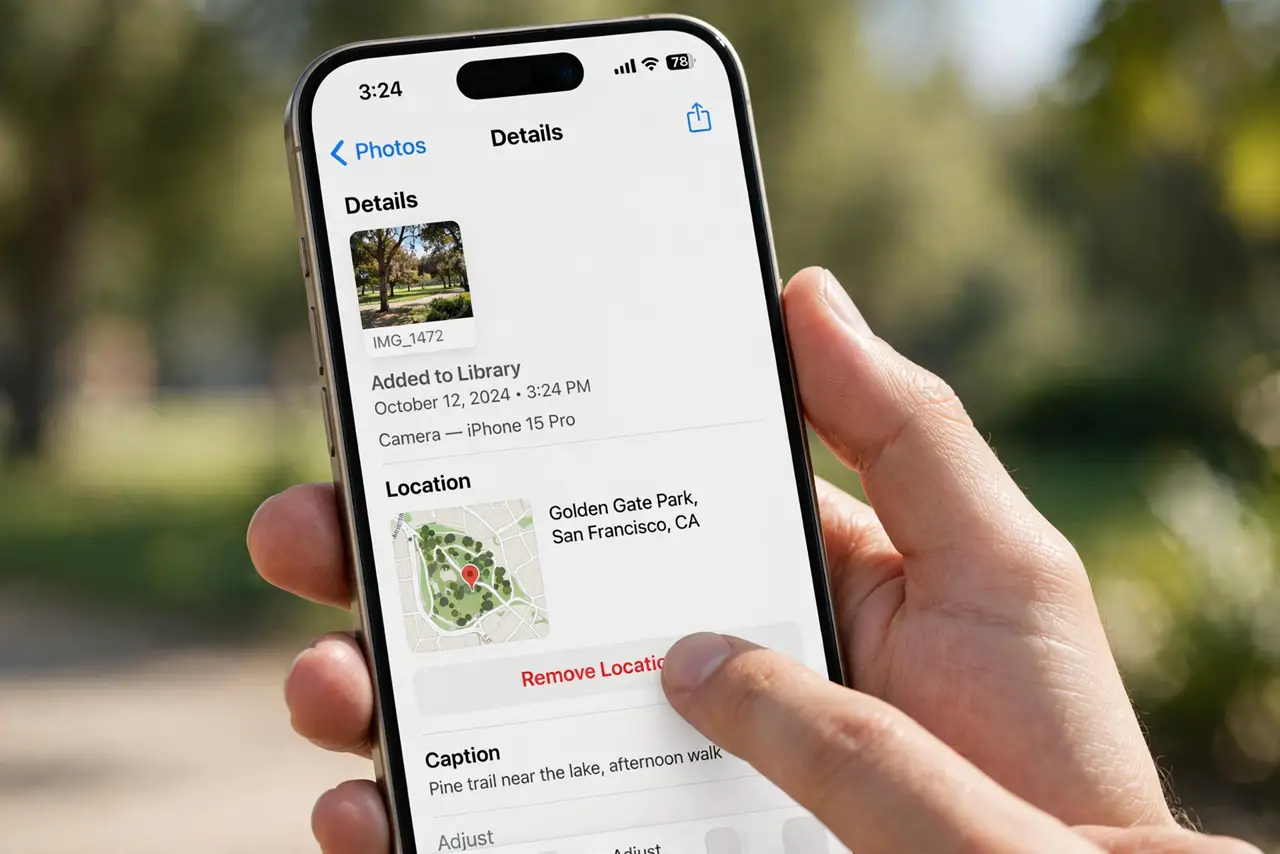
TL;DR / Quick Fix
Quick fix: turn off location for your camera app so new photos carry no location. Before sharing an old photo publicly, share a copy without location data, or use your phone share options to remove location first. Strip old photos before sharing again.
Follow these steps
- Turn off location for the camera. In device settings, set camera location permission to Never. New photos will no longer record where they were taken.
- Check how your phone shares photos. Look for a share option that removes location data, or an option to include or exclude location when sharing. Use the remove option for public shares.
- Strip location before public posts. Before posting a photo publicly, make a copy and remove its location data, or share through an option that strips it. Do not rely on cropping, since cropping does not remove location data.
- Be extra careful with home and school photos. Photos taken at home, at school, or at a regular place reveal routines when location is attached. Strip location from those photos before any public share.
- Check shared albums too. Photos in shared albums can still carry location data for everyone in the album. Strip location before adding sensitive photos to a shared album.
- Review old photos before reposting. Old photos shared again later still carry their original location. Strip location from any old photo before you post it again.
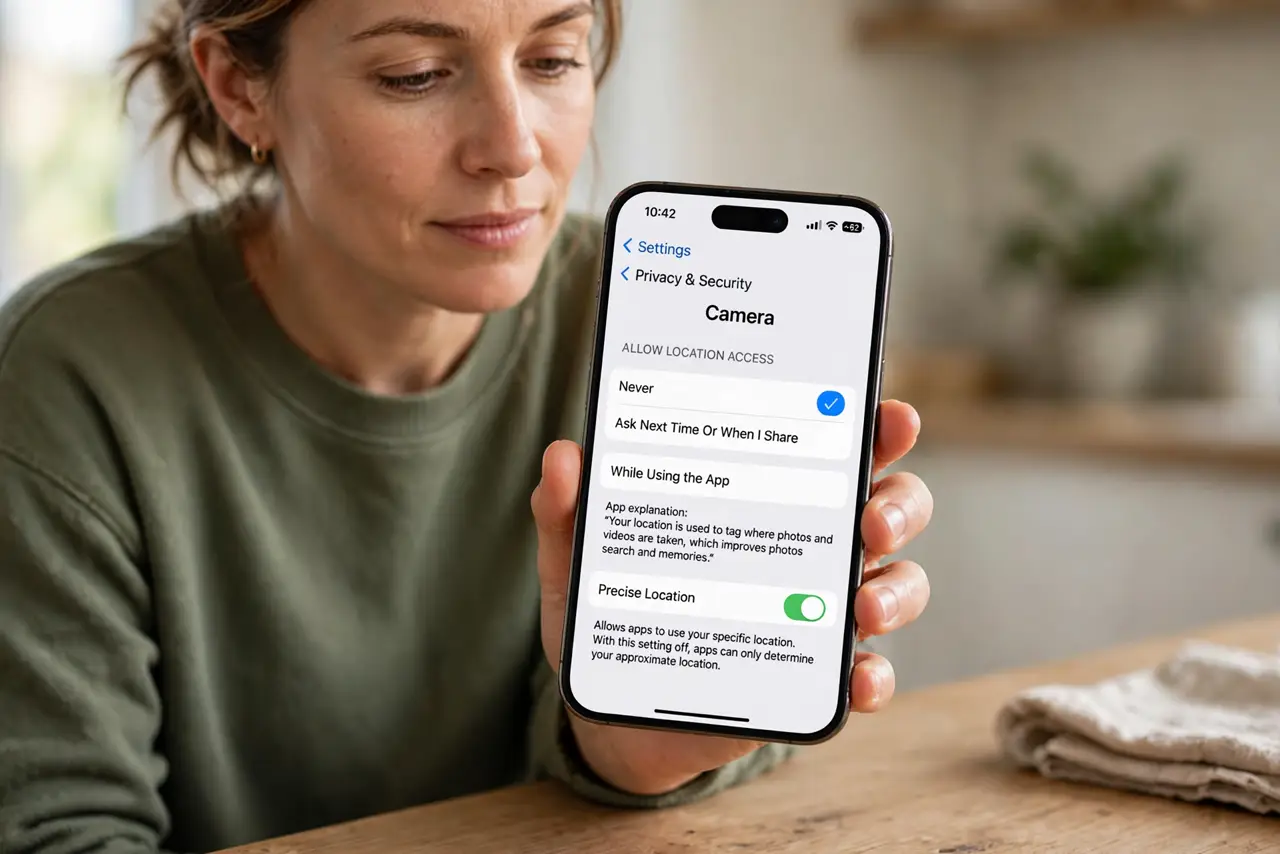
What NOT to do
- Do not assume a photo is safe because it shows no street sign. The hidden location data can still reveal the exact place.
- Do not share original photos publicly when a stripped copy would do. Keep originals private and share copies without location.
- Do not trust cropping or filters to remove location. They change the image, not the data attached to it.
- Do not leave camera location on for convenience if you post often. Turning it off costs nothing and protects every future photo.
Frequently asked questions
Does turning off camera location delete old data?
No. Old photos keep the location recorded when they were taken. You still need to strip location before sharing those photos.
Do screenshots remove location?
A screenshot of a photo usually carries no original location data, but it also lowers quality. Use the proper remove-location option when you can.
What about photos sent privately?
Private messages still carry location if the file includes it. Strip it when the recipient does not need to know where it was taken.