Slide Numbers Start at Zero by Mistake
Your slides are numbered 0, 1, 2 instead of 1, 2, 3, and it looks like a mistake to the audience. The deck's starting number is set to zero, often inherited from a template, and one setting puts it right.

TL;DR / Quick Fix
Quick fix: open the slide number or header settings, find the starting number option, and set it to 1 instead of 0. Apply the footer to all slides so the corrected numbering appears everywhere, then preview a few slides to confirm.
Follow these steps
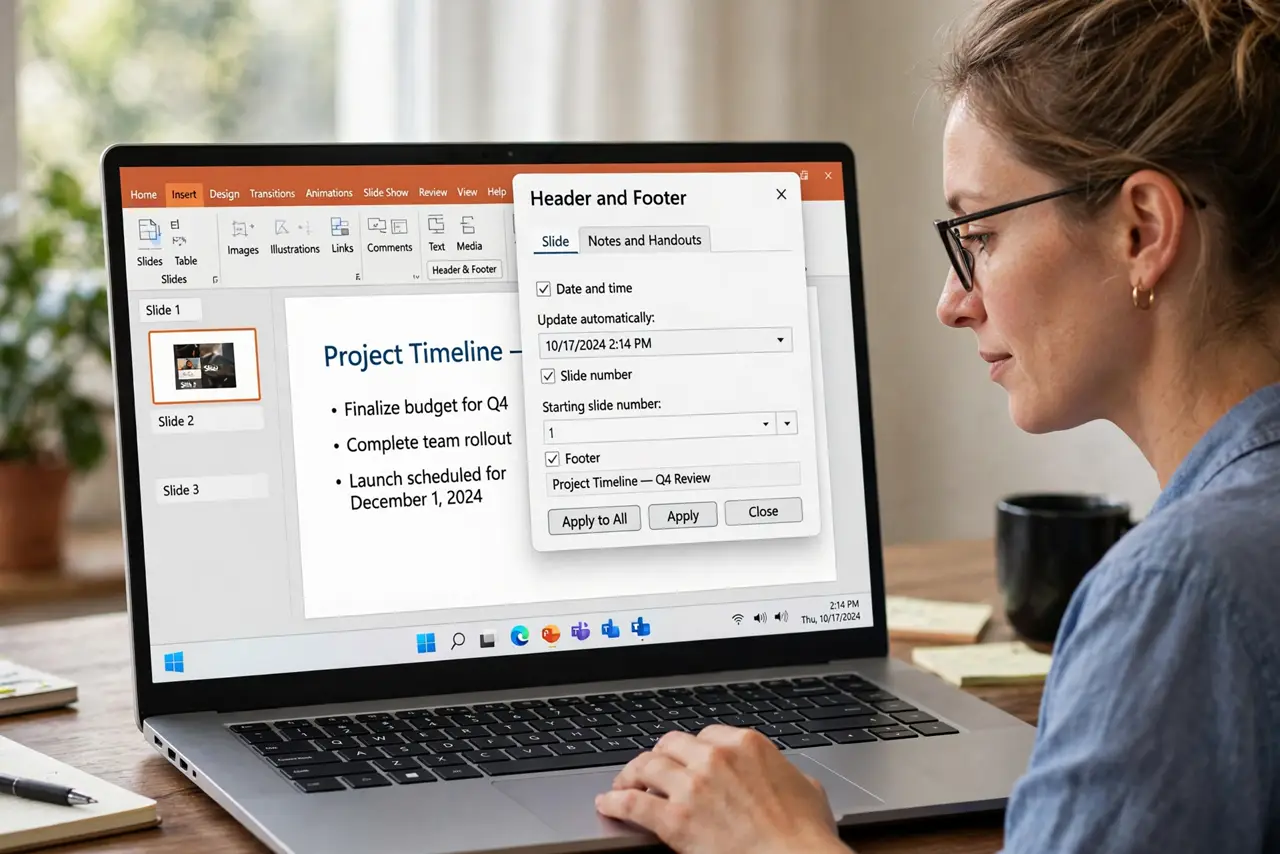
- Open the slide number settings. Go to Insert, then Header and Footer or Slide Number. The starting-number option lives there, not in the footer text itself.
- Set the starting number to 1. Change the starting number from 0 to 1. This single value shifts every automatic number in the deck, so you fix it once, not slide by slide.
- Apply the footer to all slides. After changing the start, choose Apply to All. A change applied to one slide leaves the rest showing the old numbering.
- Check the title slide setting. If the title slide should show no number, keep the option to hide it there. That hides the number without shifting the count for the rest.
- Look at the template if numbers return to zero. When a fresh slide still numbers from zero, the template's default is the culprit. Fix the starting number in the template or slide master so new slides inherit it.
- Print or export a quick check. Preview two or three slides after the fix. Numbers hide in footers, and a quick preview confirms the audience will see 1, 2, 3.
What NOT to do
- Do not type numbers into footers by hand. Hand-typed numbers never update when slides move, while automatic numbering stays correct on its own.
- Do not fix one slide and assume the rest followed. Automatic numbers need Apply to All, or the deck ends up with two numbering schemes.
- Do not renumber by deleting the title slide. Removing slides to shift numbers is guesswork, while the starting-number setting is exact.
- Do not ignore a zero-numbered deck because the content is good. The audience notices the odd numbering before they notice the content.
Frequently asked questions
Why do my slides start at zero?
Because the deck's starting number is set to 0, usually inherited from a template, and every automatic number follows it.
Will fixing it renumber the whole deck?
Yes. Changing the starting number shifts all automatic numbers at once when you apply it to all slides.
Why does a new slide still start at zero?
The template carries the old default. Fix the starting number in the master or template so new slides inherit it.