LinkedIn Privacy? Basics
LinkedIn is a professional network that defaults to very public — your connections, profile views, and activity broadcast further than most users realize. A privacy pass keeps you findable by recruiters while hiding the details strangers do not need. This guide walks the settings that matter.
TL;DR / Quick Fix
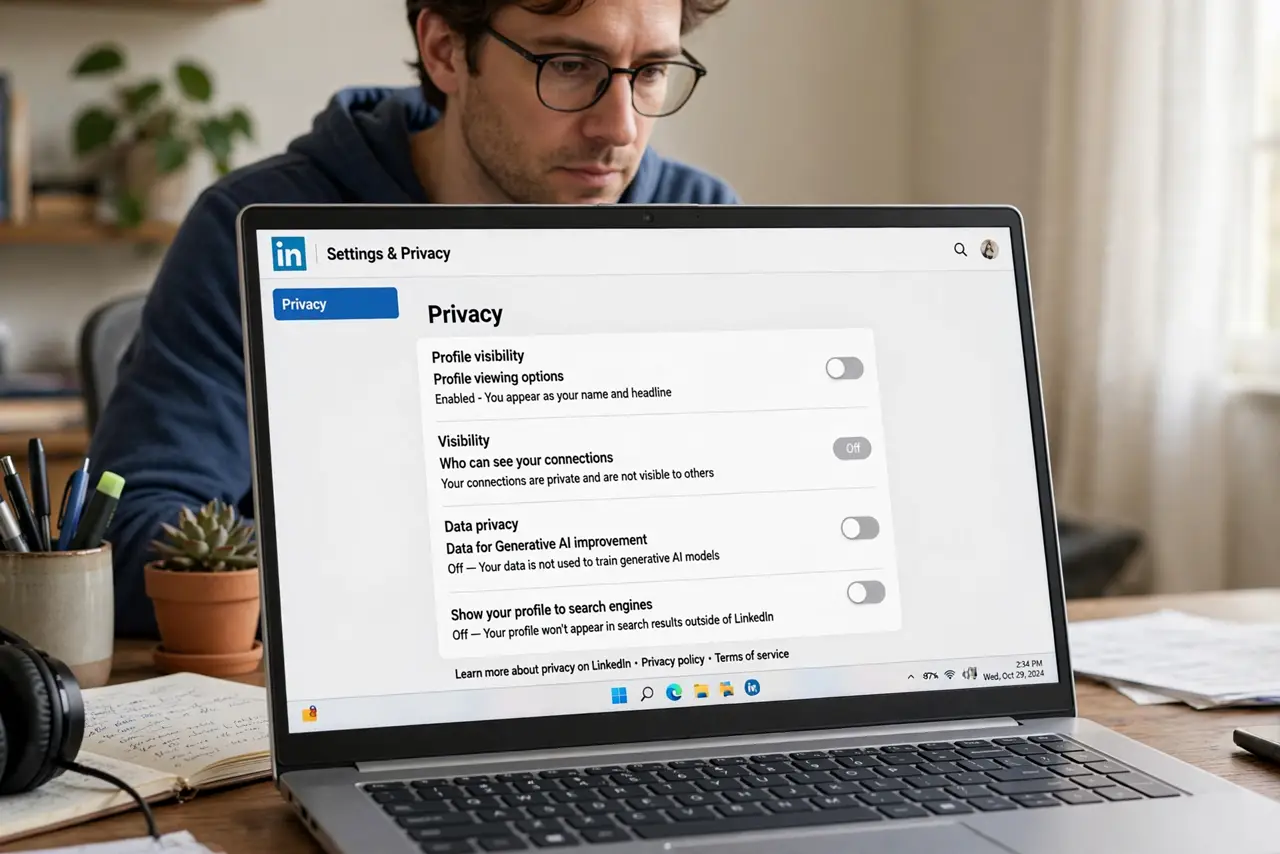
Quick fix: lock down LinkedIn under Settings, Visibility — hide your connections, limit profile viewing options, and turn off 'viewers of this profile also viewed.' Review who can see your email and birthday. Recruiters can still find you; you are just choosing what strangers learn. Recheck after LinkedIn updates.
Follow these steps
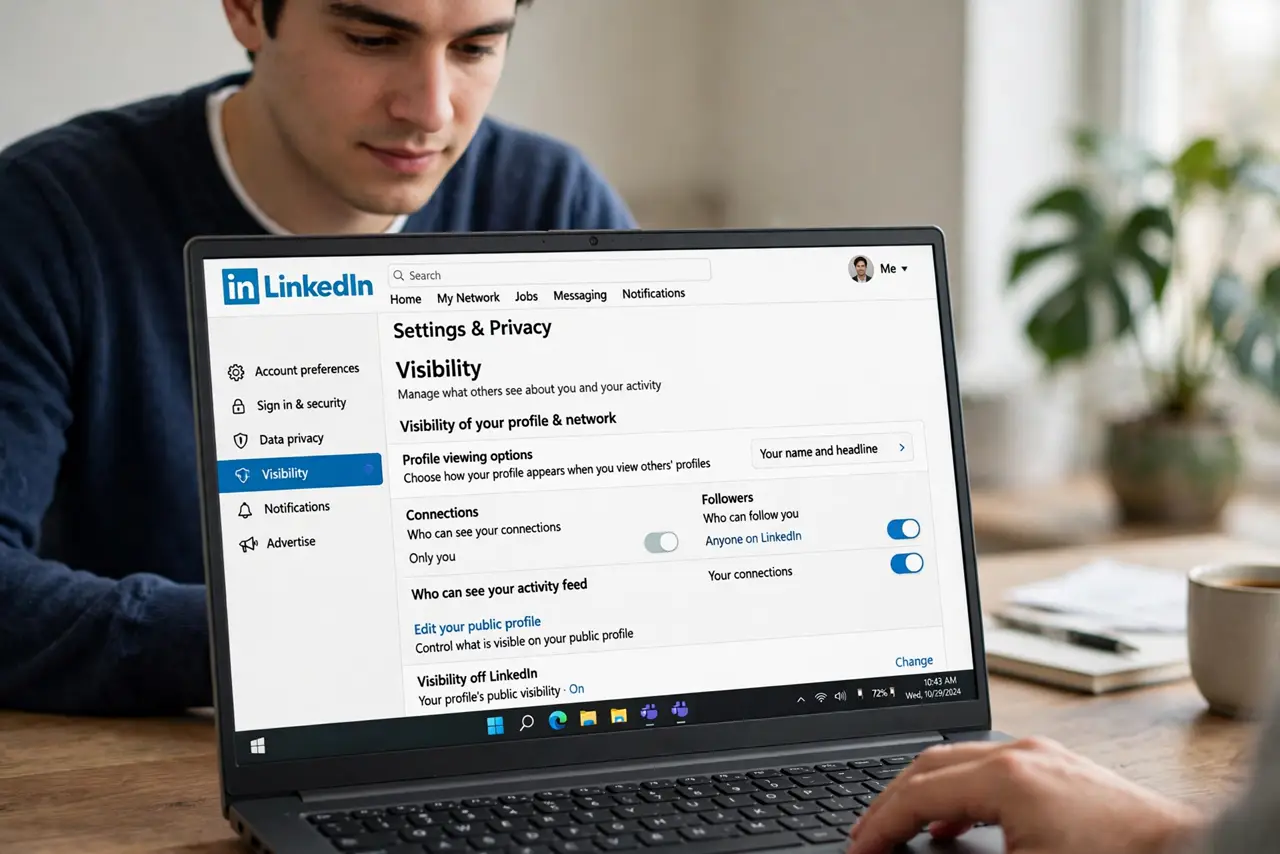
- Open Visibility settings. Click your profile photo, Settings and privacy, then Visibility. Every control below lives here — work through the sections in order.
- Set profile viewing options. Under 'Profile viewing options,' choose what others see when you view their profile — your name, semi-anonymous details, or fully private mode. Private mode means they cannot see you looked; the tradeoff is you see less about your own viewers.
- Hide your connections. Set 'Who can see your connections' to Only you. A public connections list lets strangers map your professional network — recruiters do not need it, and neither do scammers.
- Limit email and birthday visibility. Control who sees your primary email and birth date — 'Only you' or close connections for both. There is no professional upside to strangers seeing either.
- Turn off 'viewers also viewed.' Disable 'Viewers of this profile also viewed' to stop LinkedIn advertising your competitors and colleagues on your profile. It is marketing for LinkedIn, not for you.
- Tame the public profile. Under 'Edit your public profile,' choose what search engines and non-members see. Keep the headline and experience public for recruiters; hide the rest.
What NOT to do
- Do not browse in private mode forever. Total anonymity costs you viewer insights and looks evasive to recruiters — use it selectively, not permanently.
- Do not accept every connection request. An open network of strangers defeats every privacy setting — vet requests, especially empty or sales-heavy profiles.
- Do not post your phone number publicly. The contact info section is scammer bait — keep phone numbers visible to connections only, at most.
- Do not assume 'connections only' is private. With 500+ connections, that audience is effectively public — reserve truly sensitive details for direct messages.
Frequently asked questions
Can recruiters still find me if I lock things down?
Yes — headline, experience, and skills stay searchable. You are hiding personal details and network maps, not your professional pitch.
What does private mode hide?
In private mode, profile owners see that 'someone' viewed them but not who. You lose your own viewer list detail in return — it is symmetric.
Should I turn off 'share profile updates'?
If you are job hunting quietly, yes — otherwise every profile tweak broadcasts to your network, including your current employer.