Telegram Privacy? Basics
Telegram is fast and feature-rich, but its defaults are chatty: your phone number, last seen, and profile photo are more visible than most people realize. Unlike WhatsApp, regular chats are not end-to-end encrypted by default — only Secret Chats are. A few minutes in Settings, Privacy and Security fixes the exposure. Here is what to change and why.
TL;DR / Quick Fix
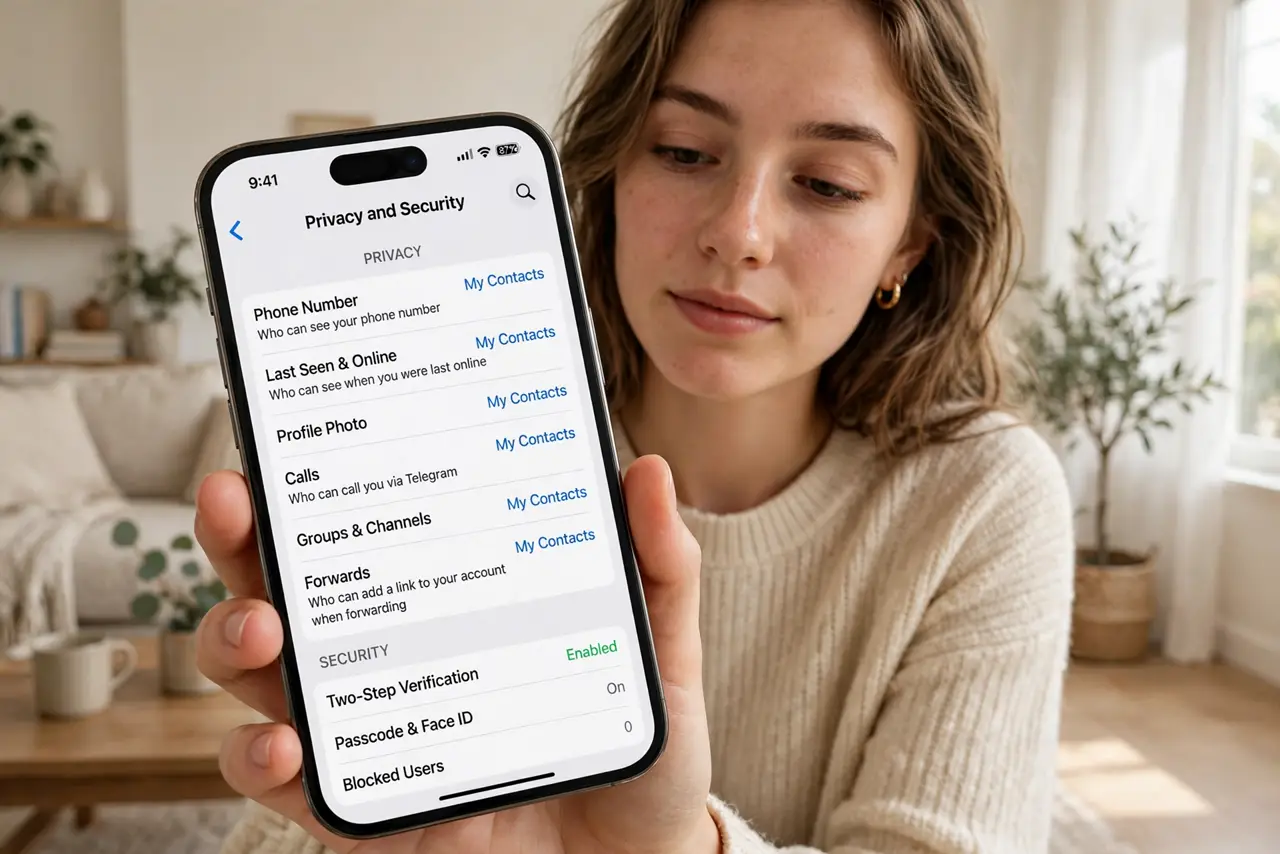
Quick fix: open Telegram, Settings, Privacy and Security. Set Phone Number, Last Seen, and Profile Photos to My Contacts. Turn off People can find me by my number if you want. Use Secret Chats for truly private conversations since regular chats are cloud-based. Review active sessions and terminate old ones.
Follow these steps
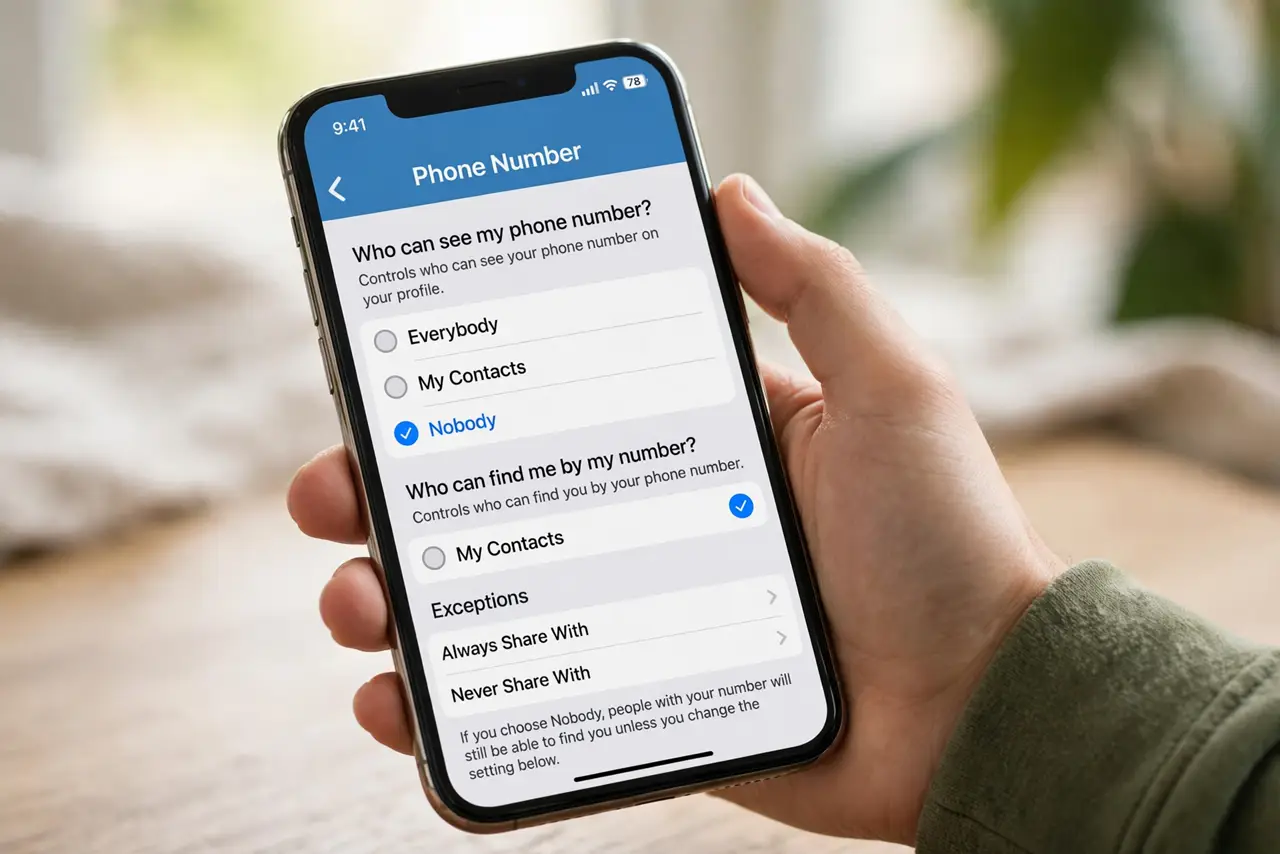
- Hide your phone number. Open Settings, Privacy and Security, Phone Number. Set 'Who can see my phone number' to My Contacts, and 'Who can find me by my number' to My Contacts too. Your number is your Telegram identity — strangers do not need it.
- Restrict last seen and profile photos. In the same menu, set Last Seen and Online to My Contacts, and Profile Photos to My Contacts. This stops strangers from tracking when you are active or harvesting your photo.
- Understand Secret Chats. Regular Telegram chats live on Telegram's cloud — convenient, but not end-to-end encrypted. For sensitive talks, start a Secret Chat from the contact's profile: those are device-to-device encrypted with self-destruct timers. Know which kind of chat you are in.
- Lock down groups and calls. Set 'Who can add me to group chats' to My Contacts to dodge spam groups. Under Calls, restrict peer-to-peer to contacts or nobody if you worry about IP exposure — relayed calls hide your address.
- Review active sessions. Open Devices in Settings and look at where your account is logged in. Terminate any session you do not recognize — an old logged-in laptop is an open door. This pairs well with a general social privacy reset.
- Set a two-step verification password. In Privacy and Security, enable Two-Step Verification with a password you will remember. Without it, anyone who intercepts your SMS code owns your account — this is the single most important Telegram security setting.
What NOT to do
- Do not assume all Telegram chats are encrypted. Only Secret Chats are end-to-end encrypted — regular chats sit on Telegram's servers.
- Do not skip two-step verification. SMS codes alone are hijackable; the extra password is your real account lock.
- Do not leave group adds on Everybody. Stranger group invites are the main Telegram spam and scam channel.
- Do not stay logged in on shared computers. Always check Devices and terminate sessions you no longer use.
Frequently asked questions
Is Telegram more private than WhatsApp?
It depends. WhatsApp encrypts all chats by default; Telegram only encrypts Secret Chats. But Telegram collects less metadata-tied-to-identity in some ways and offers more privacy controls. Neither is perfect.
Can strangers see my phone number on Telegram?
Only if your settings allow it. Set Phone Number visibility to My Contacts and disable discovery by number, and strangers see just your username.
What happens if someone gets my SMS code?
Without two-step verification, they can log in as you. With it, the code alone is useless — enable it now.