TikTok Privacy? Basics
TikTok knows a lot about you by default: what you watch, how long you linger, your location, and who you follow. Most of that data collection can be dialed back with a few settings changes, and your account can be made private in under a minute. This guide walks through the settings that actually matter, in plain order. Nothing here breaks the app — it just makes it yours again.
TL;DR / Quick Fix
Quick fix: open TikTok, go to Settings and privacy, turn on Private account, and set downloads and suggestions to private. Turn off personalized ads and location access. Review app permissions in your phone settings. Repeat an old-post privacy audit every few months.
Follow these steps
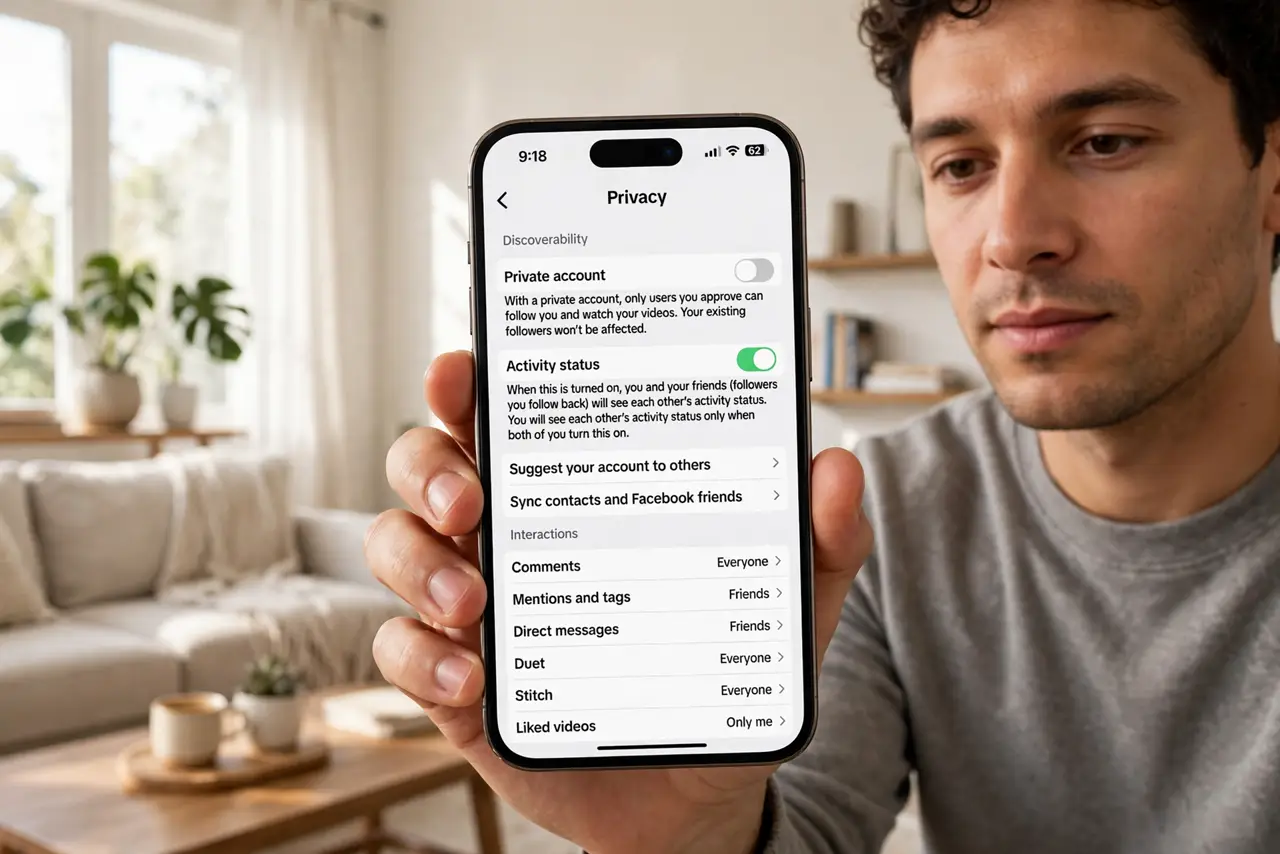
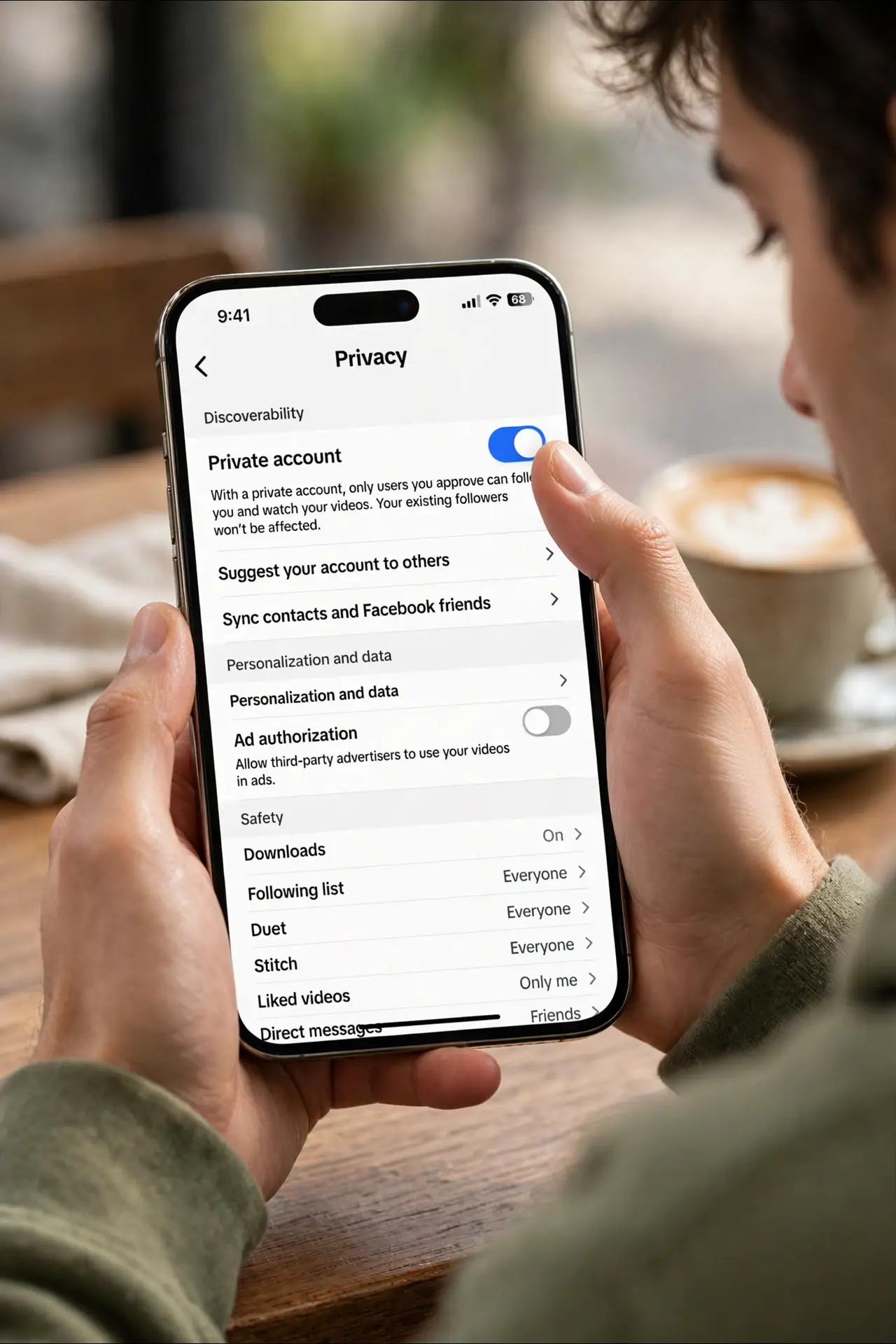
- Switch to a private account. Open TikTok, tap Profile, then the menu icon, then Settings and privacy, then Privacy, and toggle Private account on. This means only approved followers see your videos — the single biggest privacy change you can make. New followers need your approval first.
- Lock down who can interact with you. In the same Privacy menu, set who can send direct messages, comment, duet, and stitch with your videos. Friends-only or No one stops strangers from reaching you. For a full social media reset, apply the same habit on every app.
- Turn off ad personalization. In Settings and privacy, open Ads personalization and switch off personalized ads. TikTok will still show ads, but they will not be built from your off-app behavior and watch history. It takes ten seconds.
- Review location access on your phone. TikTok does not need precise location. On iPhone go to Settings, TikTok, Location, and choose Never or While Using with precise location off. On Android do the same under app permissions. The app works fine without it.
- Control downloads and suggested content. In Privacy settings, turn off Video downloads so strangers cannot save your clips, and review the 'Suggest your account to others' options. Fewer discovery channels means fewer unwanted eyes.
- Audit old posts and data periodically. Old public videos keep collecting views. Do an old-post privacy audit every few months, and use Download your data in Settings to see what TikTok holds. Delete what you no longer want online.
What NOT to do
- Do not leave the account public if you post personal content. Public videos can be downloaded, stitched, and reposted anywhere.
- Do not grant TikTok precise location. It adds nothing to the experience and feeds location-based profiling.
- Do not ignore direct message settings. Strangers messaging minors or anyone is the most common real-world privacy complaint.
- Do not assume deleting the app deletes your data. You must delete the account itself in Settings and privacy, then wait out the deactivation window.
Frequently asked questions
Can people find my TikTok with my phone number?
Only if you allow it. In Privacy settings, turn off 'Suggest your account to others' via contacts and phone number syncing. That closes the main path from your number to your profile.
Does a private account hide my old public videos?
No — existing videos keep their old visibility. After going private, change past videos to private one by one, or delete them. Going forward, new posts stay private.
Is TikTok safe for kids?
It carries the same risks as any social app: strangers, data collection, and addictive design. Use Family Pairing to link a parent account and set screen time and restricted mode, and keep the account private.